24/7 Monitoring
Monitor critical systems, infrastructure and service health so issues can be identified before they become production problems.
Explore service
Managed dental IT // Proactive support
Stop waiting for technology to break. Legend manages the networks, workstations, servers, security, backups, dental software environment and day-to-day IT behind your practice — so your team can stay focused on patients.
Nationwide dental IT · Remote-first support · Coordinated onsite assistance

Dental managed IT services
Managed dental IT services
Monitor critical systems, infrastructure and service health so issues can be identified before they become production problems.
Explore serviceDental-aware support for day-to-day workstation, user, connectivity and workflow problems.
Explore servicePatching, maintenance, performance, lifecycle and infrastructure management.
Explore serviceFirewalls, switching, Wi-Fi, connectivity and network performance.
Explore serviceManaged endpoint protection, identity/access controls and practical security safeguards.
Explore serviceProtected backups, monitoring and recovery readiness.
Explore serviceInfrastructure support around practice-management, imaging and connected dental technology.
Explore serviceLifecycle planning, budgeting and future infrastructure decisions.
Explore serviceManaged IT vs break-fix
✓ Fix after something fails
✓ Unplanned support costs
✓ Maintenance happens inconsistently
✓ Backup may be assumed rather than verified
✓ Different vendors point at each other
✓ Little long-term technology planning
✓ Continuous monitoring
✓ Predictable managed relationship
✓ Planned maintenance and patching
✓ Backup oversight
✓ Vendor coordination
✓ Lifecycle and technology planning
Dental-specific managed IT
Dental software & imaging IT
Servers, workstations, networks, backups, migration readiness and DEXIS dependencies.
Learn moreServer/workstation environment, imaging dependencies and migration readiness.
Learn moreNetwork reliability, workstations, backups, integrations and local/hosted environment support.
Learn moreImaging workstations, acquisition paths, storage, network performance and Dentrix integration.
Learn moreImaging workstations, EzDent-i/Ez3D-i connectivity, storage and network dependencies.
Learn moreImaging infrastructure, acquisition workstations, storage and PMS dependencies.
Learn moreImaging workstations, storage, networking and Romexis environment dependencies.
Learn moreCloud PMS connectivity, identity, endpoint, imaging and network environment.
Learn moreImaging and management infrastructure for orthodontic and specialty workflows.
Learn moreIndependent infrastructure support. No publisher or manufacturer authorization implied.
Explore Dental Software & Imaging Support24/7 dental IT monitoring
Automated/system monitoring of critical technology and infrastructure.
Dental-aware assistance during the defined staffed support window.
Escalation process for high-impact incidents.
Helpdesk Mon–Sat · emergency line 24/7 · monitoring 24/7
In-house only. No outsourced first-level triage.
Phone, email and portal. Every request gets a ticket number and an owner.
Level-one remote → senior engineer → onsite dispatch
Remote-first nationwide. Onsite by appointment across served dental markets, fastest in Texas.
Legend opens and runs the ticket with Dentrix, Eaglesoft, Open Dental, your imaging vendor or ISP.
Monitoring and live staffed support are not the same thing. A strong IT agreement should explain both clearly.
Dental IT incident response
Diagnose, correct, validate and document the infrastructure issue.
Share the technical context and coordinate the right software, imaging or connectivity vendor.
Dental IT responsibility
| Technology | Legend | Software or equipment vendor | Practice |
|---|---|---|---|
| Network | Primary | Equipment / carrier support | Access + decisions |
| Workstations | Primary | Application support | User workflow |
| Servers | Primary | Application dependencies | Business decisions |
| Backup infrastructure | Monitoring + management | Application support | Retention decisions |
| Dental software | Infrastructure + coordination | Product ownership | Workflow / licensing decisions |
| Imaging | Infrastructure + coordination | Device / product ownership | Clinical workflow decisions |
| Security tooling | Technical management | Product support | Policy + access decisions |
| Licensing | Inventory + coordination | Publisher terms | Ownership + approval |
| HIPAA compliance | Supports technical safeguards | Product responsibility | Covered-entity responsibility |
Managed IT pricing for dental practices
Covers all remote dental IT support, 24/7 monitoring and the agreed service scope. No surprise invoices for ticket volume. The most common model for single-location practices.
What most single-location practices actually spend once the plan is sized to their users, devices and security requirements.
Encrypted onsite and offsite backups with tested restores. Final price depends on the storage required.
| Included in the monthly fee | Quoted separately | Never charged |
|---|---|---|
| Help desk and remote support | New hardware and workstations | Per-ticket fees |
| 24/7 monitoring and alerting | Buildouts, relocations and cabling | Emergency surcharges during help-desk hours |
| Patching and updates | Server, cloud and PMS migrations | Documentation you cannot take with you |
| Security tooling and management | Software licensing | Long-term lock-in for support |
| Backup monitoring and restore tests | After-hours projects | — |
| Vendor coordination and technology planning | — | — |
More users means more accounts, more devices to protect and more help-desk demand.
Workstations, servers, sensors and imaging stations each need monitoring, patching and security.
Every additional office adds a network, a firewall and its own onsite requirements.
Scheduled visits and dispatch expectations for your area.
Endpoint detection, email security, MFA and awareness training set the security tier.
An on-premise server needs more oversight than a cloud practice-management setup.
The number of dental applications and imaging vendors Legend coordinates for you.
Help-desk hours you need covered and how emergencies are handled.
Storage volume, retention period and how often restores are tested.
Compare what the provider owns — not only the monthly fee. A lower number that excludes backups, security or onsite visits is not a lower price.
Dental managed IT security
Cybersecurity and HIPAA technical safeguards are part of a well-managed dental IT environment — protecting the systems, users and data your practice relies on every day.
The goal is not simply to install security tools. It is to manage the layers around the practice continuously: endpoints, access, patching, email, backups and incident readiness.
PreventReduce avoidable exposure through patching, access controls and managed security tools.
DetectMonitor the environment so suspicious activity or system issues are surfaced earlier.
RecoverMaintain protected backups and incident readiness so disruption does not become prolonged downtime.
✓ Endpoint security
✓ Identity and access controls
✓ MFA where applicable
Network & Maintenance✓ Firewalls
✓ Patch management
✓ Monitoring
✓ Email security
Resilience✓ Protected backups
✓ Incident readiness
Dental backup & disaster recovery
Define ownership, dependencies and the next recovery action before an incident.
Define ownership, dependencies and the next recovery action before an incident.
Define ownership, dependencies and the next recovery action before an incident.
Define ownership, dependencies and the next recovery action before an incident.
Define ownership, dependencies and the next recovery action before an incident.
Define ownership, dependencies and the next recovery action before an incident.
Managed IT for dental practices
One accountable IT team instead of fragmented support.
Lifecycle planning and stronger infrastructure.
Consistent support and technical standards across offices.
Centralized visibility, security, standards and onboarding.
Specialist dental IT support that can complement an internal technology team.
Nationwide dental IT services
Networks, security, workstations, backups, software coordination and ongoing dental technology management.
Explore marketDental-specific technology management for practices that need proactive infrastructure, security and software coordination.
Explore marketProactive technology management across networks, workstations, security, backups and connected dental systems.
Explore marketProactive management of the technology environment behind Houston dental offices and growing groups.
Explore marketManaged infrastructure, cybersecurity, backups and dental software coordination for Miami-area practices.
Explore marketManaged technology services for modern dental practices and multi-location organizations across the Boston market.
Explore marketSwitching dental IT providers
Document, verify and assign ownership before moving to the next control point.
Document, verify and assign ownership before moving to the next control point.
Document, verify and assign ownership before moving to the next control point.
Document, verify and assign ownership before moving to the next control point.
Document, verify and assign ownership before moving to the next control point.
Document, verify and assign ownership before moving to the next control point.
Document, verify and assign ownership before moving to the next control point.
Document, verify and assign ownership before moving to the next control point.
Dental managed IT cost
Scope and ownership should be clearly defined in the managed agreement.
Scope and ownership should be clearly defined in the managed agreement.
Scope and ownership should be clearly defined in the managed agreement.
Scope and ownership should be clearly defined in the managed agreement.
Scope and ownership should be clearly defined in the managed agreement.
Scope and ownership should be clearly defined in the managed agreement.
Scope and ownership should be clearly defined in the managed agreement.
Scope and ownership should be clearly defined in the managed agreement.
Scope and ownership should be clearly defined in the managed agreement.
Compare what the provider owns — not only the monthly fee.
Read the Dental IT Cost GuideManaged dental IT // Real practices · Real projects
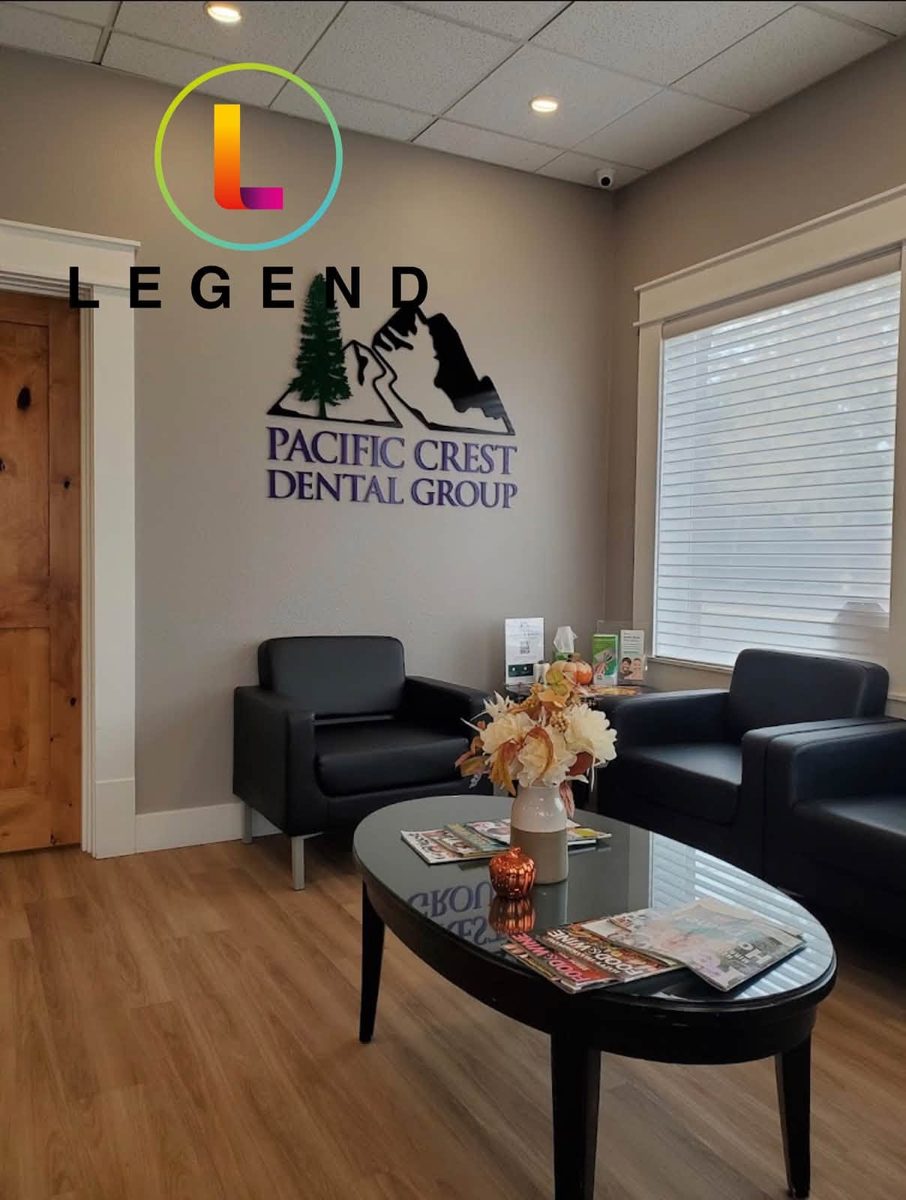
Legend helped bring together computers, server infrastructure, networking, applications, software, and security into a stronger day-to-day technology environment for the practice.
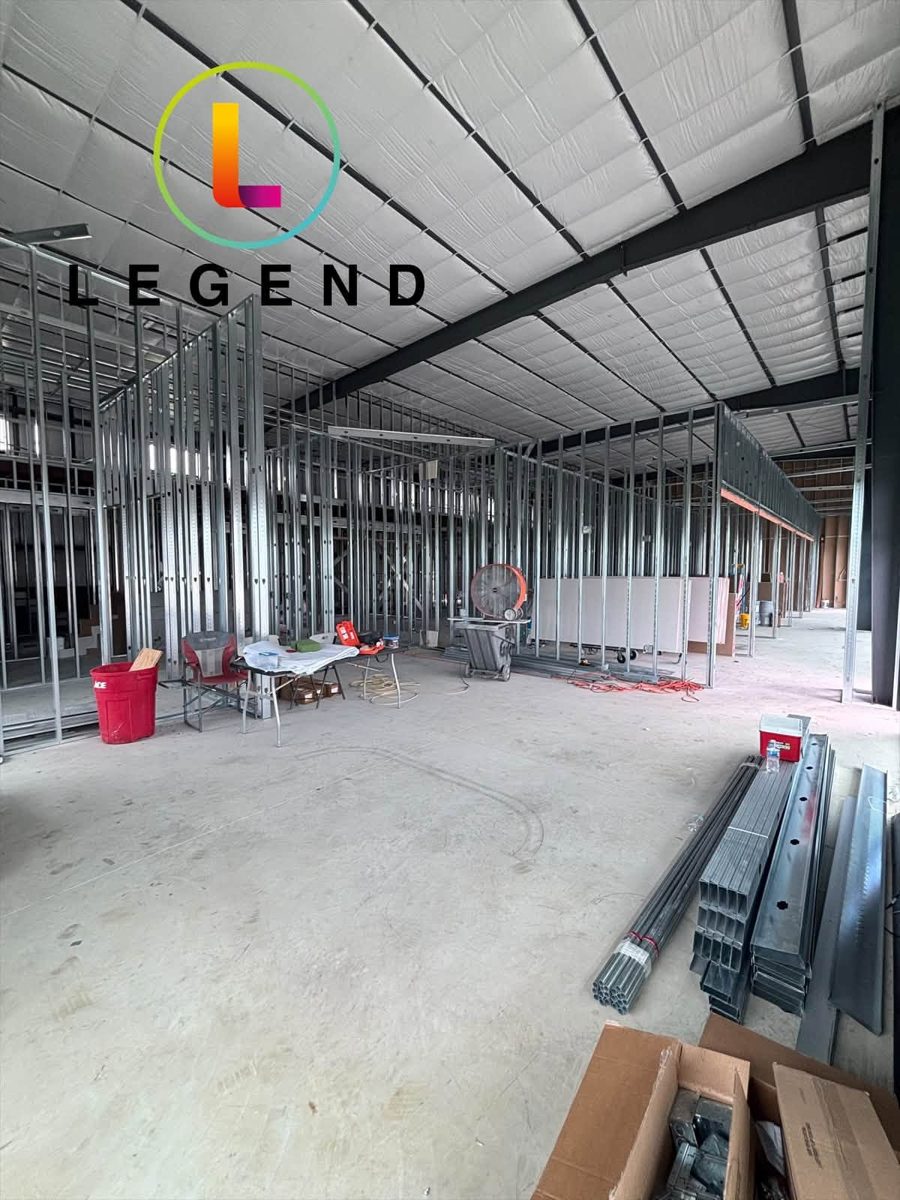
Legend supported the technology planning behind the practice from construction onward, including infrastructure, structured cabling, connectivity, workflow planning, and long-term IT requirements.
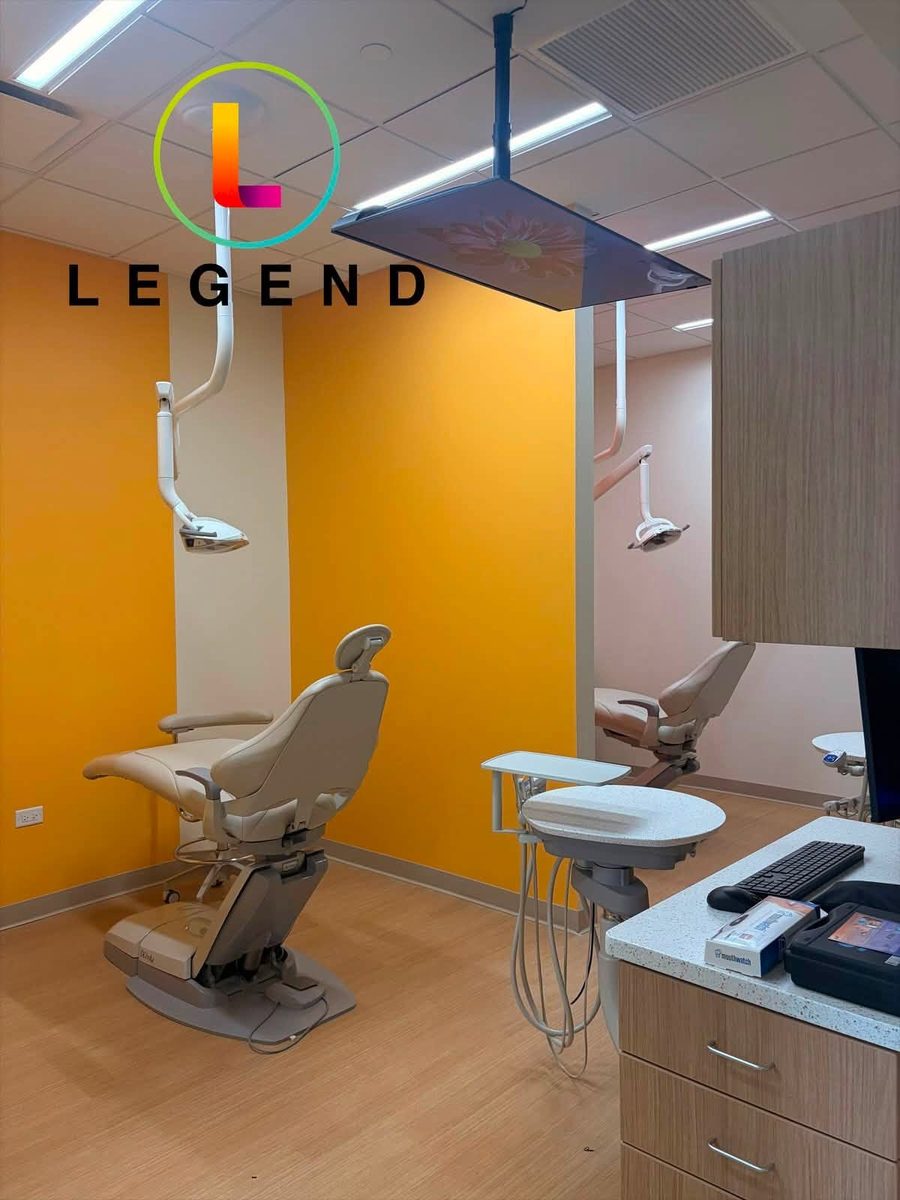
Legend is supporting on-site installation and technology configuration as the new pediatric dental practice moves from planning toward opening day.
Real practices. Real technology environments. Explore more of Legend's dental IT work →
Choosing a dental MSP
Dental managed IT resources
A deeper guide to scope, service models, cybersecurity, backups, cost and provider evaluation.
Read resourceUnderstand monitoring, staffed support and escalation.
Read resourceUnderstand response, resolution and escalation commitments.
Read resourceUnderstand proactive technology management versus reactive IT.
Read resourceSee how monitoring and centralized technology operations work behind the scenes.
Read resourceUnderstand the factors that drive managed technology costs.
Read resourceDental managed IT FAQ
An ongoing relationship that combines monitoring, maintenance, user support, cybersecurity, backups and technology planning for the systems behind the clinical day.
Ready for proactive dental IT services?
See what is already working, where the practice is exposed and what should be managed proactively.
Prefer to talk? 800-794-1588
Tell us how to reach your practice.