

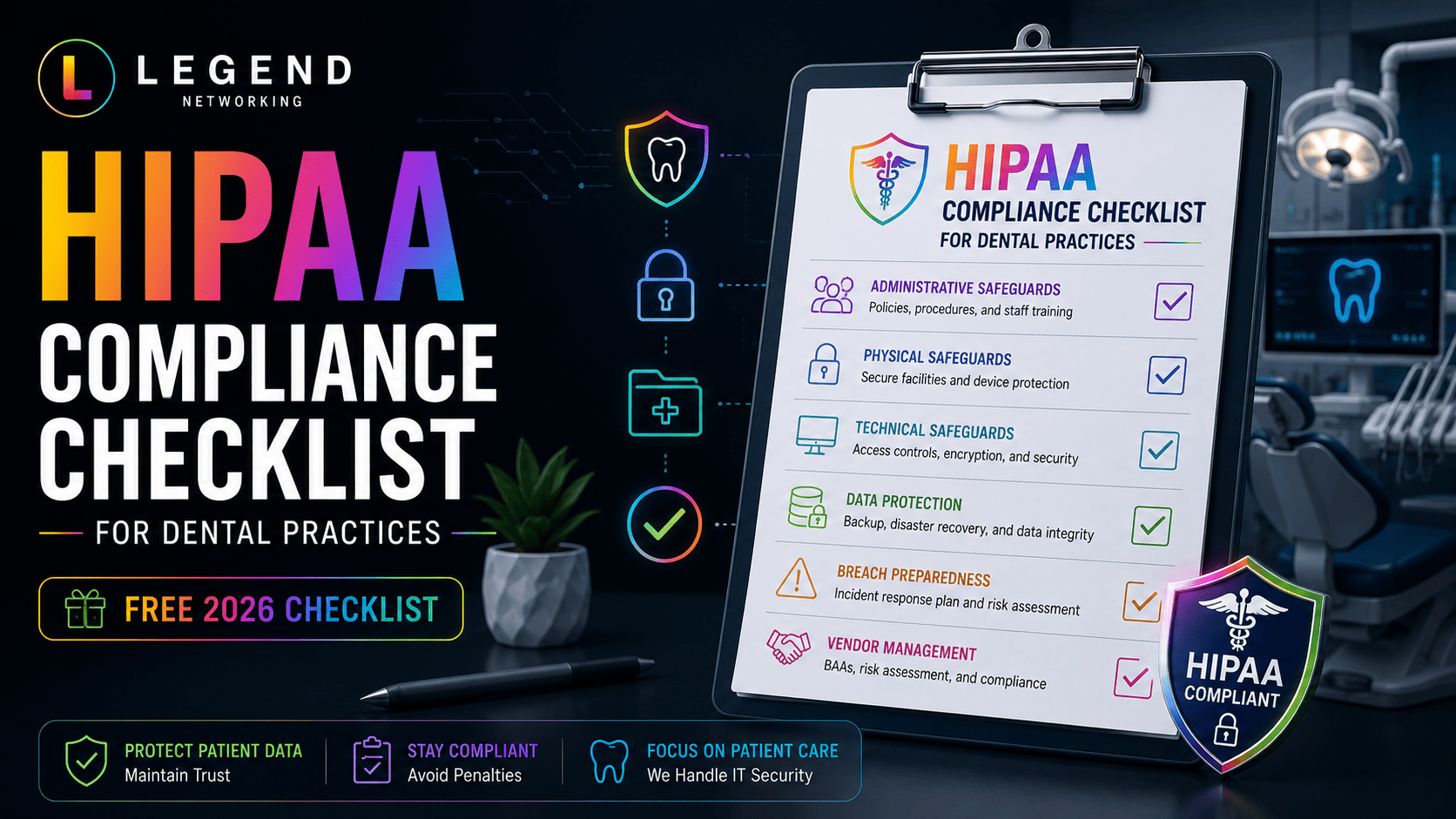
Protecting patient information is one of the most important responsibilities of every dental practice. Whether you operate a single office or multiple locations, HIPAA compliance requires more than installing antivirus software or using cloud-based practice management software. It involves implementing administrative, technical, and physical safeguards that protect electronic protected health information (ePHI) while reducing cybersecurity risks.
This HIPAA Compliance Checklist for Dental Practices provides a practical framework to help you evaluate your current security posture, identify compliance gaps, prepare for a Dental HIPAA audit, and improve your overall cybersecurity strategy.
Quick Answer (TL;DR)
A HIPAA compliance checklist for dental practices helps ensure your organization meets the administrative, technical, and physical safeguard requirements outlined by HIPAA. A complete checklist should include annual HIPAA risk assessments, employee training, secure networks, encrypted devices, multi-factor authentication (MFA), secure backups, documented policies, Business Associate Agreements (BAAs), audit logging, and incident response planning. Completing these steps regularly helps protect patient information, reduce cybersecurity risks, and prepare your practice for HIPAA audits.
Key Takeaways
- HIPAA compliance is an ongoing process that requires continuous monitoring and regular reviews.
- Every dental practice should complete a documented HIPAA risk assessment at least annually.
- Administrative, technical, and physical safeguards all play critical roles in protecting patient data.
- Strong cybersecurity measures reduce the likelihood of ransomware, phishing attacks, and data breaches.
- Employee awareness training is just as important as investing in security technology.
- Regular compliance reviews help practices prepare for HIPAA audits and reduce operational risks.
- Following a structured HIPAA security checklist simplifies compliance and improves patient trust.
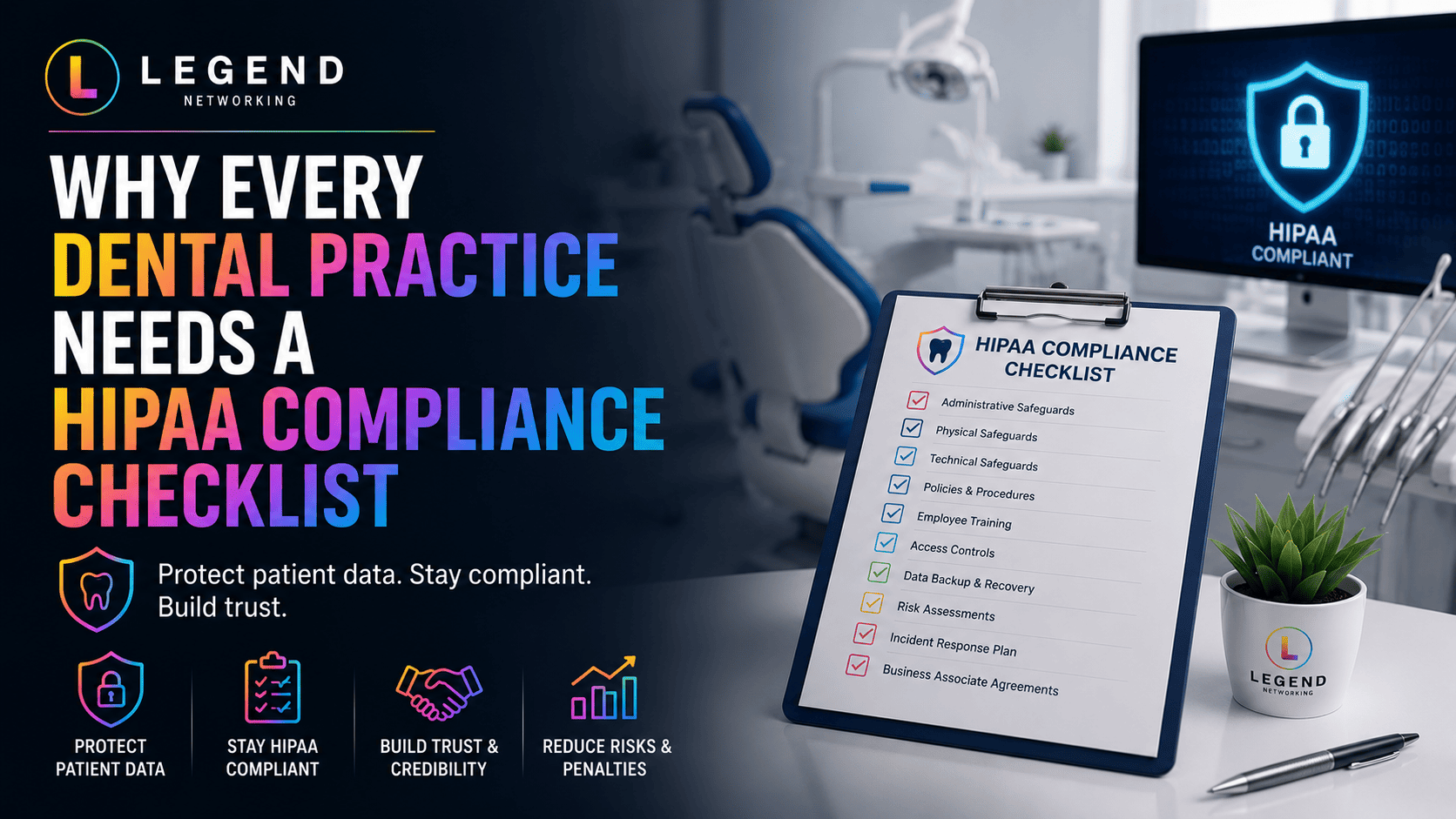
Why Every Dental Practice Needs a HIPAA Compliance Checklist
Many dental practices assume they are HIPAA compliant because they use secure software or cloud-based systems. Unfortunately, compliance involves much more than selecting the right technology.
Patient records include names, medical histories, insurance information, payment details, radiographs, and other sensitive information. If these records are compromised, the consequences may include operational downtime, financial penalties, reputational damage, and loss of patient trust.
A structured HIPAA Compliance Checklist Dental Practice helps ensure that critical security controls are consistently implemented, reviewed, and updated.
Beyond regulatory requirements, maintaining strong security practices demonstrates professionalism and reassures patients that their personal information is handled responsibly.
Many dental practices simplify compliance by partnering with a provider that specializes in managed IT services for dental practices.
Understanding HIPAA Compliance Requirements
HIPAA establishes standards for protecting electronic protected health information (ePHI). For dental practices, compliance generally focuses on three key safeguard categories.
Administrative Safeguards
Administrative safeguards define the policies and procedures that guide security across the organization.
These include:
- HIPAA risk assessments
- Employee security awareness training
- Incident response planning
- Access management
- Password policies
- Business Associate Agreements (BAAs)
- Vendor management
- Security documentation
Technical Safeguards
Technical safeguards protect electronic patient information through secure technologies.
Examples include:
- Multi-factor authentication (MFA)
- Data encryption
- Secure firewalls
- Endpoint Detection & Response (EDR)
- Audit logging
- Secure backups
- Email security
- VPN access
- Network monitoring
Physical Safeguards
Physical safeguards help prevent unauthorized physical access to patient information.
Examples include:
- Locked server rooms
- Visitor management
- Security cameras
- Automatic workstation locking
- Secure disposal of storage devices
- Controlled access to equipment
The Complete HIPAA Compliance Checklist for Dental Practices
The following checklist can help practices evaluate whether essential compliance controls are in place.
| Category | Status |
| Annual HIPAA Risk Assessment Completed | ☐ |
| Security Policies Documented | ☐ |
| Employee Training Completed | ☐ |
| Business Associate Agreements Signed | ☐ |
| Multi-Factor Authentication Enabled | ☐ |
| Firewall Managed | ☐ |
| Endpoint Protection Installed | ☐ |
| Devices Encrypted | ☐ |
| Secure Wi-Fi Configured | ☐ |
| Secure Cloud Storage Used | ☐ |
| Backup & Disaster Recovery Tested | ☐ |
| Audit Logs Enabled | ☐ |
| Incident Response Plan Documented | ☐ |
| Password Policy Enforced | ☐ |
| User Permissions Reviewed | ☐ |
Practices should review this checklist quarterly rather than waiting until an audit occurs.
Administrative Safeguards Checklist
Administrative controls form the foundation of HIPAA compliance.
Policy Management
- Written HIPAA policies
- Employee handbook
- Acceptable use policy
- Password standards
- Device usage policy
Employee Training
Ensure staff understand:
- Phishing attacks
- Password security
- Safe handling of patient information
- Social engineering
- Mobile device security
- Email security
Annual training is the minimum. Ongoing education is recommended as threats continue to evolve.
Vendor Management
Before sharing patient information with vendors:
- Verify security practices
- Sign a Business Associate Agreement
- Review compliance documentation
- Assess cybersecurity controls
Third-party vendors should be reviewed periodically to ensure continued compliance.
Technical Safeguards Checklist
Technical safeguards protect electronic protected health information (ePHI) through secure systems, applications, and network controls. They help prevent unauthorized access while ensuring patient data remains confidential, accurate, and available when needed.
Access Control
Verify that your practice has implemented:
☐ Unique user accounts for every employee
☐ Role-based access permissions
☐ Automatic session timeouts
☐ Account lockout after repeated failed login attempts
☐ Multi-Factor Authentication (MFA) for all critical systems
Best Practice: Never allow employees to share usernames or passwords. Every staff member should have their own secure login credentials.
Network Security
Your network should include:
☐ Business-grade firewall
☐ Secure Wi-Fi with WPA3 encryption
☐ Separate guest wireless network
☐ VPN for remote access
☐ DNS filtering
☐ Continuous network monitoring
☐ Intrusion detection or prevention systems
Proper network segmentation helps prevent malware from spreading across your practice.
Endpoint Protection
Every workstation should include:
☐ Enterprise antivirus
☐ Endpoint Detection & Response (EDR)
☐ Full-disk encryption
☐ Automatic operating system updates
☐ Device management
☐ USB device restrictions
Remember that laptops, tablets, smartphones, and desktop computers all require protection.
Data Protection
Confirm that:
☐ Patient databases are encrypted
☐ Email communications containing PHI are secure
☐ Cloud storage uses encryption
☐ Backup files are encrypted
☐ File transfers are secure
Encryption protects sensitive information even if devices are lost or stolen.
Backup & Disaster Recovery
Every dental practice should follow the 3-2-1 Backup Rule.
Maintain:
- Three copies of your data
- Two different storage locations
- One off-site or cloud backup
Also verify:
☐ Daily automated backups
☐ Backup restoration testing
☐ Disaster recovery documentation
☐ Backup monitoring alerts
Backups are only valuable if they can be successfully restored.
Physical Safeguards Checklist
Physical security is often overlooked but remains a core HIPAA requirement.
Review the following items:
☐ Server room remains locked
☐ Visitors are escorted
☐ Workstations automatically lock after inactivity
☐ Computer screens are positioned away from public view
☐ Backup media is securely stored
☐ Old hard drives are destroyed before disposal
☐ Office alarm system is operational
☐ Security cameras monitor sensitive areas where appropriate
Even something as simple as an unlocked workstation can create unnecessary compliance risks.
HIPAA Risk Assessment Checklist
A documented HIPAA risk assessment is one of the most important compliance requirements for dental practices.
At a minimum, your annual assessment should answer the following questions.
Technology
- Are all devices inventoried?
- Is unsupported software still being used?
- Are security updates installed promptly?
- Are backups tested regularly?
People
- Have employees completed security awareness training?
- Are access permissions reviewed regularly?
- Are terminated employees removed immediately?
- Are password policies enforced?
Processes
- Is there a documented incident response plan?
- Are Business Associate Agreements current?
- Are security policies reviewed annually?
- Are compliance records maintained?
Vendors
Review each third-party vendor to confirm:
- HIPAA compliance
- Security certifications
- Encryption standards
- Business Associate Agreement
- Incident notification procedures
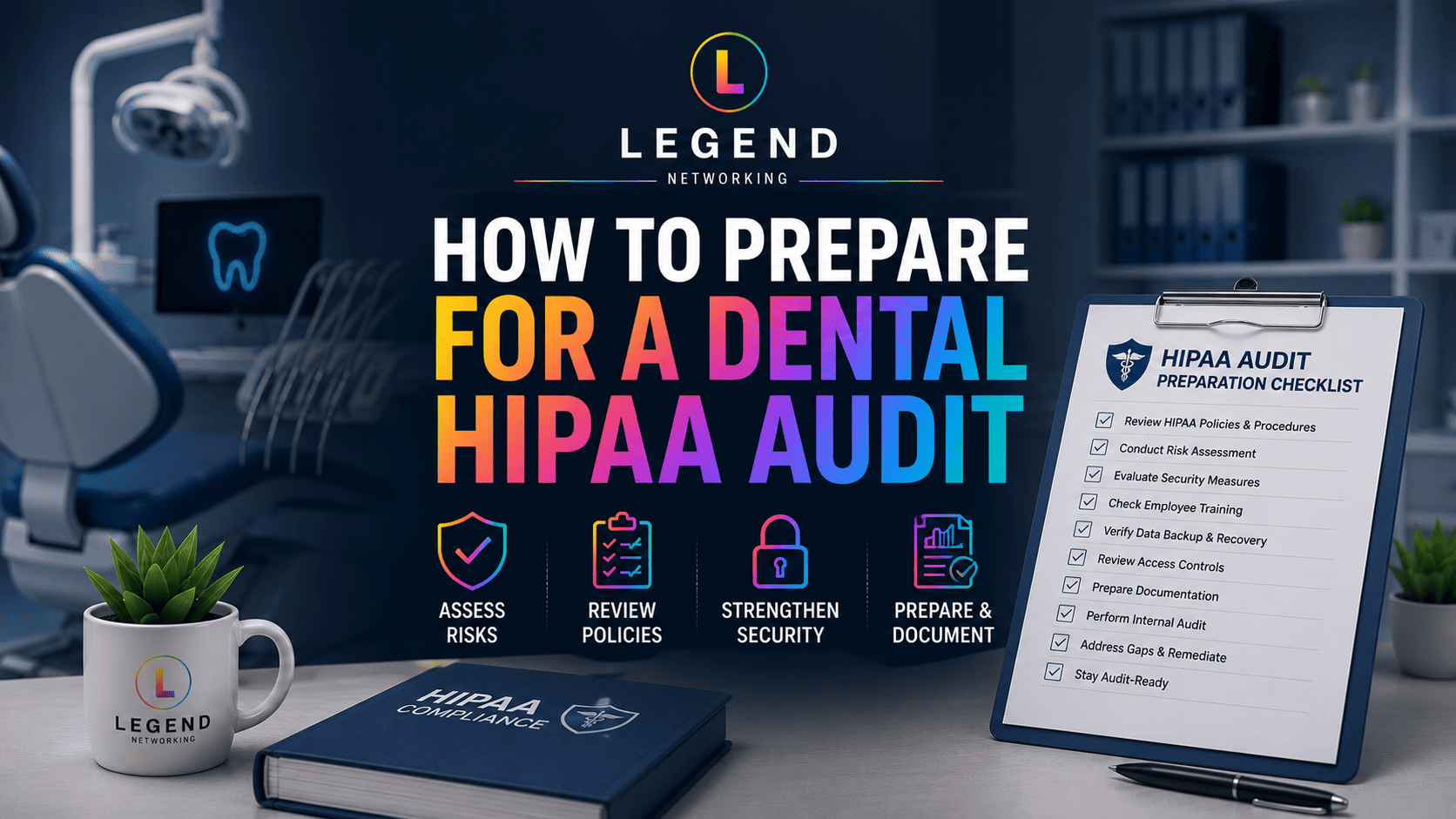
Preparing for a Dental HIPAA Audit
HIPAA audits don’t only evaluate technology; they also assess policies, documentation, and organizational practices.
Preparing in advance makes the process significantly easier.
Audit Preparation Checklist
☐ Security policies documented
☐ HIPAA risk assessment completed
☐ Employee training records maintained
☐ Business Associate Agreements available
☐ Incident response plan documented
☐ Device inventory updated
☐ User access reviewed
☐ Backup testing documented
☐ Disaster recovery plan available
☐ Security logs retained
Maintaining documentation throughout the year is much easier than trying to gather everything during an audit.
Completing this checklist is an excellent first step, but your practice should also understand how to prepare for a HIPAA audit before an official compliance review.
Common HIPAA Compliance Mistakes
Many compliance issues result from routine oversights rather than sophisticated cyberattacks.
Common mistakes include:
- Shared employee accounts
- Weak passwords
- Missing MFA
- Unencrypted laptops
- Outdated operating systems
- Missing Business Associate Agreements
- Lack of employee training
- Failure to test backups
- Poor documentation
- Ignoring software updates
Fortunately, these issues can usually be resolved with proactive IT management and regular compliance reviews.
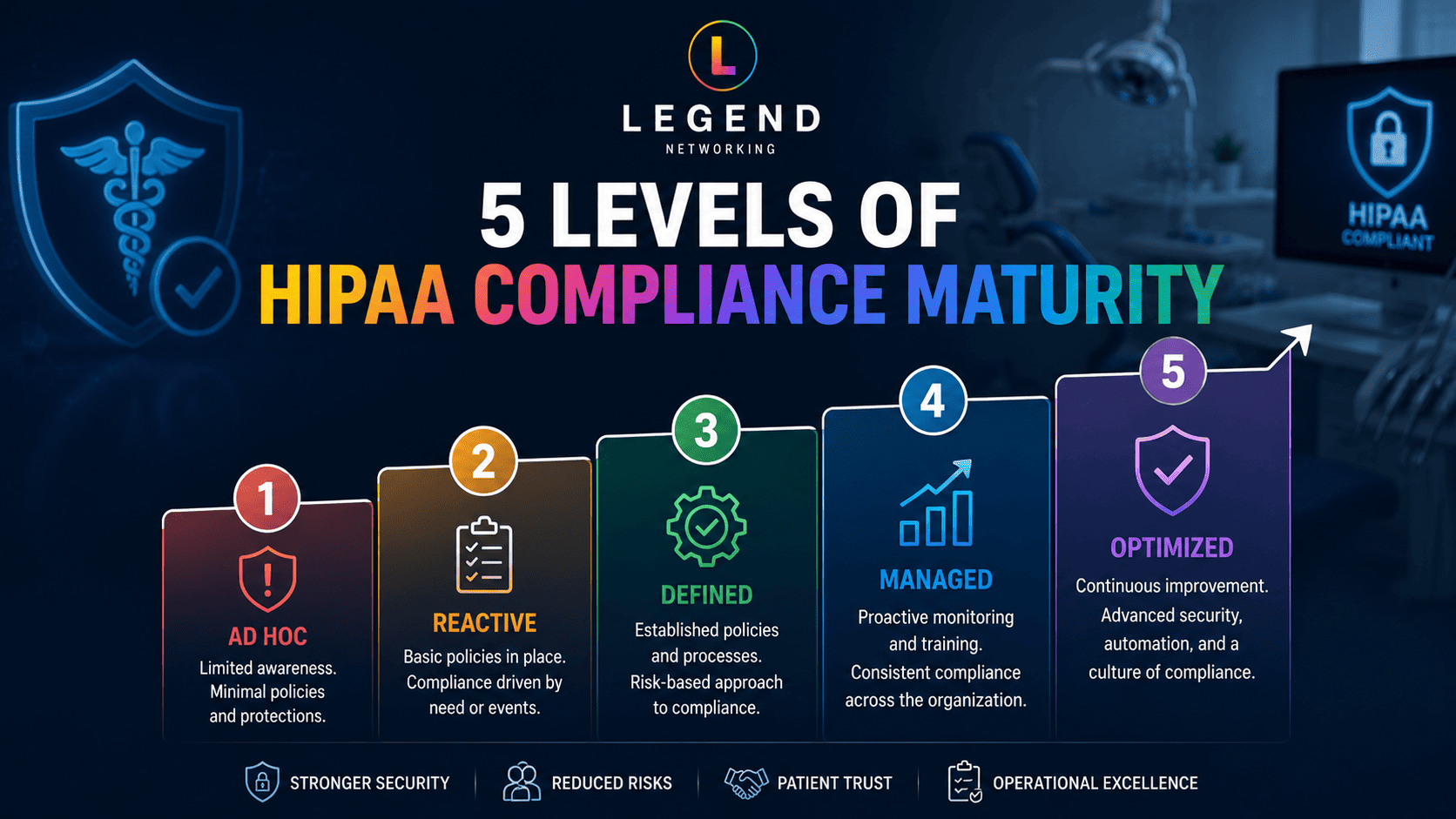
HIPAA Compliance Framework for Dental Practices
Instead of asking, “Are we HIPAA compliant?” ask, “How mature is our compliance program?”
| Level | Description |
| Level 1 – Reactive | Basic antivirus with little documentation. |
| Level 2 – Developing | Firewalls, backups, and password policies are in place. |
| Level 3 – Managed | MFA, endpoint security, documented policies, annual risk assessments, and employee training. |
| Level 4 – Optimized | Continuous monitoring, compliance reporting, tested disaster recovery, and proactive cybersecurity management. |
| Level 5 – Security-First | Security is integrated into daily operations through ongoing audits, continuous improvement, executive oversight, and regular policy reviews. |
The goal isn’t simply passing an audit; it’s creating a security-focused culture that protects patients and supports long-term practice growth.
Expert Tip
The most successful dental practices don’t wait for an audit to review their security. They use a HIPAA compliance checklist throughout the year to identify gaps early, improve cybersecurity, and protect patient trust before problems occur.
Conclusion
HIPAA compliance isn’t something you complete once and forget. It’s an ongoing process of improving security, reviewing policies, educating employees, and protecting patient information as your practice evolves.
A well-structured HIPAA Compliance Checklist for Dental Practices helps you stay organized, identify security gaps before they become serious issues, and prepare confidently for HIPAA audits. More importantly, it supports a culture of security that protects your patients, your reputation, and your business.
Whether you’re opening a new dental office or strengthening an existing compliance program, following a comprehensive checklist is one of the most effective ways to improve your security posture and reduce risk.
Ready to Evaluate Your Practice’s HIPAA Compliance?
If you’re unsure whether your dental practice meets today’s HIPAA and cybersecurity standards, Legend Networking is here to help.
Our healthcare IT specialists provide comprehensive HIPAA risk assessments, managed IT services, cybersecurity solutions, compliance guidance, backup and disaster recovery, and proactive monitoring tailored specifically for dental practices.
Schedule a consultation with Legend Networking today to assess your current IT environment, identify compliance gaps, and build a customized roadmap that keeps your practice secure, compliant, and ready for the future.
Choosing one of the best dental IT services companies can help your practice strengthen cybersecurity, maintain HIPAA compliance, and minimize costly downtime. See why dental practices choose Legend Networking. Visit our Google Business Profile to explore customer reviews, learn about our services, and connect with our team today.




 Based in USA

