

Dental practices in Dallas require specialized IT support because modern dentistry depends heavily on technology systems that must remain secure, compliant, and operational at all times. Dental IT support providers help practices manage practice management software, digital imaging systems, cybersecurity, HIPAA compliance, cloud infrastructure, backups, and network security.
By partnering with a dental IT company in Dallas, practices can reduce downtime, improve patient care, maintain regulatory compliance, and protect sensitive patient information from growing cybersecurity threats.
Key Takeaways
- Dental practices have unique technology requirements that general IT providers often do not fully understand.
- HIPAA compliance and cybersecurity should be top priorities for every dental office.
- Managed IT services help prevent downtime and reduce operational disruptions.
- Dental-specific IT providers understand imaging systems, scanners, and practice management software.
- Cloud solutions and proactive monitoring improve business continuity.
- Dallas dental practices face increasing cybersecurity threats that require specialized protection.
- Regular IT assessments help identify risks before they become costly problems.
Why Is Dental IT Support Different from Traditional Business IT?
A dental practice is not a typical business environment. Every day, dentists and their teams rely on interconnected technologies that directly impact patient care, clinical workflows, scheduling, billing, diagnostics, and compliance. When any of these systems fail, the consequences extend far beyond inconvenience; they can disrupt patient treatment, delay procedures, create compliance concerns, and reduce revenue.
This is why specialized dental IT support Dallas services have become essential for practices throughout the Dallas-Fort Worth area.
Unlike general IT providers, dental technology specialists understand the unique technology ecosystem found in dental offices, including:
- Digital radiography systems
- CBCT imaging equipment
- Intraoral scanners
- Practice management software
- Electronic patient records
- Insurance processing systems
- HIPAA security requirements
- Clinical workflow integration
As dental technology continues to evolve, many practices discover that managing technology internally becomes increasingly difficult and expensive.
Expert Insight from Legend Networking’s Certified Dental IT Team:
“Dental practices operate in one of the most technology-dependent healthcare environments. Every technology decision impacts patient care, operational efficiency, cybersecurity, and compliance simultaneously.”
What Does Dental IT Support Include?
Dental IT support encompasses much more than troubleshooting computers. It involves the strategic management of every technology component that supports patient care and business operations.
Professional dental IT services Dallas providers typically deliver a combination of proactive support, cybersecurity management, compliance oversight, and strategic planning.
Managed IT Services
Managed IT services provide ongoing monitoring and maintenance designed to prevent problems before they disrupt operations.
Rather than waiting for equipment failures, managed service providers continuously monitor systems to identify vulnerabilities, performance issues, and emerging risks.
Typical managed IT services include:
- 24/7 system monitoring
- Preventive maintenance
- Software patch management
- Remote support
- Onsite support
- Hardware management
- Vendor coordination
- Technology planning
For many Dallas dental practices, managed services provide predictable monthly costs while reducing expensive emergency repairs.
Dental Cybersecurity Protection
Cybersecurity has become one of the largest concerns facing healthcare providers.
According to healthcare security experts, cybercriminals increasingly target dental practices because they store valuable patient and financial information while often lacking enterprise-level security protections.
Professional Dallas dental cybersecurity services typically include:
- Firewall management
- Endpoint protection
- Email security
- Multi-factor authentication
- Security monitoring
- Threat detection
- Security awareness training
- Vulnerability assessments
- Incident response planning
A layered cybersecurity approach helps protect patient information while maintaining regulatory compliance.
HIPAA Compliance Support
HIPAA compliance remains one of the most important responsibilities for dental practices.
Protecting patient information requires far more than installing antivirus software. Dental offices must implement administrative, physical, and technical safeguards that meet federal requirements.
Professional HIPAA-compliant IT Dallas providers help practices implement:
Administrative Safeguards
These include organizational policies and procedures that govern security practices.
Examples include:
- Risk assessments
- Employee training
- Security policies
- Incident response planning
- Vendor management
Physical Safeguards
Physical controls protect systems and facilities from unauthorized access.
Examples include:
- Access controls
- Device protection
- Equipment inventory
- Facility security
- Secure workstation management
Technical Safeguards
Technical controls help secure patient data electronically.
Examples include:
- Encryption
- Audit logs
- User authentication
- Backup systems
- Access management
- Network monitoring
Maintaining HIPAA compliance is an ongoing process rather than a one-time project.
What Technology Systems Do Modern Dental Practices Depend On?
Today’s dental offices operate using highly integrated technology environments.
Most practices rely on multiple interconnected systems that support both clinical and administrative functions.
Clinical Technologies
Clinical systems directly support patient diagnosis and treatment.
These often include:
- Digital X-ray systems
- CBCT scanners
- Intraoral scanners
- Digital imaging software
- CAD/CAM systems
- Patient education software
- Electronic health records
Even brief disruptions to these systems can impact patient appointments and treatment schedules.
Administrative Technologies
Administrative technologies support practice operations and business management.
Examples include:
- Practice management software
- Scheduling systems
- Insurance processing
- Billing platforms
- Payment systems
- Patient communication tools
- Reporting systems
Maintaining reliable performance across these systems requires specialized expertise.
Why Are Dallas Dental Practices Investing More in IT Infrastructure?
The healthcare industry continues to experience rapid digital transformation, and dentistry is no exception.
Across Dallas and surrounding communities, dental practices are increasingly investing in technology modernization initiatives to improve patient care and operational efficiency.
Several factors are driving this investment.
First, patient expectations continue to evolve. Patients increasingly expect digital communication, online scheduling, paperless workflows, and seamless experiences.
Second, cybersecurity threats continue to increase in frequency and sophistication.
Third, many dental practices are expanding into multi-location organizations that require centralized technology management.
Finally, regulatory requirements continue to evolve, requiring stronger security controls and compliance documentation.
As a result, technology is no longer viewed simply as an operational expense. Instead, it has become a strategic investment that directly influences practice growth and patient satisfaction.
What Should My Dental Office Do About Ransomware?
Ransomware attacks remain one of the most significant cybersecurity threats facing healthcare organizations.
A successful ransomware attack can disrupt virtually every aspect of dental practice operations, including:
- Patient scheduling
- Clinical imaging
- Treatment records
- Billing systems
- Insurance processing
- Internal communications
For dental practices, downtime can quickly become extremely costly.
The best defense against ransomware involves implementing multiple layers of protection rather than relying on a single security tool.
Recommended security strategies include:
- Maintaining secure backups
- Deploying advanced endpoint protection
- Conducting employee security training
- Implementing multi-factor authentication
- Applying software updates promptly
- Monitoring systems continuously
- Developing disaster recovery plans
- Performing routine security assessments
Expert Insight from Legend Networking’s Security Team:
“Organizations that prepare for ransomware incidents before they occur generally recover significantly faster and experience lower financial impact than organizations that rely solely on reactive measures.”
Cloud vs Local Servers: Which Is Better for Dental Practices?
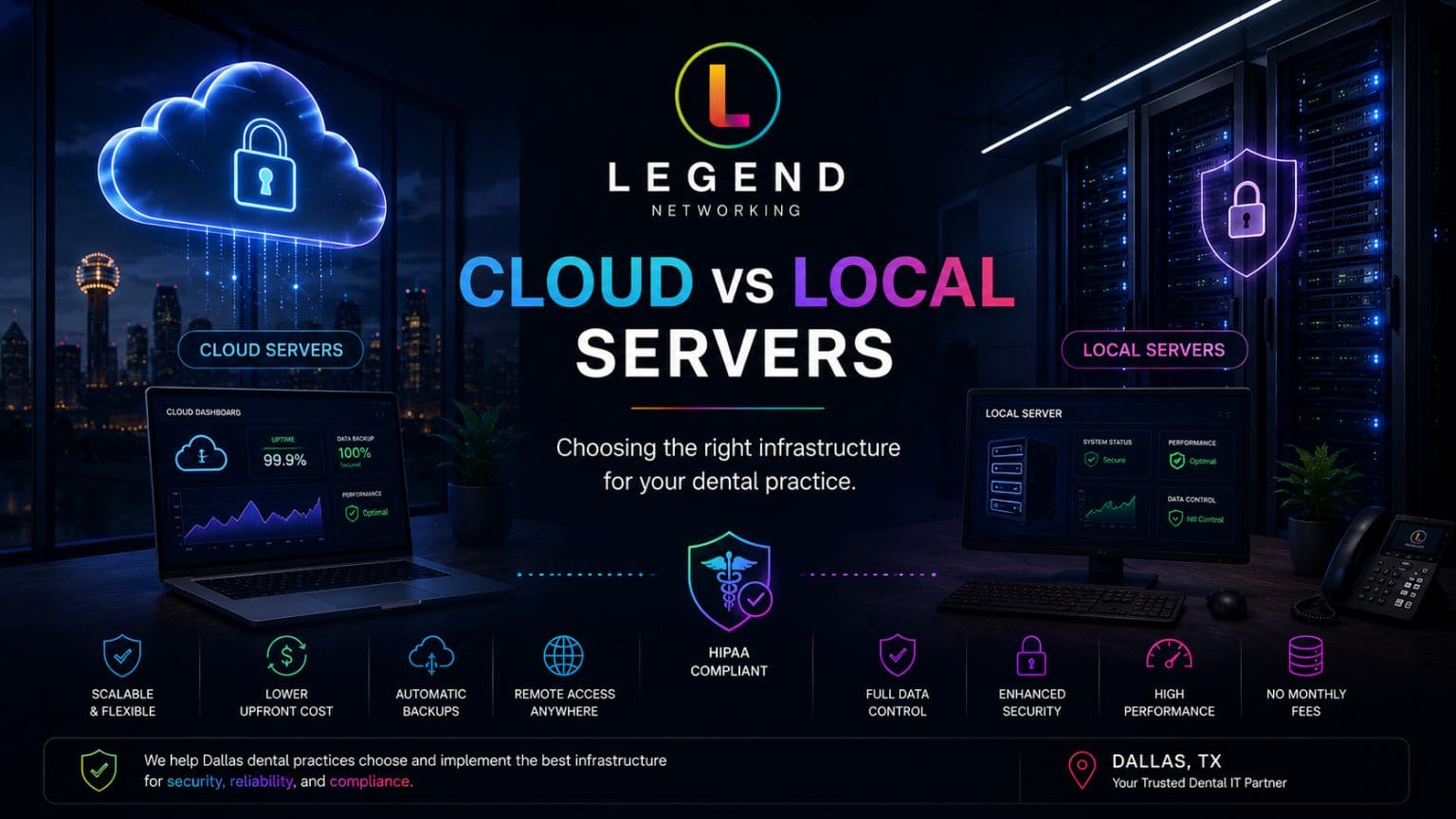
Many dental practices struggle with deciding whether to maintain local servers or migrate to cloud-based systems.
The answer often depends on practice size, growth plans, compliance requirements, and operational priorities.
| Feature | Cloud Solutions | Local Servers |
| Initial Investment | Lower | Higher |
| Scalability | Excellent | Limited |
| Maintenance | Provider Managed | Practice Managed |
| Disaster Recovery | Strong | Variable |
| Remote Access | Excellent | Limited |
| Security Updates | Automatic | Manual |
| Downtime Risk | Lower | Higher |
| HIPAA Compliance | Easier to Maintain | Requires More Oversight |
Many Dallas dental practices now choose hybrid environments that combine local performance with cloud redundancy and disaster recovery capabilities.
What Is Dental Network Security?
Dental network security refers to the technologies, policies, and procedures used to protect dental practice networks, devices, patient records, and connected clinical systems from unauthorized access and cyber threats.
Strong Dallas dental network security strategies typically include multiple protective layers.
These protections often include:
- Enterprise firewalls
- Network segmentation
- Endpoint protection
- Intrusion detection systems
- Multi-factor authentication
- Data encryption
- Backup solutions
- Continuous monitoring
Because dental practices handle protected health information, network security directly impacts both patient safety and regulatory compliance.
Why Do General IT Companies Often Struggle with Dental Technology?
Many general IT companies provide excellent business technology support. However, dental environments introduce unique complexities that require specialized expertise.
Dental technology support professionals must understand:
- Dentrix
- Eaglesoft
- Open Dental
- Dexis
- Carestream
- Planmeca
- CBCT integration
- Digital imaging workflows
- HIPAA regulations
- Clinical operations
Without this specialized knowledge, troubleshooting can become slower, more expensive, and more disruptive to patient care.
This is one of the primary reasons many practices choose a dedicated dental IT company in Dallas rather than relying on general business IT providers.
Internal Resources from Legend Networking
For additional information, dental practices can explore these resources from Legend Networking:
- Managed IT Services for Dental Practices
- Dental Cybersecurity Services
- HIPAA Compliance Solutions
- Multi-Location Dental IT Support
- Cloud Solutions for Dental Offices
- Dental Disaster Recovery Services
Managed IT Services vs In-House IT Support: Which Is Better for Dental Practices?
One of the most common questions dental practice owners ask is whether they should hire internal IT staff or outsource their technology management to a specialized provider.
The answer depends on several factors, including practice size, budget, number of locations, and the complexity of the technology environment. However, many dental practices in Dallas find that managed IT services provide greater expertise and cost predictability.
| Feature | Managed IT Services for Dentists Dallas | In-House IT Staff |
| Monthly Cost Predictability | High | Moderate |
| Dental Industry Expertise | Specialized | Variable |
| 24/7 Support | Yes | Usually Limited |
| Cybersecurity Monitoring | Included | Additional Cost |
| HIPAA Compliance Support | Included | Often Limited |
| Backup & Disaster Recovery | Included | Additional Setup |
| Staffing Challenges | None | Possible |
| Technology Planning | Included | Variable |
| Scalability | Excellent | Limited |
For practices operating multiple locations or experiencing growth, managed IT services often provide access to a larger team of specialists at a lower overall cost than maintaining an internal department.
What Technology Challenges Do Dallas Dental Practices Commonly Face?
Dental offices face unique operational challenges that require proactive technology management. Unlike many businesses, dental practices cannot afford extended downtime because patient care depends directly on technology availability.
Several challenges consistently affect dental practices throughout Dallas and the surrounding communities.
Outdated Hardware Infrastructure
Many practices continue using aging servers, workstations, and network equipment beyond their recommended lifecycle. Older equipment often creates performance issues, compatibility problems, and increased cybersecurity risks.
A proactive hardware replacement strategy helps reduce unexpected failures while improving overall system performance.
Dental Software Integration Problems
Modern dental offices rely on multiple software platforms that must work together seamlessly. Practice management software, imaging systems, patient communication platforms, and billing systems all require careful integration.
When integrations fail, workflows become inefficient, and patient care can be affected.
Cybersecurity Risks
Healthcare organizations remain among the most targeted industries for cyberattacks. Dental practices often become attractive targets because they store valuable patient information while operating with limited internal IT resources.
Strong cybersecurity programs have become a necessity rather than an option.
Multi-Location Expansion
As practices grow and expand into multiple locations, managing technology infrastructure becomes increasingly complex.
Centralized IT management helps ensure:
- Consistent security policies
- Standardized technology configurations
- Improved compliance management
- Better operational visibility
- Reduced support costs
How Can Dental Practices Reduce Technology Downtime?
Technology downtime affects more than computers. It impacts patient scheduling, treatment delivery, staff productivity, insurance processing, and revenue generation.
Reducing downtime requires a proactive strategy focused on prevention rather than emergency response.
Successful dental practices typically implement several key strategies.
Continuous Monitoring
Real-time monitoring allows IT specialists to identify potential problems before they affect operations.
Examples include monitoring:
- Servers
- Workstations
- Internet connections
- Backup systems
- Security events
- Storage capacity
- Network performance
Preventive Maintenance
Regular maintenance helps identify aging hardware, software conflicts, and performance issues before they become critical failures.
Disaster Recovery Planning
Every dental practice should maintain a documented disaster recovery plan that includes:
- Data backup procedures
- Recovery objectives
- Emergency communication protocols
- Equipment replacement procedures
- Cybersecurity incident response plans
Cloud-Based Redundancy
Cloud solutions provide additional layers of resilience by ensuring that critical systems remain available even during local disruptions.
What Should Dental Practices Look for in a Dental IT Company?
Choosing the right IT partner can significantly impact the long-term success of a dental practice.
When evaluating a dental IT company in Dallas, practices should consider several important factors.
Dental Industry Experience
Technology providers should demonstrate substantial experience supporting:
- General dentistry
- Orthodontics
- Oral surgery
- Pediatric dentistry
- Multi-specialty practices
- Dental service organizations (DSOs)
Cybersecurity Expertise
Given the increasing threat landscape, practices should ensure their IT provider offers:
- Security monitoring
- Endpoint protection
- Ransomware prevention
- Employee training
- Incident response
- Risk assessments
HIPAA Compliance Knowledge
Regulatory expertise is essential.
Providers should understand:
- HIPAA Security Rule requirements
- Risk assessments
- Technical safeguards
- Administrative safeguards
- Compliance documentation
Availability and Support
Dental practices often operate extended hours and require rapid support responses.
Questions to ask include:
- Is support available 24/7?
- Are on-site services available?
- How quickly are emergencies addressed?
- Is remote support included?
Why Are More Dental Practices Choosing Cloud Technology?
Cloud technology adoption continues to grow rapidly throughout healthcare.
Many dental practices in Dallas are transitioning portions of their infrastructure to cloud environments because cloud solutions provide several advantages over traditional systems.
Benefits often include:
Improved Accessibility: Cloud platforms allow authorized staff to securely access systems from multiple locations.
Better Disaster Recovery: Cloud providers typically maintain redundant infrastructure, improving business continuity.
Lower Capital Expenses: Many cloud solutions reduce the need for expensive server purchases and maintenance.
Simplified Updates: Cloud providers generally manage software updates and infrastructure maintenance.
Enhanced Security
Many cloud environments include advanced security controls that would be difficult for smaller practices to implement independently.
For many practices, hybrid environments provide the best balance of flexibility, performance, and security.
Why Choose Legend Networking for Dental IT Support in Dallas?
Dental practices require more than technical support. They need a strategic technology partner that understands the operational, regulatory, and clinical demands of modern dentistry.
Legend Networking has extensive experience supporting dental practices across the United States, helping practices improve technology performance, maintain compliance, and strengthen cybersecurity defenses.
Their dental technology services include:
- Managed IT services
- Dental cybersecurity
- HIPAA compliance support
- Network design
- Cloud solutions
- Backup and disaster recovery
- Practice relocation support
- Multi-location support
- Dental software management
- Technology consulting
Expert Insight from Legend Networking’s Dental IT Specialists:
“The most successful dental practices treat technology as a strategic investment rather than a reactive expense. Proactive planning, cybersecurity readiness, and continuous monitoring create measurable improvements in patient care and operational efficiency.”
Talk to a Dental IT Specialist
Whether you operate a single dental office or manage multiple locations across the Dallas-Fort Worth region, working with a specialized dental IT provider can improve operational performance while reducing risk. Ready to improve your dental practice’s IT? Visit our Google Business Profile to learn more, read verified reviews, and connect with our Dental IT Specialists today.
Talk to a Dental IT Specialist today to learn how expert dental technology support can strengthen your practice.
Frequently Asked Questions
Q. What is dental IT support?
Ans. Dental IT support refers to specialized technology services designed specifically for dental practices, including practice management software support, cybersecurity, HIPAA compliance, networking, backups, cloud solutions, and technical support.
Q. Why do dental practices need specialized IT providers?
Ans. Dental practices use highly specialized technologies such as imaging systems, scanners, and practice management platforms that require industry-specific expertise.
Q.How much does dental IT support cost in Dallas?
Ans. The cost varies based on practice size, number of users, locations, and service requirements. Most practices benefit from predictable monthly managed service agreements.
Q. What cybersecurity threats affect dental practices the most?
Ans. The most common threats include ransomware, phishing attacks, business email compromise, insider threats, and unauthorized access to patient records.
Q. Does Legend Networking provide HIPAA compliance support?
Ans. Yes. Legend Networking provides HIPAA risk assessments, security implementation, compliance consulting, employee training, and ongoing monitoring services.
Q. How often should dental practices perform cybersecurity assessments?
Ans. Most experts recommend annual risk assessments combined with continuous monitoring and periodic vulnerability testing.
Q. Can managed IT services reduce downtime?
Ans. Yes. Proactive monitoring, preventive maintenance, backup management, and rapid response services help significantly reduce operational disruptions.
Q. Does Legend Networking support multi-location dental practices?
Ans. Yes. Legend Networking provides centralized technology management solutions for growing dental organizations and multi-location practices.
Q. Should dental practices migrate to cloud systems?
Ans. Many practices benefit from cloud or hybrid environments because they improve accessibility, disaster recovery, scalability, and operational flexibility.
Q. How do I choose the best dental IT company in Dallas?
Ans. Look for providers with proven dental experience, cybersecurity expertise, HIPAA knowledge, 24/7 support availability, and experience supporting dental software and imaging systems.




 Based in USA

