

Data loss can disrupt patient care, delay appointments, and put sensitive information at risk. Whether caused by cyberattacks, hardware failures, or accidental deletion, every dental practice needs a reliable backup and disaster recovery strategy. This guide explains how dental backup solutions help protect critical data, minimize downtime, and ensure your practice can recover quickly while maintaining business continuity and HIPAA compliance.
Quick Answer
Dental backup solutions protect patient records, practice management software, digital imaging, financial data, and other critical business information from cyberattacks, hardware failures, accidental deletion, and natural disasters. A comprehensive backup strategy combines cloud backup for dental practices, encrypted local backups, regular backup testing, and a documented disaster recovery plan. Following the 3-2-1 backup rule and routinely testing recovery procedures helps dental practices minimize downtime, maintain HIPAA compliance, and restore operations quickly after an unexpected incident.
Key Takeaways
- Every dental practice should have automated, encrypted, and regularly tested backups.
- Cloud backups provide secure off-site protection against ransomware and hardware failure.
- The 3-2-1 backup strategy remains the industry standard for protecting business data.
- Disaster recovery planning is just as important as creating backups.
- Regular backup restoration testing ensures backups actually work when needed.
- Backup strategies support HIPAA compliance and business continuity.
- Working with an experienced dental IT provider helps reduce downtime and improve recovery.
Why Dental Backup Solutions Matter
Modern dental practices rely on technology for nearly every aspect of patient care. Electronic health records (EHR), digital imaging systems, appointment scheduling, billing software, insurance claims, and patient communication platforms all depend on secure, reliable access to digital data.
When that data becomes unavailable due to ransomware, hardware failure, accidental deletion, or natural disasters, the consequences extend far beyond IT. Practices may be forced to cancel appointments, delay treatments, interrupt billing, and lose access to critical patient information.
A well-designed backup and disaster recovery strategy helps ensure your practice can recover quickly while minimizing financial losses and protecting patient trust.
What Is Dental Data Backup?
Dental data backup is the process of creating secure copies of important business and patient information so it can be restored if the original data is lost, corrupted, encrypted by ransomware, or accidentally deleted.
A comprehensive backup strategy should protect:
- Electronic Health Records (EHR)
- Practice management software
- Patient scheduling
- Billing information
- Insurance claims
- Digital X-rays
- CBCT scans
- Clinical photographs
- Financial records
- Microsoft 365 data
- Cloud applications
- Staff documentation
Backups should occur automatically, remain encrypted, and be stored in multiple secure locations.
Why Dental Practices Lose Data
Data loss can occur for many reasons, not just cyberattacks.
Some of the most common causes include:
Ransomware Attacks
Cybercriminals encrypt patient files and demand payment for decryption. Without secure backups, restoring operations can become extremely difficult.Cybercriminals encrypt patient files and demand payment for decryption. Without secure backups, restoring operations can become extremely difficult. Following a comprehensive dental cybersecurity guide can help practices reduce the risk of ransomware attacks before they occur.
Hardware Failure
Servers, storage devices, hard drives, and network equipment eventually fail.
Without recent backups, valuable patient information may be permanently lost.
Human Error
Examples include:
- Accidental deletion
- Formatting the wrong drive
- Incorrect software updates
- Overwriting files
- Misconfigured systems
Human error remains one of the leading causes of business data loss.
Natural Disasters
Floods, fires, earthquakes, storms, and power failures can destroy local infrastructure.
Cloud backups provide an important layer of protection when physical equipment becomes unavailable.
Software Corruption
Database corruption, failed software upgrades, and operating system issues can make patient records inaccessible even when no cyberattack has occurred.
Types of Dental Backup Solutions
Not every backup solution offers the same level of protection.
Understanding the available options helps practices choose an approach that balances security, recovery speed, and business continuity.
| Backup Type | Advantages | Considerations |
| Local Backup | Fast restoration | Vulnerable to theft, fire, and ransomware |
| Cloud Backup | Off-site protection, scalable | Depends on internet connectivity |
| Hybrid Backup | Combines speed and redundancy | Recommended for most dental practices |
| Immutable Backup | Protected against modification or deletion | Strong defense against ransomware |
| Offline Backup | Isolated from the network | Requires manual management |
For most practices, a hybrid backup strategy provides the best combination of fast recovery and long-term resilience.
Cloud Backup for Dental Practices
Cloud backup has become an essential component of modern dental backup solutions because it protects critical information even if the physical office is affected by ransomware, hardware failure, theft, or natural disasters. As more practices adopt cloud practice management, having a secure backup strategy becomes even more important for protecting patient data and maintaining business continuity.
Unlike local-only backups, cloud backups automatically replicate encrypted data to secure off-site infrastructure, allowing practices to recover systems from virtually anywhere.
Benefits of Cloud Backup
Cloud backup provides:
- Off-site redundancy
- Automatic backup scheduling
- Encrypted data storage
- Geographic redundancy
- Faster disaster recovery
- Reduced hardware maintenance
- Scalable storage
- Remote accessibility
Cloud backup should complement not replace a comprehensive backup strategy that includes local recovery options.
Local Backup vs Cloud Backup
Many practices ask whether cloud backups eliminate the need for local backups.
The answer is no.
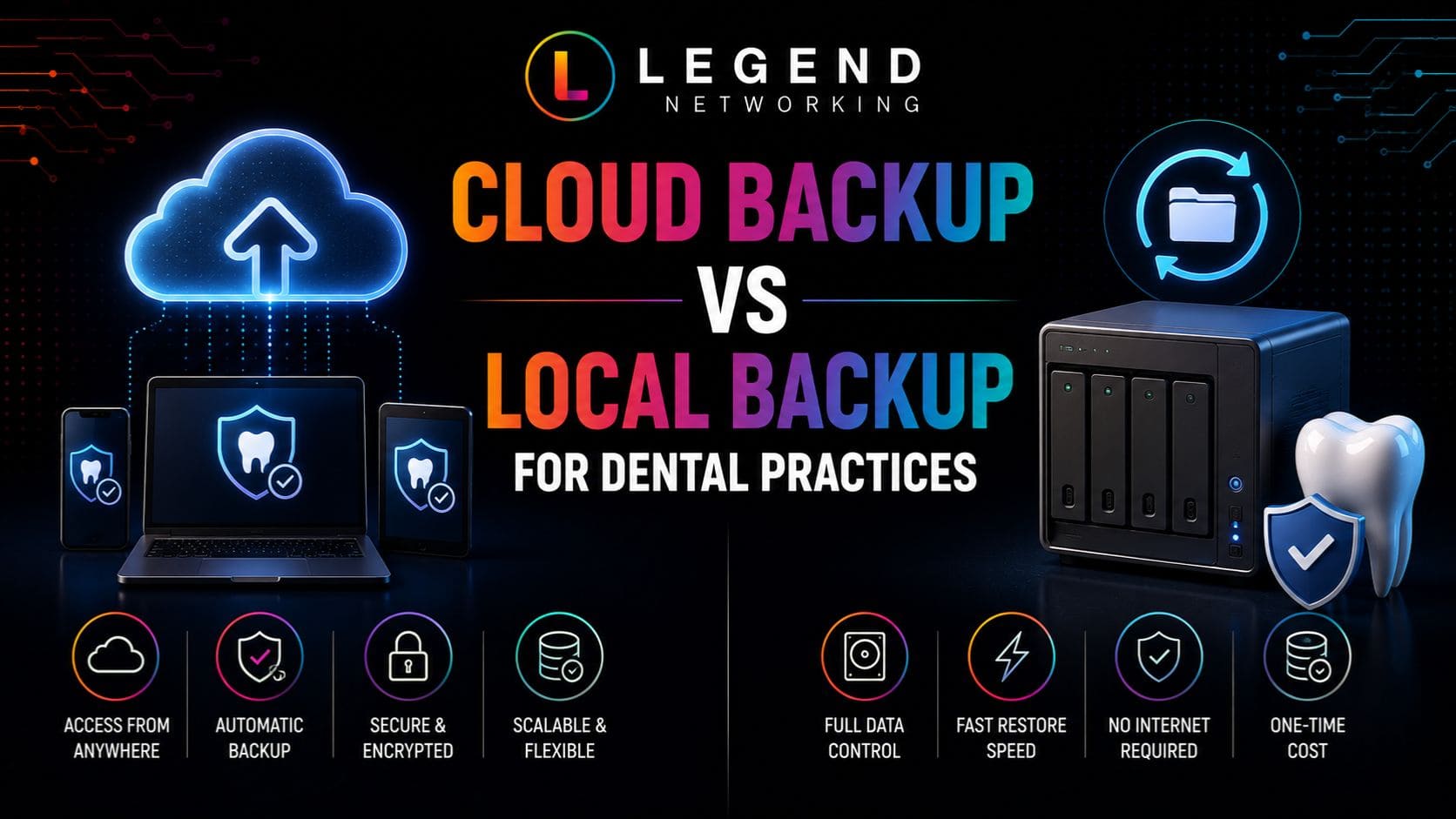
| Local Backup | Cloud Backup |
| Faster restoration | Protects against site-wide disasters |
| No internet required | Accessible remotely |
| Limited physical protection | Geographic redundancy |
| Vulnerable to theft and fire | Secure off-site storage |
| Higher hardware maintenance | Lower infrastructure management |
The strongest backup strategy combines both approaches.
Common Backup Mistakes
Even practices with backups sometimes experience data loss because of poor backup management.
Common mistakes include:
- Never testing backup restoration
- Storing all backups in one location
- Using unencrypted backups
- Forgetting Microsoft 365 or cloud application backups
- Delaying backup monitoring
- Ignoring failed backup alerts
- Keeping backup devices permanently connected to the network
Many ransomware attacks now specifically target connected backup devices.
Expert Insight
Creating backups is only half of the process. The real measure of a successful backup strategy is how quickly and reliably your practice can restore patient records and resume operations after an unexpected incident. Regular testing is just as important as creating the backup itself.
Disaster Recovery for Dental Practices
While backups protect your data, disaster recovery focuses on restoring your dental practice to normal operations after an unexpected event. A comprehensive disaster recovery plan outlines the people, processes, and technologies needed to recover quickly from cyberattacks, hardware failures, natural disasters, or other business disruptions.
For dental practices, an effective disaster recovery plan minimizes downtime, protects patient information, and ensures continuity of care.
Why Disaster Recovery Matters
Every hour of downtime can impact:
- Patient appointments
- Clinical workflows
- Insurance processing
- Billing operations
- Staff productivity
- Revenue
- Patient trust
Without a documented recovery plan, even a small IT incident can become a prolonged business interruption.
Essential Components of a Disaster Recovery Plan
Every dental practice should document the following:
Recovery Priorities
Identify which systems must be restored first, including:
- Network infrastructure
- Practice management software
- Electronic Health Records (EHR)
- Digital imaging systems
- Appointment scheduling
- Billing software
- Email and communication systems
Clearly defining recovery priorities helps restore critical services as quickly as possible.
Recovery Procedures
Your disaster recovery documentation should explain:
- Who is responsible during an incident
- How backups are restored
- Which vendors should be contacted
- Alternative communication methods
- Emergency contact information
- Recovery validation procedures
A documented process reduces confusion during high-pressure situations.
Incident Response Team
Assign responsibilities before an emergency occurs.
Typical roles include:
- Practice owner
- Office manager
- IT provider
- Managed Service Provider (MSP)
- Compliance officer
- Communications coordinator
Everyone should understand their responsibilities before an incident happens.
The 3-2-1 Backup Rule
One of the most widely recommended backup strategies is the 3-2-1 Backup Rule.
This approach helps protect against ransomware, hardware failures, accidental deletion, and natural disasters.
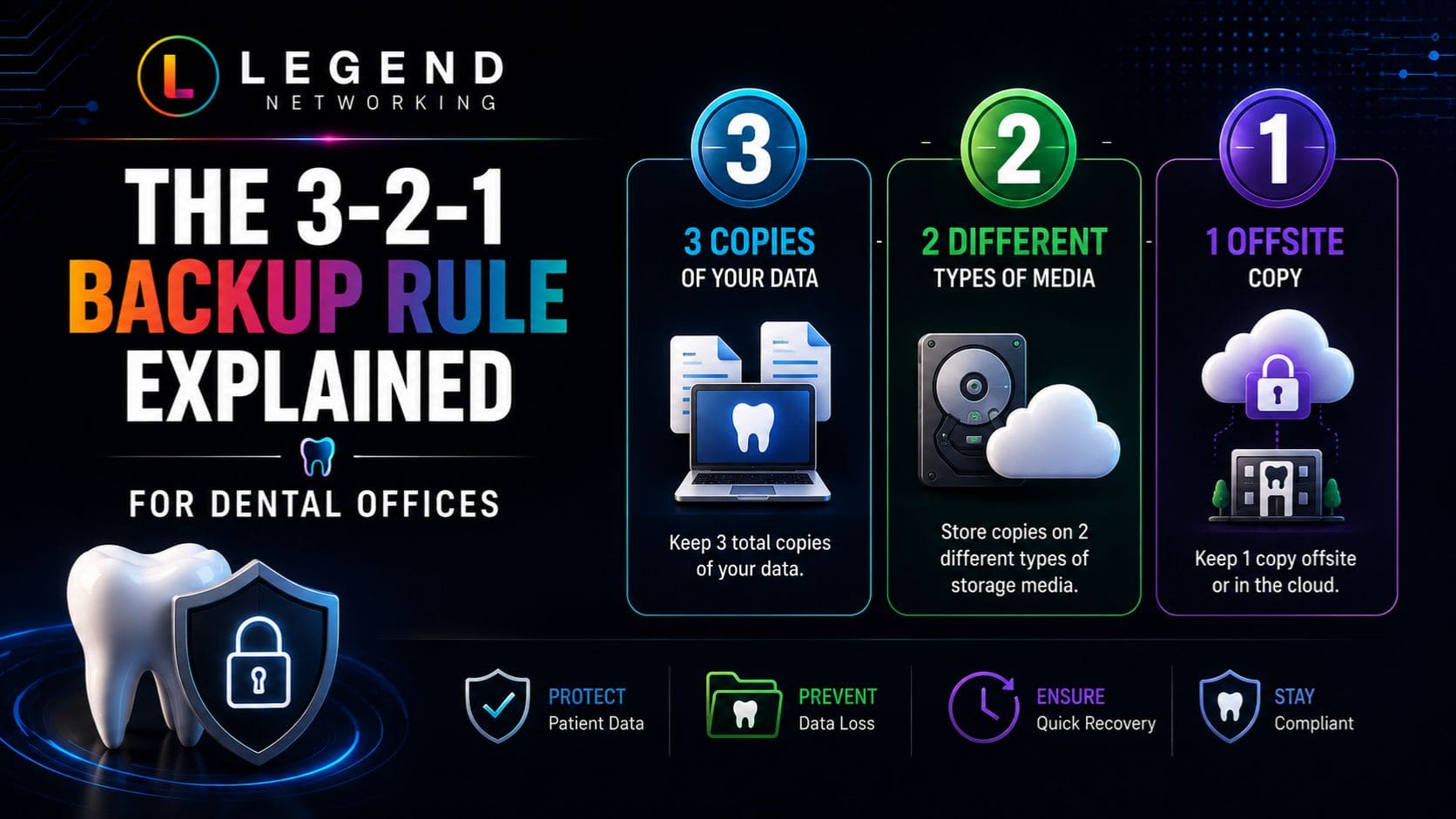
Three Copies of Data
Maintain:
- One production copy
- Two backup copies
This provides redundancy if one backup becomes unavailable.
Two Different Storage Media
Avoid storing every copy on identical hardware.
Examples include:
- Local NAS
- External storage
- Cloud storage
Using multiple storage technologies reduces the likelihood of simultaneous failure.
One Off-Site Backup
Always maintain one backup away from the primary office.
Examples include:
- Secure cloud storage
- Secondary office
- Disaster recovery data center
Off-site backups remain available even if the primary location experiences fire, flooding, theft, or ransomware.
Why the 3-2-1 Rule Works
Following this strategy helps protect against:
- Hardware failure
- Accidental deletion
- Ransomware encryption
- Natural disasters
- Insider threats
- Physical theft
For healthcare organizations, it is considered one of the most reliable approaches for maintaining business continuity.
Recovery Time Objectives (RTO) and Recovery Point Objectives (RPO)
Every disaster recovery strategy should define two important recovery metrics.
| Metric | Meaning | Example |
| Recovery Time Objective (RTO) | Maximum acceptable downtime | Practice should resume operations within 4 hours |
| Recovery Point Objective (RPO) | Maximum acceptable data loss | Maximum of 30 minutes of patient data loss |
These objectives help determine:
- Backup frequency
- Storage requirements
- Disaster recovery investments
- Recovery priorities
Practices with stricter RTO and RPO requirements typically require more frequent backups and higher levels of redundancy.
Backup Testing Best Practices
Creating backups is only valuable if they can actually be restored.
Unfortunately, many organizations discover backup problems only after an emergency.
Every dental practice should routinely test:
Backup Restoration
Verify that:
- Files restore correctly
- Databases function properly
- Images remain intact
- Applications open successfully
Disaster Recovery Procedures
Conduct simulated recovery exercises that evaluate:
- Staff responsibilities
- Communication plans
- Recovery timelines
- Vendor coordination
- Business continuity
These exercises improve preparedness while identifying weaknesses before an actual emergency.
Backup Monitoring
Monitor backup systems daily to confirm:
- Scheduled backups completed
- No backup failures occurred
- Storage capacity remains sufficient
- Cloud synchronization completed successfully
Ignoring failed backup notifications can leave practices without recoverable data when it is needed most.
Dental Backup & Disaster Recovery Framework
A structured framework helps practices build a resilient backup strategy that supports both cybersecurity and business continuity.
| Phase | Objective | Key Actions |
| Identify | Determine critical systems and data | Inventory applications, patient records, servers, and cloud services. |
| Protect | Secure business data | Implement automated backups, encryption, cloud storage, and access controls. |
| Test | Verify recoverability | Restore sample files, test databases, and conduct disaster recovery exercises regularly. |
| Recover | Resume operations quickly | Restore critical systems based on recovery priorities and validate data integrity. |
| Improve | Strengthen resilience | Review lessons learned, update recovery plans, improve backup schedules, and enhance cybersecurity controls. |
Following this framework ensures your backup strategy evolves alongside your practice and the changing cybersecurity landscape.
Dental Backup Solutions Checklist
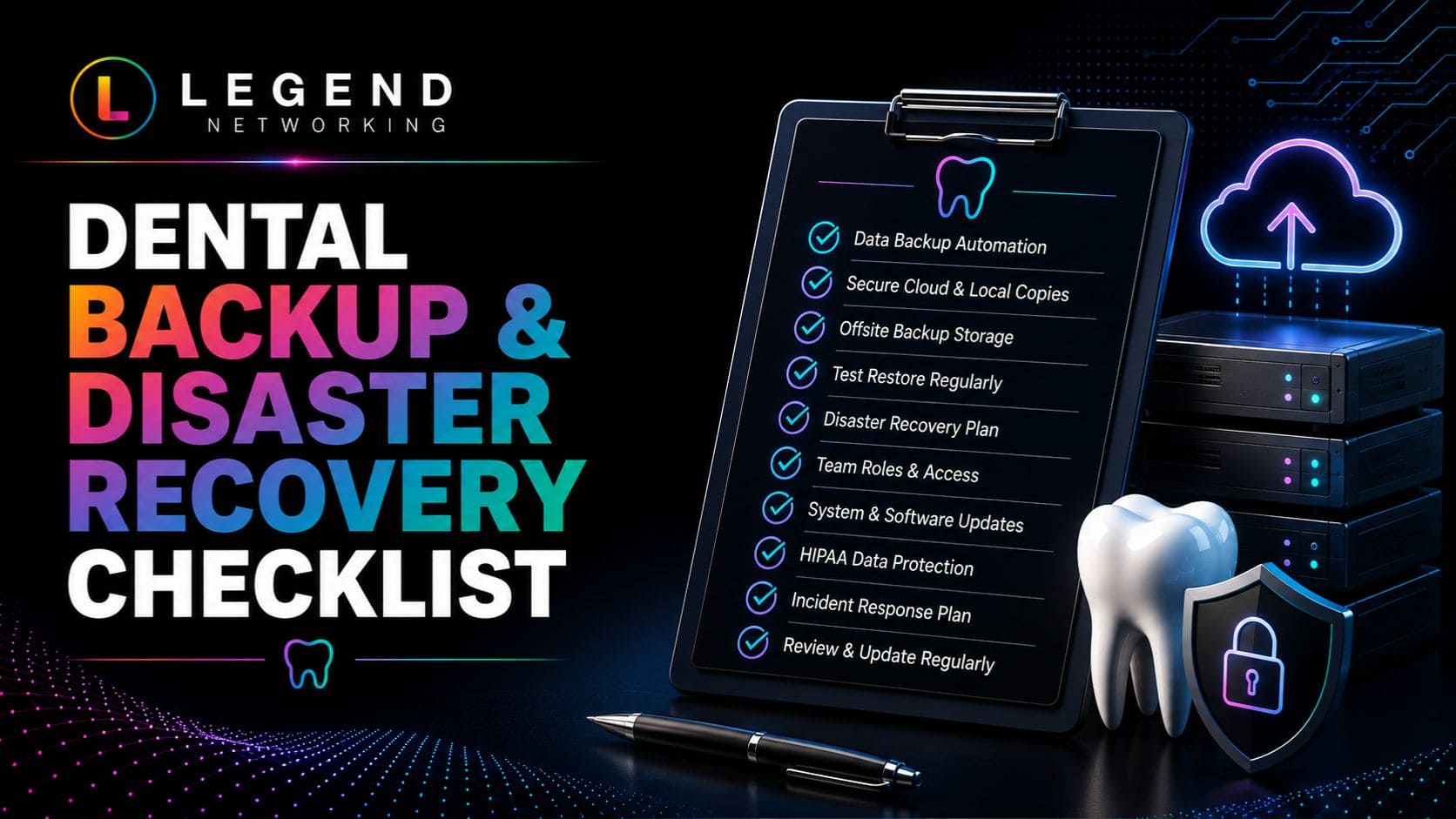
Use this checklist to evaluate your current backup and disaster recovery readiness.
Backup Security
☐ Automated daily backups enabled
☐ Backups encrypted
☐ Cloud backup configured
☐ Local backup available
☐ Offline or immutable backup maintained
Backup Monitoring
☐ Daily backup reports reviewed
☐ Backup failures investigated
☐ Storage capacity monitored
☐ Backup logs retained
Disaster Recovery
☐ Recovery plan documented
☐ Recovery priorities defined
☐ Emergency contacts updated
☐ Incident response procedures documented
☐ Disaster recovery exercises completed annually
Testing
☐ Backup restoration tested quarterly
☐ Full disaster recovery test completed annually
☐ Recovery times documented
☐ Lessons learned reviewed after every exercise
Cybersecurity
☐ Multi-Factor Authentication enabled
☐ Endpoint protection deployed
☐ Network monitored continuously
☐ Employees trained on cybersecurity awareness
☐ Software updated regularly
Practices should review this checklist quarterly to ensure backup systems remain effective and aligned with evolving business needs.
Practical Example
Scenario: Recovering from a Server Failure
A dental practice experiences an unexpected server failure on a busy Monday morning, making patient records, appointment schedules, and billing systems unavailable.
Because the practice follows the 3-2-1 Backup Rule, the IT provider restores the latest verified backup from a secure cloud repository while rebuilding the failed server. Within a few hours, appointment schedules, digital X-rays, and patient records are available again with minimal data loss.
After recovery, the team reviews the incident, replaces aging hardware, and updates its disaster recovery plan to improve future response times.
This example demonstrates how proactive backup planning can significantly reduce downtime and maintain continuity of patient care.
Expert Insight
Backups don’t protect your practice unless they can be restored successfully. Regular backup testing, documented recovery procedures, and a well-designed disaster recovery plan are what transform backup files into true business continuity.
Conclusion
Reliable dental backup solutions are one part of a comprehensive dental IT solutions strategy that keeps your practice secure, efficient, and prepared for unexpected disruptions. While cybersecurity measures help prevent incidents, backups ensure your practice can recover quickly when unexpected events occur. Whether the disruption is caused by ransomware, hardware failure, accidental deletion, or a natural disaster, a well-planned backup and disaster recovery strategy protects patient information and keeps your business running.
By combining cloud backup, encrypted local backups, regular recovery testing, and a documented disaster recovery plan, dental practices can significantly reduce downtime, protect sensitive patient data, and maintain compliance with healthcare regulations. Most importantly, routine testing ensures your backups are ready when you need them—not just stored in the background.
Ready to Protect Your Dental Practice from Data Loss?
Data loss can happen without warning, but preparation makes recovery faster and less stressful. Whether you’re looking to implement secure cloud backup for your dental practice, improve your disaster recovery strategy, or modernize your backup infrastructure, Legend Networking is here to help.
Our healthcare IT specialists provide:
- Dental Backup Solutions
- Cloud Backup & Recovery
- Disaster Recovery Planning
- Business Continuity Solutions
- Managed IT Services
- Cybersecurity Monitoring
- HIPAA Risk Assessments
- Microsoft 365 Data Protection
- 24/7 IT Support
Schedule a consultation with Legend Networking today to evaluate your current backup strategy, strengthen your disaster recovery plan, and ensure your dental practice is prepared for any unexpected disruption.
Frequently Asked Questions
Q. Why are backup solutions important for dental practices?
Ans. Dental practices rely on digital systems to manage patient records, imaging, scheduling, billing, and communication. A reliable dental backup solution ensures this information can be restored after ransomware attacks, hardware failures, accidental deletion, or natural disasters, minimizing downtime and protecting patient care.
Q. What is the best backup strategy for a dental office?
Ans. The most effective strategy follows the 3-2-1 Backup Rule:
- Maintain three copies of your data.
- Store backups on two different types of media.
- Keep one encrypted backup off-site or in the cloud.
Many practices also add immutable backups for additional ransomware protection.
Q. What is cloud backup for dental practices?
Ans. Cloud backup for dental practices securely stores encrypted copies of patient and business data in remote data centers. Cloud backups provide off-site protection, automatic scheduling, geographic redundancy, and faster disaster recovery if local systems become unavailable.
Q. How often should dental data be backed up?
Ans. Critical patient and business data should be backed up automatically every day. Practices with high patient volumes or frequent record updates may require backups every few hours to minimize potential data loss.
Q. How often should backups be tested?
Ans. Backups should be monitored daily and restoration testing should be performed at least quarterly. A complete disaster recovery exercise should be conducted annually to ensure systems, applications, and patient records can be restored successfully.
Q. What is the difference between backup and disaster recovery?
Ans. A backup is a copy of your data that can be restored if information is lost or corrupted. Disaster recovery is the complete process of restoring your IT systems, applications, networks, and business operations after an unexpected event. Both are essential for business continuity.
Q. Can backups protect against ransomware?
Ans. Yes, but only if backups are secure, isolated, and regularly tested. Offline, immutable, or encrypted cloud backups help ensure patient data can be restored without relying on compromised systems. Strong cybersecurity measures should also be implemented to reduce the risk of ransomware attacks.
Q. How can Legend Networking help improve our backup strategy?
Ans. Legend Networking helps dental practices design and manage secure backup and disaster recovery solutions, including cloud backup implementation, backup monitoring, disaster recovery planning, cybersecurity improvements, and ongoing IT support to protect patient data and reduce downtime.
Q. What data should every dental practice back up?
Ans. A comprehensive backup strategy should include:
- Electronic Health Records (EHR)
- Practice management databases
- Appointment schedules
- Digital X-rays and CBCT images
- Clinical photographs
- Insurance and billing information
- Microsoft 365 and email
- Financial records
- Staff documents
- Configuration settings and application data
Q. Where can I learn more about protecting my dental practice?
Ans. Explore our related resources to strengthen your cybersecurity and business continuity strategy:
- Complete Guide to Dental Practice Cybersecurity
- Ransomware Recovery for Dental Offices
- Password Management Best Practices for Dental Teams
- HIPAA-Compliant Dental IT
- HIPAA Compliance Checklist for Dental Practices
- How to Prepare Your Dental Practice for a HIPAA Audit
These guides provide practical advice on protecting patient information, reducing downtime, and maintaining HIPAA compliance.




 Based in USA

