

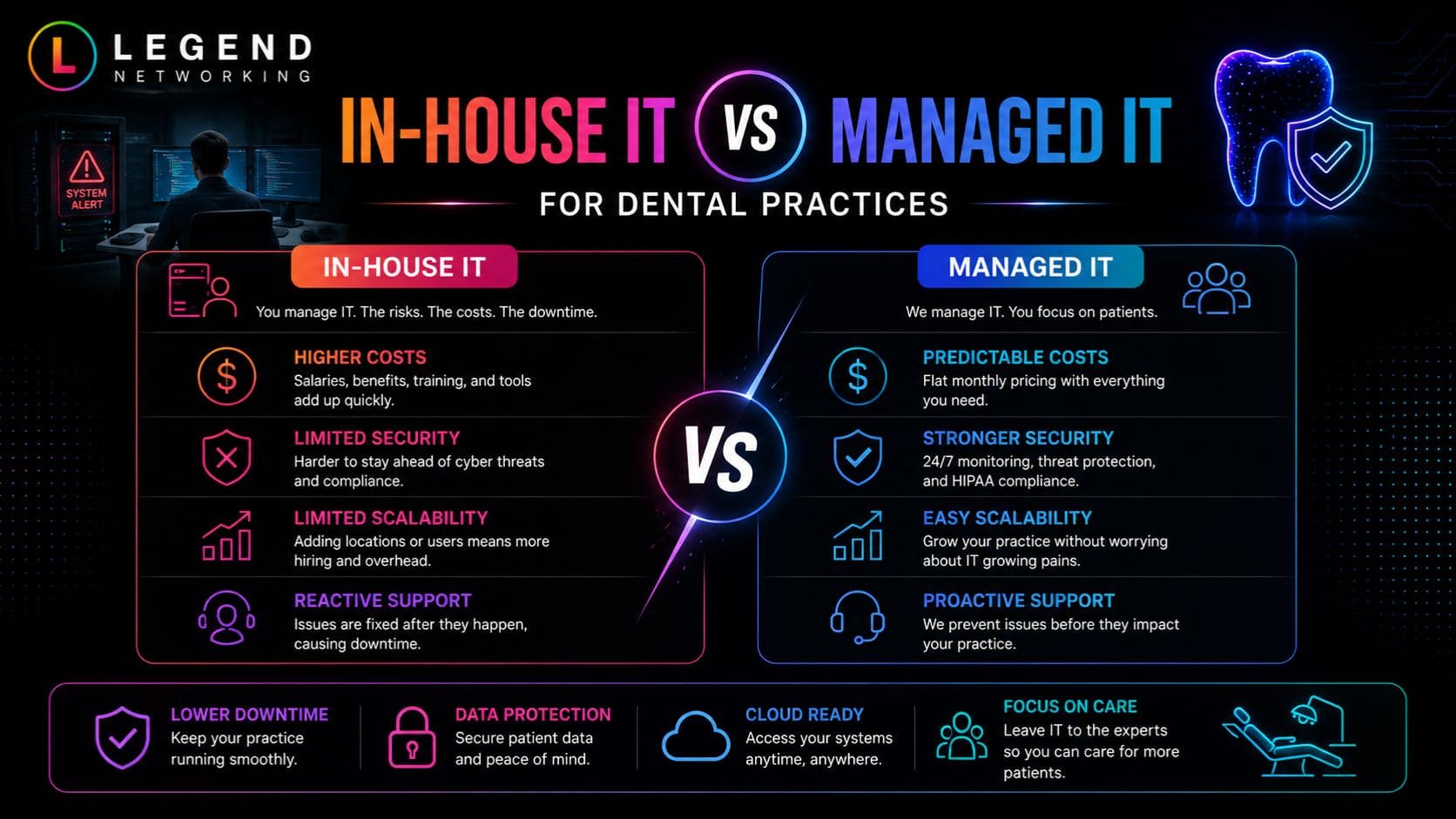
Choosing between In-House IT vs Managed IT depends on your dental practice’s size, budget, compliance requirements, and growth plans. While an in-house IT team provides direct control, a managed IT service provider (MSP) delivers specialized expertise, predictable costs, proactive cybersecurity, and around-the-clock support. For most small to mid-sized dental practices, managed IT services offer better value, stronger security, and easier HIPAA compliance than maintaining an internal IT department.
Technology powers nearly every aspect of today’s dental practice, from digital X-rays and electronic health records (EHRs) to appointment scheduling, patient communications, and cybersecurity. As your practice grows, choosing between In-House IT vs Managed IT becomes more than a technology decision; it’s a business strategy that affects patient care, operational efficiency, HIPAA compliance, and long-term costs.
While hiring an internal IT team offers direct oversight and on-site support, managed IT services provide access to specialized experts, proactive monitoring, stronger cybersecurity, and predictable monthly expenses. Each approach has distinct advantages depending on your practice’s size, budget, and future growth plans.
In this guide, we’ll compare In-House IT vs Managed IT for dental practices, exploring costs, security, scalability, compliance, and business continuity so you can confidently choose the IT model that best supports your practice today and in the years ahead.
Key Takeaways
- Managed IT services typically cost less than building and maintaining a full in-house IT department.
- Dental practices must prioritize HIPAA compliance, cybersecurity, and data protection when selecting an IT model.
- A managed IT provider offers access to specialists in cybersecurity, cloud infrastructure, backups, and dental software.
- In-house IT works best for very large organizations with complex internal technology needs.
- MSPs provide proactive monitoring that helps prevent downtime before it affects patient care.
- Hybrid IT models combine internal staff with managed services for additional flexibility.
- Selecting the right IT partner improves operational efficiency, patient experience, and long-term business growth.
In-House IT vs Managed IT: Understanding the Difference
Technology has become the backbone of every successful dental practice. From digital imaging and electronic health records (EHR) to appointment scheduling, patient communication, insurance processing, and cybersecurity, virtually every aspect of modern dentistry depends on reliable IT systems.
When evaluating In-House IT vs Managed IT, dental practice owners often ask a simple question:
Should we hire our own IT staff or outsource technology management to a Managed Service Provider (MSP)?
The answer depends on several factors, including your practice size, available budget, compliance requirements, growth strategy, and internal technical expertise.
For many practices, the decision extends beyond cost. It directly impacts patient experience, business continuity, regulatory compliance, cybersecurity resilience, and operational efficiency.
This guide provides a practical Dental IT comparison to help you understand the advantages, limitations, and real-world considerations of both approaches.
Why IT Decisions Matter More Than Ever for Dental Practices
Image text: Modern Dental Practices Depend on Technology
Essential Technology Systems
- Digital X-Rays
- Electronic Health Records (EHR)
- VoIP Phone Systems
- Cloud Backups
- Online Scheduling
- Payment Processing
- Secure Email
- Patient Portals
- Practice Management Software
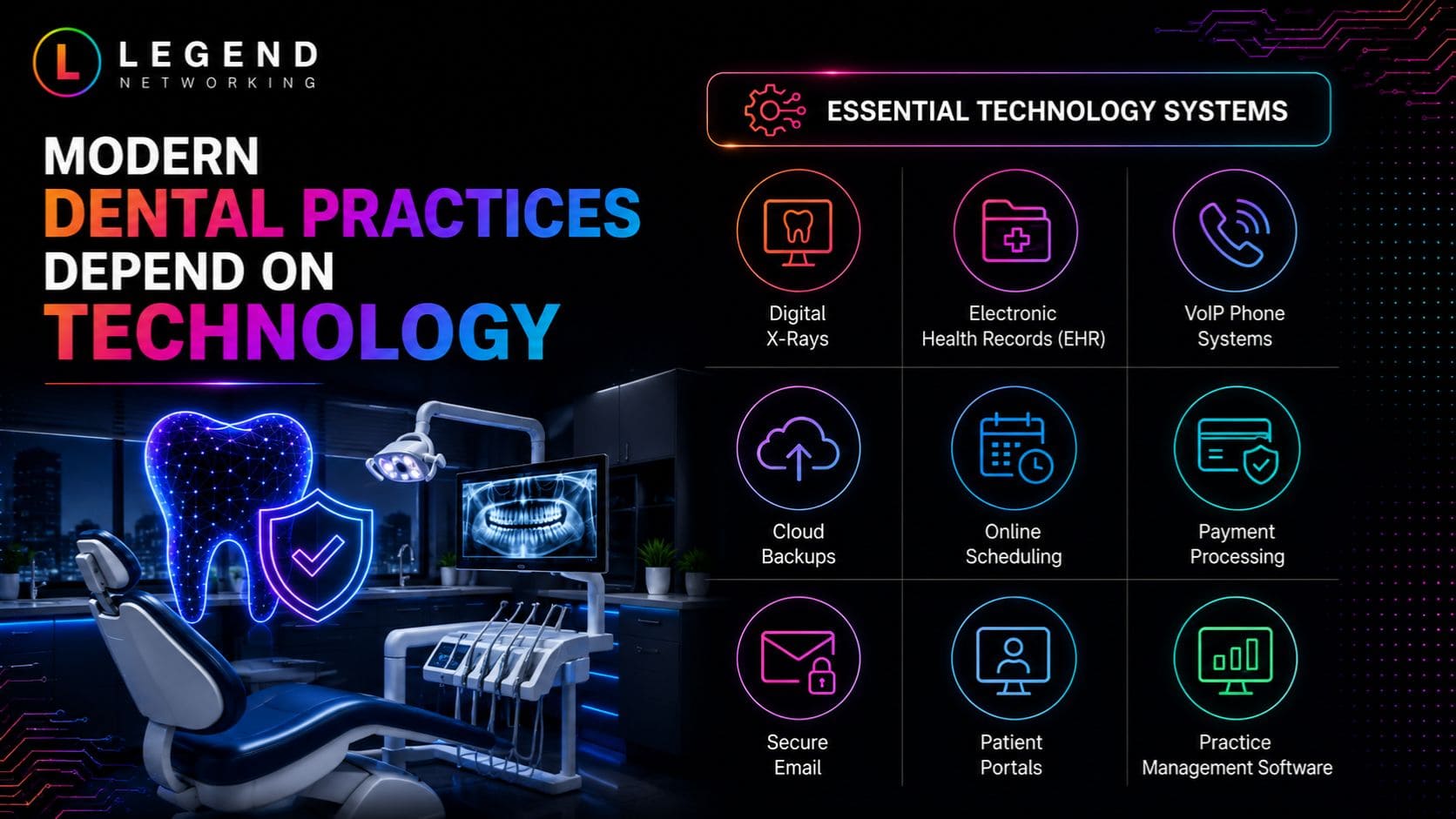
Dental technology has evolved rapidly over the last decade.
Today’s practices rely on:
- Digital X-rays
- CBCT imaging
- Intraoral scanners
- Practice management software
- Electronic prescriptions
- Cloud backups
- VoIP phone systems
- Patient portals
- Secure email
- Online scheduling
- Payment processing
- Connected medical devices
Each system stores or processes protected health information (PHI), making cybersecurity and compliance essential.
According to IBM’s Cost of a Data Breach Report, healthcare continues to experience the highest average breach costs across all industries, highlighting the financial impact of cyber incidents on healthcare organizations. Similarly, the Verizon Data Breach Investigations Report consistently identifies human error, credential theft, and ransomware as leading causes of security incidents.
For dental practices, even a few hours of downtime can result in:
- Missed appointments
- Lost revenue
- Delayed treatments
- Reduced patient trust
- Regulatory risks
- Increased recovery costs
Choosing the right IT support model is therefore a strategic business decision—not simply a technical one.
What Is an In-House IT Team?
An in-house IT department consists of employees hired directly by your dental practice to manage technology operations.
Depending on the organization, responsibilities may include:
- Network administration
- Computer maintenance
- Software updates
- Printer support
- Cybersecurity
- User support
- Hardware procurement
- Backup management
- Vendor coordination
- Compliance documentation
Large dental service organizations (DSOs) often maintain dedicated IT departments because they manage multiple locations and extensive technology infrastructures.
For smaller practices, however, hiring a full-time IT professional can be expensive and may leave gaps in specialized expertise.
Advantages of In-House IT
-
Immediate On-Site Availability
Internal IT staff can quickly respond to hardware failures, workstation issues, or network outages without waiting for an external technician.
-
Greater Operational Familiarity
Employees become deeply familiar with your workflows, software, equipment, and team members, allowing them to tailor solutions to your specific environment.
-
Direct Oversight
Practice owners maintain direct control over priorities, scheduling, and technology initiatives.
-
Strong Collaboration
An internal IT professional can work closely with dentists, hygienists, office managers, and administrative staff to improve daily operations.
Challenges of In-House IT
While internal teams offer certain advantages, they also present significant challenges.
-
Higher Staffing Costs
Hiring experienced IT professionals involves:
- Competitive salaries
- Health benefits
- Retirement contributions
- Paid leave
- Ongoing training
- Recruitment expenses
These costs can quickly exceed the annual budget of many small dental practices.
Limited Skill Sets
Modern IT spans multiple disciplines, including:
- Cloud infrastructure
- Cybersecurity
- Microsoft 365 administration
- Networking
- HIPAA compliance
- Backup and disaster recovery
- Endpoint protection
- Email security
- Identity management
A single IT employee is unlikely to possess expert-level knowledge across every specialty.
Vacation and Absence Risks
If your only IT employee is unavailable due to illness, vacation, or resignation, your practice may experience delayed support during critical incidents.
Scalability Challenges
As your practice grows, additional locations, providers, and technology systems often require more IT personnel, increasing long-term operational costs.
What Is Managed IT?
Managed IT services involve outsourcing day-to-day technology management to a specialized Managed Service Provider (MSP). If you’d like a deeper understanding of how outsourced IT can improve security, compliance, and day-to-day operations, explore our comprehensive guide to managed IT services.
Rather than hiring multiple internal specialists, your practice gains access to an entire team of IT professionals who proactively monitor, maintain, secure, and optimize your technology environment.
Most managed IT providers offer comprehensive support, including:
- 24/7 network monitoring
- Help desk support
- Cybersecurity services
- HIPAA-focused security controls
- Microsoft 365 management
- Cloud services
- Data backup and disaster recovery
- Patch management
- Vendor coordination
- Strategic IT planning
- Technology budgeting
- Compliance assistance
This MSP vs internal IT model has become increasingly popular among healthcare organizations because it provides enterprise-level expertise without the cost of building a large internal department.
Why Managed IT Is Growing in Healthcare
Healthcare organizations face increasingly sophisticated cyber threats, stricter compliance expectations, and growing dependence on digital systems.
As a result, many dental practices are turning to Outsourced IT dental solutions that provide:
- Predictable monthly costs
- Access to certified specialists
- Faster issue resolution
- Proactive maintenance
- Continuous security monitoring
- Better disaster recovery planning
- Support for business growth
Rather than reacting to technology problems after they occur, managed IT focuses on preventing disruptions before they impact patient care.
- Vulnerability management
- Security awareness training
- Endpoint detection and response (EDR)
- Identity and access management
- Cloud security
- Incident response
Keeping pace with evolving threats requires continuous monitoring, specialized tools, and ongoing training.
How Managed IT Strengthens Security
A reputable managed IT provider typically delivers layered security through:
- Continuous network monitoring
- Endpoint protection
- Advanced email filtering
- Multi-factor authentication implementation
- Patch management
- Backup verification
- Security awareness training
- Vulnerability assessments
- Incident response planning
Rather than waiting for an issue to occur, MSPs focus on identifying and addressing risks before they become business disruptions.
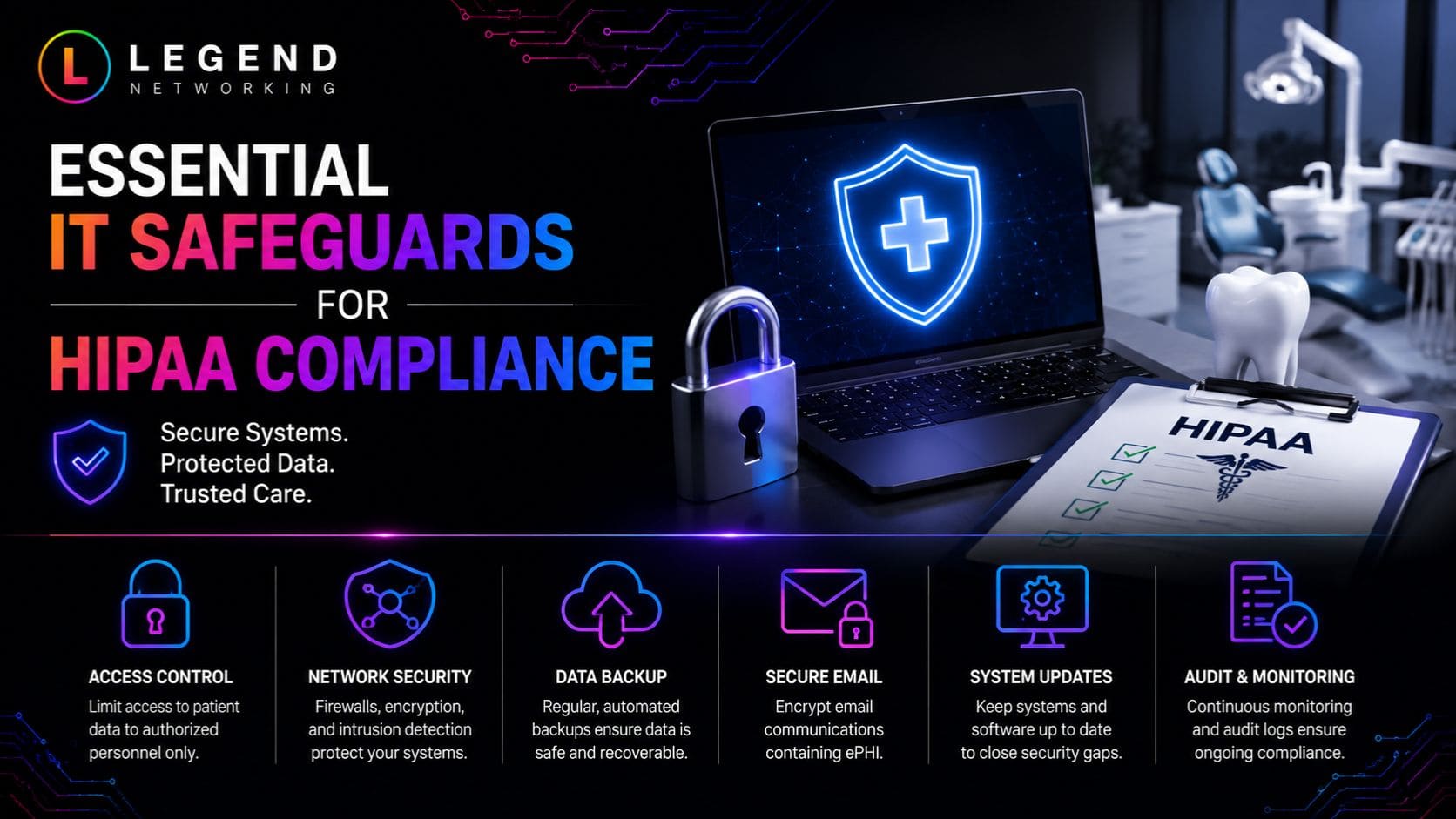
HIPAA Compliance: Why IT Plays a Critical Role
HIPAA compliance is about more than storing patient records securely. It requires administrative, physical, and technical safeguards to protect protected health information (PHI).
Technology directly supports many of these safeguards.
An effective IT strategy helps practices:
- Secure patient data
- Control user access
- Encrypt sensitive information
- Monitor systems for suspicious activity
- Maintain audit logs
- Perform secure backups
- Recover data after incidents
- Document security procedures
The U.S. Department of Health and Human Services (HHS) and the Office for Civil Rights (OCR) recommend regular risk assessments, workforce training, and technical safeguards to reduce compliance risks.
In-House IT Considerations
An internal team must independently:
- Monitor regulatory updates
- Conduct risk assessments
- Implement technical controls
- Maintain documentation
- Coordinate audits
- Address security incidents
Without dedicated compliance expertise, these responsibilities can become difficult to manage.
Managed IT Advantages
Many MSPs that specialize in healthcare provide:
- HIPAA-focused security policies
- Risk assessment support
- Documentation assistance
- Backup verification
- Encryption management
- Secure remote access
- Compliance reporting
While no provider can guarantee HIPAA compliance, experienced healthcare MSPs can significantly strengthen a practice’s security posture and support compliance efforts.
Scalability: Preparing Your Practice for Growth
Technology needs rarely stay the same.
As dental practices expand, they often add:
- Additional dentists
- Hygienists
- Administrative staff
- Operatories
- New locations
- Cloud applications
- Imaging systems
- Phone systems
- Remote employees
Your IT infrastructure should be able to scale without disrupting operations.
Scaling with In-House IT
Growth often requires:
- Hiring additional staff
- Purchasing new infrastructure
- Expanding management responsibilities
- Increasing cybersecurity investments
This approach can become expensive as complexity increases.
Scaling with Managed IT
Managed service providers are designed to support growing organizations.
Whether your practice opens another location or hires ten new employees, an MSP can usually onboard new users, devices, and offices with minimal disruption.
This flexibility is one of the biggest advantages in the MSP vs internal IT discussion.
Business Continuity and Disaster Recovery
Unexpected disruptions can happen at any time.
Examples include:
- Hardware failures
- Ransomware attacks
- Power outages
- Floods
- Fire damage
- Internet outages
- Human error
- Accidental file deletion
Without a recovery plan, even a short outage can interrupt patient care and revenue.
In-House Recovery Challenges
Many internal IT teams create backup procedures, but limited staffing and budgets can make regular testing and off-site redundancy difficult.
Managed IT Best Practices
Leading MSPs typically implement:
- Automated backups
- Off-site or cloud replication
- Recovery testing
- Disaster recovery documentation
- Rapid restoration procedures
- Business continuity planning
The goal is not only to back up data but also to restore operations quickly with minimal downtime.
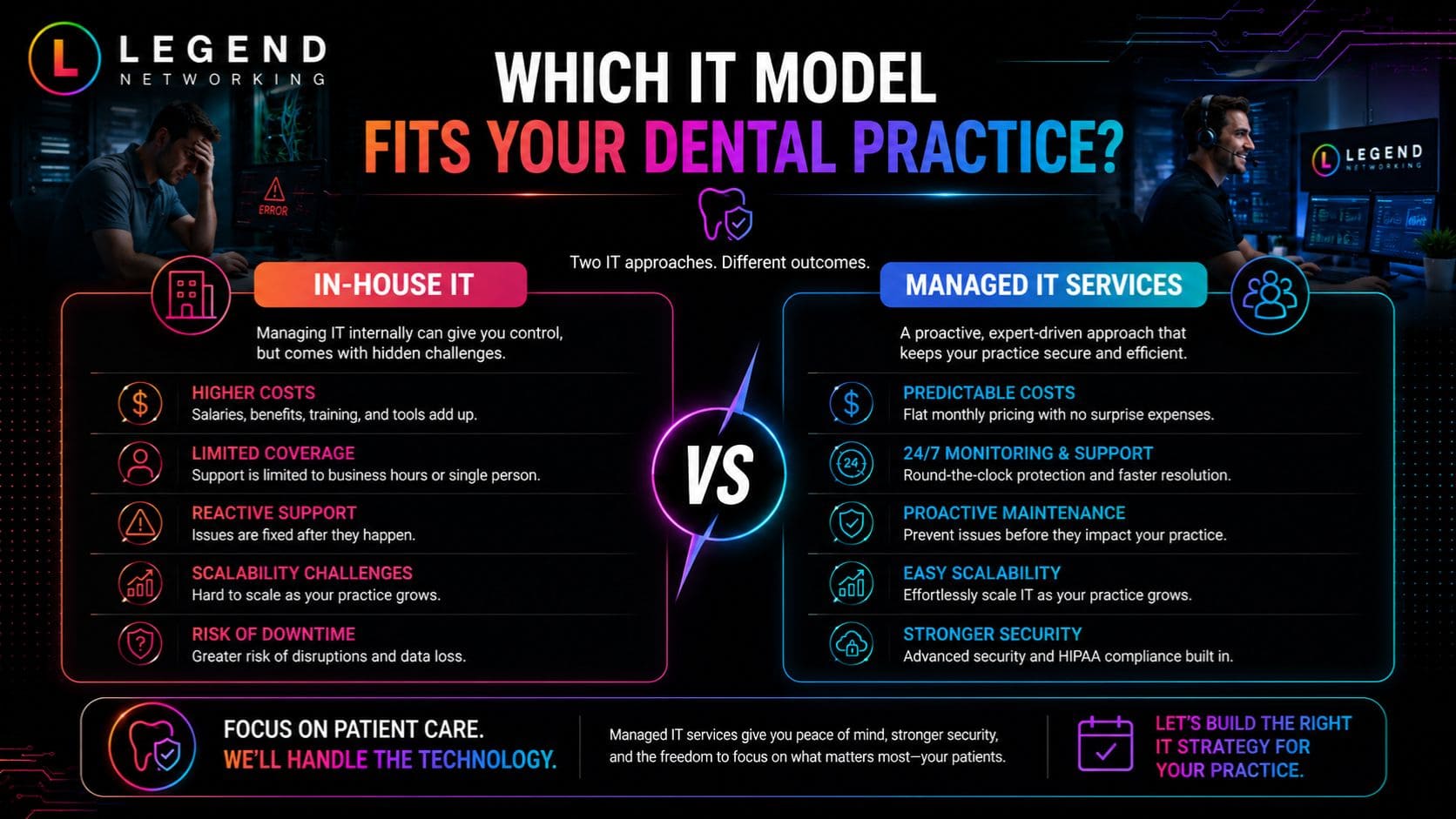
Decision Framework: Which IT Model Fits Your Dental Practice?
Use the following framework to evaluate your practice’s needs.
In-House IT May Be the Better Choice If:
- You operate a large multi-location dental organization.
- You require full-time on-site technical staff.
- Your practice has the budget for multiple IT specialists.
- You maintain highly customized internal systems.
- Technology management is a core strategic function.
Managed IT Is Often the Better Choice If:
- You operate a small or mid-sized dental practice.
- You want predictable monthly IT costs.
- Cybersecurity and HIPAA compliance are top priorities.
- You need access to specialists without hiring multiple employees.
- Your practice is growing and needs scalable technology support.
- You want proactive monitoring instead of reactive repairs.
Dental Practice IT Decision Checklist
Before making a final decision, ask these questions:
- How much downtime can our practice realistically tolerate?
- Are we confident in our current cybersecurity defenses?
- Do we have documented disaster recovery procedures?
- Can one internal employee manage cloud, cybersecurity, networking, compliance, and support effectively?
- Are our backups tested regularly?
- Do we have an IT roadmap for the next three to five years?
- Are we meeting HIPAA technical safeguard requirements?
- Can our current IT model support future growth?
- Do we have 24/7 monitoring for critical systems?
- Is our technology helping staff work efficiently?
If you answered “No” to several of these questions, it may be time to evaluate whether a managed IT partner can better support your practice.
Expert Perspective
After supporting healthcare organizations and dental practices, one trend is clear: successful practices treat IT as a strategic investment rather than a reactive expense. Whether you choose an in-house team or a managed service provider, the most effective approach is one that aligns technology with patient care, regulatory requirements, and long-term business goals.
Can a Hybrid IT Model Be the Best of Both Worlds?
The conversation around In-House IT vs Managed IT doesn’t always have to end with choosing one over the other. Many growing dental practices adopt a hybrid IT model, where internal staff work alongside a Managed Service Provider (MSP).
For example, an office manager or IT coordinator may handle routine tasks such as setting up new employee accounts or basic printer issues, while the MSP manages cybersecurity, cloud infrastructure, backups, Microsoft 365, compliance support, and strategic IT planning.
This approach combines internal familiarity with access to specialized expertise.
When a Hybrid IT Model Makes Sense
A hybrid model is often a good fit if your practice:
- Has an existing IT employee but needs additional expertise.
- Operates multiple dental offices with centralized administration.
- Requires 24/7 network monitoring and after-hours support.
- Is planning major technology upgrades or cloud migration.
- Wants to strengthen cybersecurity without expanding internal headcount.
The key is to clearly define responsibilities between the internal team and the MSP to avoid duplication or gaps in support.
Image text: 5 IT Mistakes Dental Practices Should Avoid
❌ Choosing the cheapest provider instead of the best value
❌ Ignoring cybersecurity expertise
❌ Overlooking HIPAA compliance requirements
❌ Failing to plan for future growth
❌ Not defining service expectations and response times
Bottom Tip
Avoiding these mistakes helps reduce downtime, strengthen security, and improve long-term technology performance.
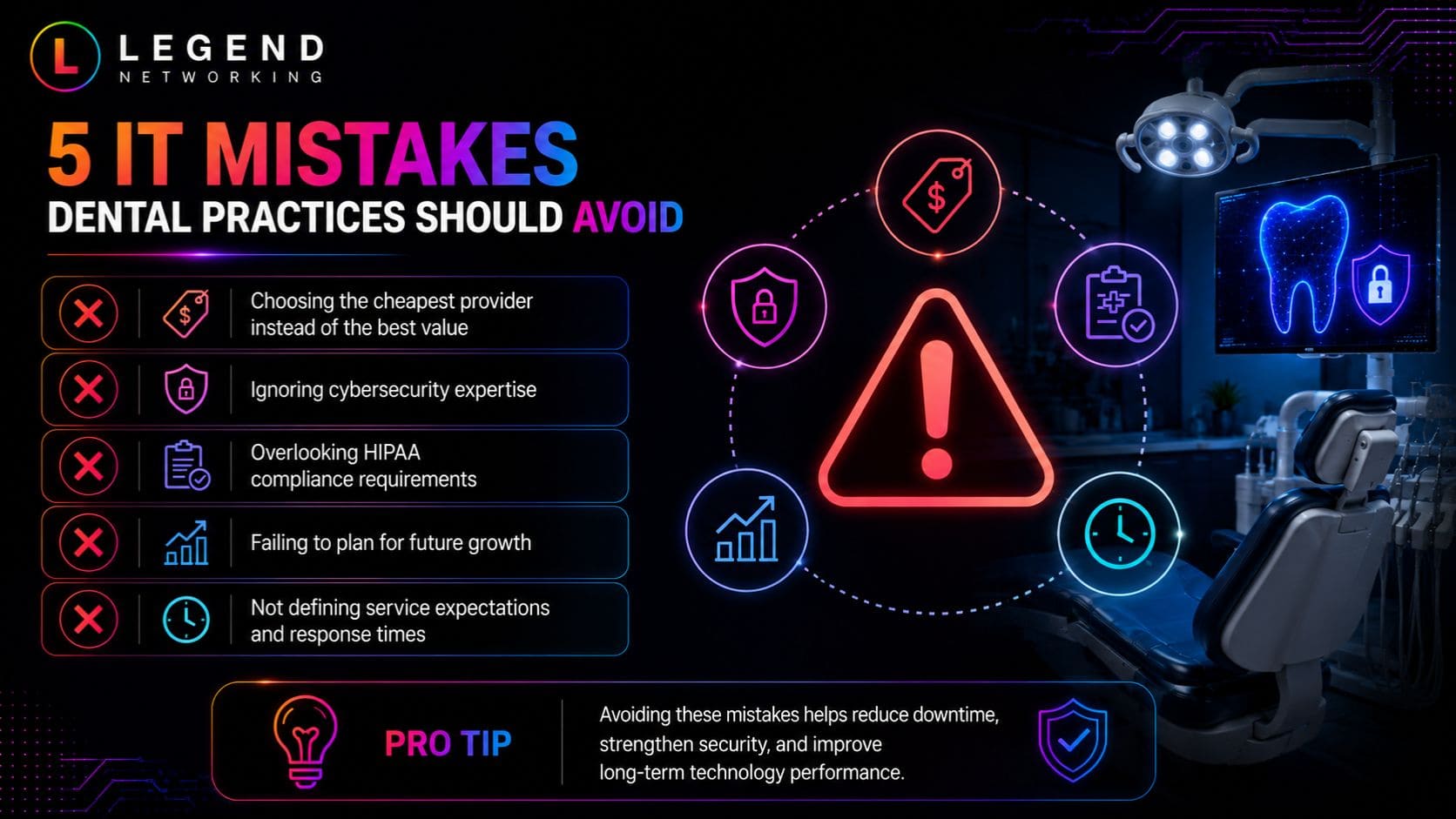
Common Mistakes Dental Practices Make When Choosing IT Support
Whether you’re considering MSP vs internal IT or evaluating an Outsourced IT dental provider, avoiding these common mistakes can save significant time, money, and frustration.
1. Choosing Based on Price Alone
The least expensive option isn’t always the most cost-effective. Downtime, security incidents, and poor support can cost far more than a slightly higher monthly IT investment.
Instead, evaluate providers based on expertise, responsiveness, security capabilities, and long-term value.
2. Ignoring Cybersecurity Expertise
IT support and cybersecurity are not the same thing.
Ask potential providers about:
- Endpoint Detection and Response (EDR)
- Multi-Factor Authentication (MFA)
- Email security
- Security awareness training
- Vulnerability assessments
- Incident response planning
- Backup testing
A provider should have a proactive security strategy rather than simply reacting to problems.
3. Overlooking HIPAA Requirements
Dental practices handle Protected Health Information (PHI), making compliance a critical consideration.
Your IT partner should understand healthcare security requirements and help implement appropriate technical safeguards, documentation, and risk management processes.
4. Not Planning for Growth
Technology decisions should support your practice over the next three to five years—not just solve today’s issues.
Consider questions such as:
- Will you open another location?
- Are you adding providers?
- Will you move more applications to the cloud?
- Are you introducing digital imaging or AI-assisted diagnostics?
- Will remote work become more common for administrative staff?
Choose an IT strategy that can scale with your business.
5. Failing to Define Service Expectations
Before signing an agreement, understand:
- Response times
- Escalation procedures
- Business hours
- Emergency support availability
- Reporting frequency
- Backup responsibilities
- Security monitoring scope
Clear expectations help build a productive long-term partnership.
How to Choose the Right Managed IT Provider for Your Dental Practice
Not every MSP has experience supporting healthcare organizations. If you’re evaluating service providers, our guide to leading dental IT companies can help you compare experienced vendors and make a more informed decision. When comparing providers, look beyond technical certifications and evaluate how well they understand the unique needs of dental practices.
Evaluation Checklist
Ask these questions during your selection process:
Healthcare Experience
- Do you support dental or healthcare practices?
- Are you familiar with Dentrix, Eaglesoft, Open Dental, or other dental software?
- Can you coordinate with imaging and practice management vendors?
Security Capabilities
- Do you provide continuous security monitoring?
- How do you protect against ransomware?
- What endpoint protection tools do you recommend?
- How often are backups tested?
Compliance Support
- Can you assist with HIPAA security best practices?
- Do you help document risk assessments?
- Do you provide compliance reporting?
Strategic Guidance
- Will we receive technology planning meetings?
- Can you help budget for future upgrades?
- Do you recommend lifecycle replacement plans for hardware?
Support Experience
- Is support available after hours?
- Do you offer remote and onsite support?
- What are your average response and resolution times?
A provider that answers these questions confidently is more likely to become a trusted technology partner rather than simply a help desk.
Why Dental Practices Choose Managed IT for Long-Term Growth
Technology should enable better patient care, not become a daily source of frustration.
Managed IT services help practices:
- Reduce unexpected downtime.
- Improve cybersecurity resilience.
- Support HIPAA security efforts.
- Simplify technology budgeting.
- Access specialized expertise.
- Scale infrastructure as the practice grows.
- Improve staff productivity through proactive maintenance.
For many practices, outsourcing routine IT management also frees dentists and office managers to focus on patient care instead of troubleshooting technology. Looking for reliable IT support for your dental practice? Visit our Google Business Profile to read client reviews, explore our services, and see why dental practices trust Legend Networking.
Frequently Asked Questions
Q. Is managed IT better than an in-house IT team for dental practices?
Ans. For many small and mid-sized practices, managed IT provides access to a broader range of expertise, stronger cybersecurity, predictable costs, and proactive support. Larger organizations with extensive internal resources may still benefit from maintaining an in-house IT department.
Q. What is the biggest advantage of managed IT services?
Ans. The biggest advantage is proactive management. Instead of waiting for systems to fail, managed IT providers continuously monitor, maintain, and secure your technology to reduce downtime and improve reliability.
Q. How does MSP vs internal IT compare in terms of cybersecurity?
Ans. Managed service providers often have dedicated security specialists, advanced monitoring tools, and established incident response processes. A single internal IT employee may not have the resources or expertise to manage every aspect of modern cybersecurity.
Q. Is outsourced IT secure for dental practices?
Ans. Yes, provided you work with a reputable provider that follows healthcare security best practices, implements layered security controls, and supports HIPAA compliance efforts.
Q. Can a dental practice use both in-house IT and managed IT?
Ans. Absolutely. Many organizations adopt a hybrid model where internal staff handles day-to-day operational tasks while an MSP manages cybersecurity, infrastructure, cloud services, and strategic planning.
Q. How often should a dental practice review its IT strategy?
Ans. At least once a year, or whenever there are major changes such as opening a new location, implementing new software, expanding staff, or responding to new cybersecurity risks.
Q. What should I ask before hiring a managed IT provider?
Ans. Ask about healthcare experience, response times, cybersecurity services, backup testing, compliance support, strategic planning, and customer references.
Q. How can Legend Networking help dental practices?
Ans. Legend Networking provides managed IT services, cybersecurity solutions, cloud services, Microsoft 365 support, and strategic IT guidance designed to help businesses improve reliability, strengthen security, and support long-term growth.
Q. Does managed IT replace all internal technology staff?
Ans. Not necessarily. Some organizations fully outsource IT, while others combine internal personnel with managed services to create a hybrid support model.
Q. Which option is more cost-effective: In-House IT vs Managed IT?
Ans. For most small and medium-sized dental practices, managed IT offers a lower total cost of ownership by reducing staffing expenses, minimizing downtime, and providing access to a full team of specialists for a predictable monthly fee.




 Based in USA

