

Healthcare technology has become one of the largest operational investments for modern dental practices. Between cloud practice management software, digital imaging systems, cybersecurity requirements, HIPAA compliance, VoIP phones, and connected treatment rooms, dental offices rely on IT more than ever before.
The average Dental IT Support Cost in 2026 ranges between $150 and $350 per user per month, or approximately $1,000 to $6,000+ per month, depending on practice size, compliance requirements, locations, cybersecurity needs, and the level of managed services included. While break-fix support may appear less expensive initially, most growing practices reduce downtime and improve security by choosing a fully managed IT provider with predictable monthly pricing.
Whether you own a single-location dental office or manage multiple practices, understanding what influences IT pricing helps you budget wisely and avoid paying for services you don’t need, or worse, not paying for the protection your practice actually requires.
If you’re searching for Dental IT Support Cost, expect these average ranges in 2026:
| Practice Size | Estimated Monthly Cost |
| Solo Practice (5–10 users) | $900–$2,000 |
| Small Practice (10–20 users) | $2,000–$4,000 |
| Multi-Location Practice | $4,000–$10,000+ |
Pricing varies based on:
- Number of users and workstations
- Number of locations
- HIPAA compliance requirements
- Cybersecurity services
- Cloud infrastructure
- Backup and disaster recovery
- Help desk availability
- Onsite support frequency
Practices comparing Managed IT pricing, Dental IT pricing, and MSP pricing dental services should evaluate total value, not just the monthly fee.
Key Takeaways
- Dental practices typically spend 4–7% of annual revenue on IT and cybersecurity.
- Managed IT pricing provides predictable monthly costs and proactive support.
- HIPAA compliance significantly impacts Dental IT pricing.
- Cybersecurity has become one of the biggest cost drivers in 2026.
- Choosing the cheapest provider often results in higher downtime costs.
- Transparent MSP pricing should include monitoring, backups, security, compliance, and unlimited support.
- Working with an IT provider experienced in dental software reduces implementation issues and productivity loss.
Why Dental Practices Need Specialized IT Support
Unlike traditional businesses, dental offices operate highly specialized technology environments.
Every appointment depends on systems working together seamlessly:
- Digital X-ray software
- CBCT imaging
- Intraoral scanners
- Patient management systems
- Insurance processing
- Electronic prescriptions
- Online appointment scheduling
- Secure patient communications
When any one of these systems experiences downtime, productivity stops almost immediately.
For example, if your imaging server becomes unavailable for two hours, hygienists, dentists, front desk staff, and billing personnel may all experience workflow interruptions. The financial impact often exceeds the monthly cost of proactive IT support.
This is why dental-specific managed IT services have become the preferred option over reactive break-fix support.
What Determines Dental IT Support Cost?
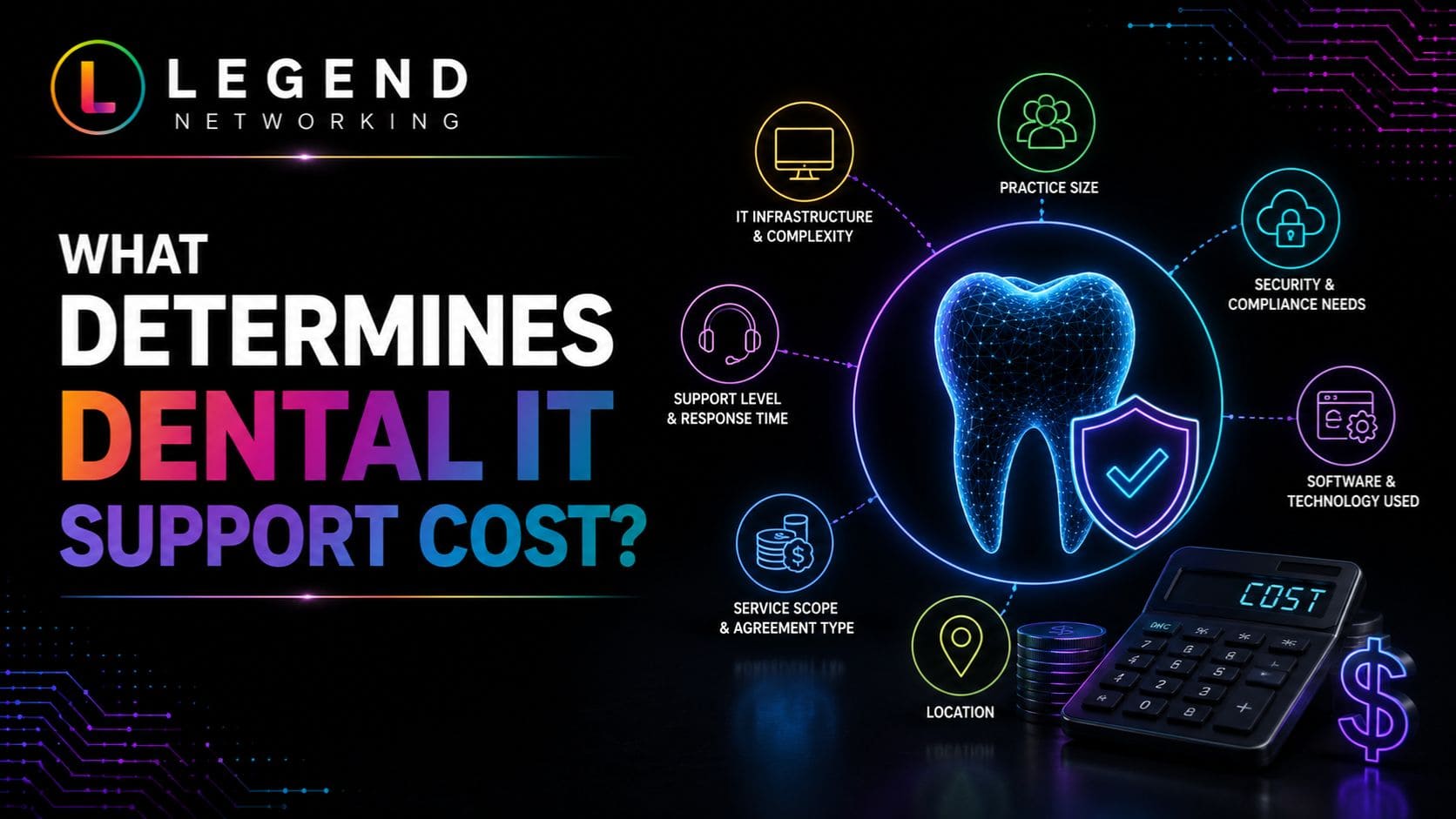
Several variables influence pricing. Understanding these factors makes comparing providers much easier.
1. Number of Users
Most MSPs charge per user.
More users generally require:
- Additional Microsoft licensing
- More endpoint protection
- More devices to monitor
- Increased help desk demand
Example:
| Users | Typical Monthly Cost |
| 5 | $900–$1,500 |
| 10 | $1,500–$2,800 |
| 20 | $3,000–$5,000 |
| 40 | $6,000–$10,000 |
2. Number of Devices
Dental practices often have significantly more devices than employees.
Examples include:
- Operator PCs
- Front desk computers
- Servers
- Imaging workstations
- Tablets
- Printers
- Security appliances
- Digital scanners
- Backup devices
A practice with 10 employees may easily manage 35–50 connected devices.
3. HIPAA Compliance Requirements
Healthcare organizations must protect patient information through administrative, technical, and physical safeguards. Keeping up with recent compliance and security changes helps practices strengthen these safeguards and reduce regulatory risks.
IT providers often include:
- Risk assessments
- Security awareness training
- Encryption
- Multi-factor authentication
- Audit logging
- Access controls
- Secure backups
- Email security
Practices requiring complete compliance support generally pay more than businesses without regulatory requirements.
4. Cybersecurity Services
Cybersecurity is no longer optional.
According to IBM’s annual Cost of a Data Breach Report, healthcare continues to experience the highest average breach costs across industries.
Modern dental IT support frequently includes:
- Endpoint Detection and Response (EDR)
- Managed Detection and Response (MDR)
- DNS filtering
- Email protection
- Dark web monitoring
- Vulnerability management
- Security monitoring
- Incident response
These services increase monthly costs but dramatically reduce business risk.
5. Cloud vs On-Premise Infrastructure
Cloud-first practices typically experience:
- Easier scalability
- Lower hardware costs
- Better disaster recovery
- Simplified remote access
However, some imaging systems and specialized dental applications still require local servers.
Hybrid environments generally cost slightly more because both cloud and on-premise infrastructure require management.
Managed IT Pricing Models Explained
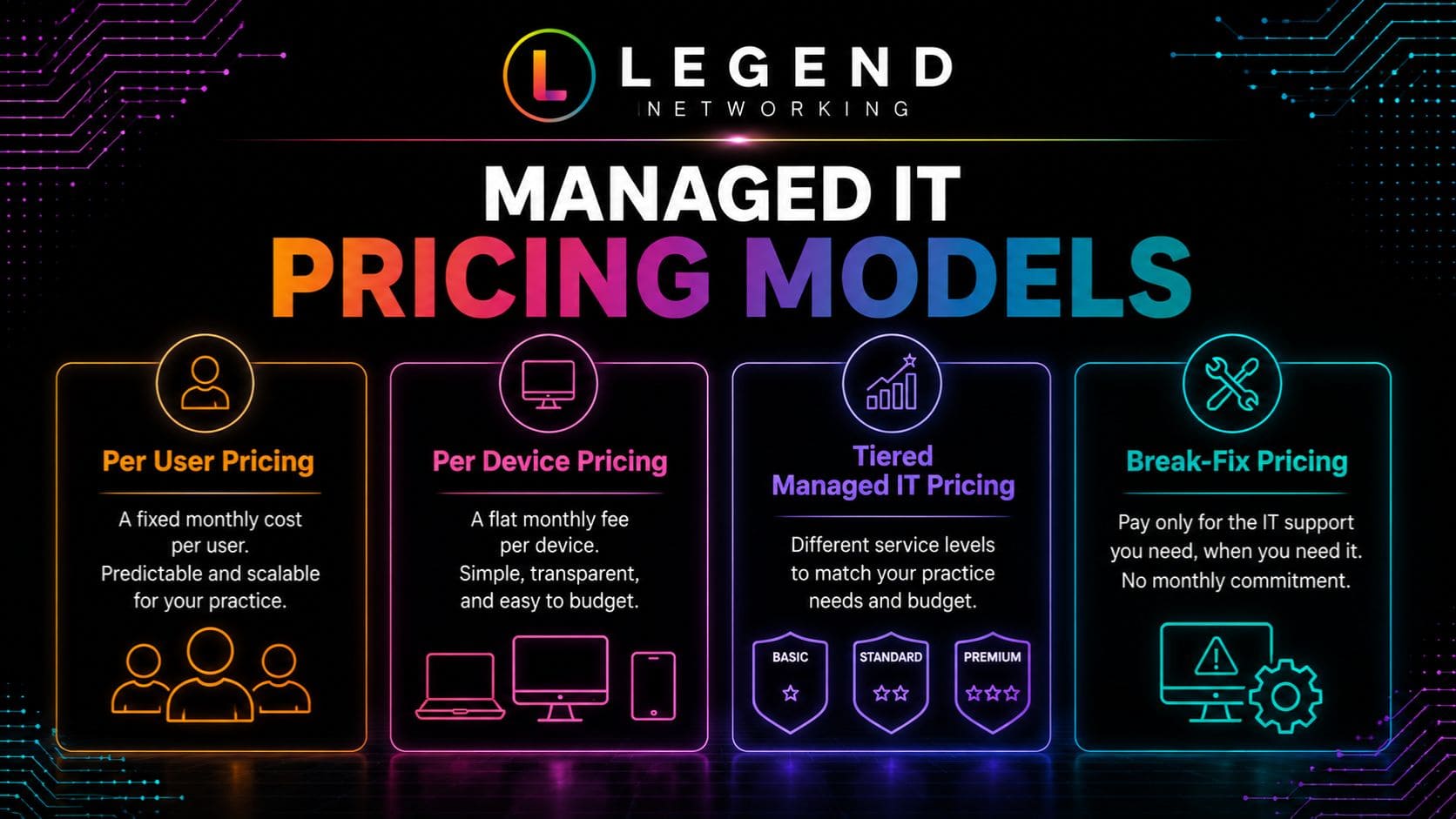
Understanding pricing models helps practices compare providers fairly.
Per User Pricing
This is the most common pricing model.
Includes:
- Unlimited support
- Security software
- Device management
- Microsoft management
- User onboarding
- Help desk
Best for:
- Growing practices
- Multi-location offices
- Predictable budgeting
Per Device Pricing
Some providers charge separately for:
- Computers
- Servers
- Firewalls
- Printers
- Tablets
This model works well for practices with shared workstations.
However, costs can become difficult to estimate as equipment increases.
Tiered Managed IT Pricing
Some MSPs offer packages like:
Basic
- Remote monitoring
- Antivirus
- Limited support
Standard
- Unlimited help desk
- Microsoft management
- Patch management
- Backup monitoring
Premium
- Compliance support
- Advanced cybersecurity
- Security operations
- Strategic IT planning
- Vendor management
- Disaster recovery
Although premium plans cost more, they often eliminate unexpected IT expenses throughout the year.
Break-Fix Pricing
Under this model, you only pay when something breaks.
Typical hourly rates range from $125 to $250+ per hour, depending on region and provider expertise.
While this approach may seem cost-effective for very small practices, it can quickly become expensive during hardware failures, ransomware incidents, or software outages. It also encourages reactive maintenance instead of preventing issues before they affect patient care.
Average Dental IT Pricing in 2026
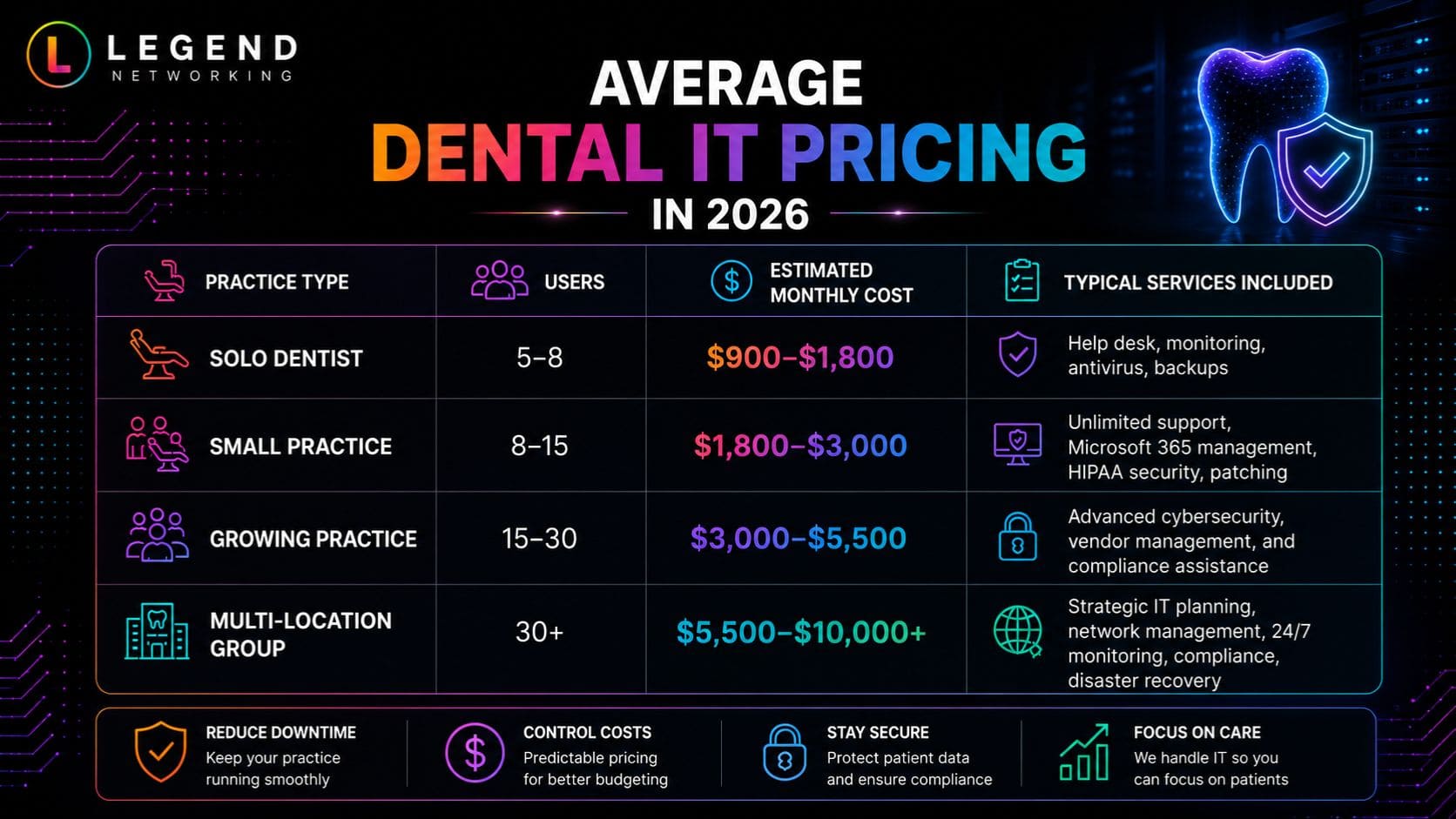
The table below provides a realistic benchmark for comparing Dental IT pricing across different practice sizes.
| Practice Type | Users | Estimated Monthly Cost | Typical Services Included |
| Solo Dentist | 5–8 | $900–$1,800 | Help desk, monitoring, antivirus, backups |
| Small Practice | 8–15 | $1,800–$3,000 | Unlimited support, Microsoft 365 management, HIPAA security, patching |
| Growing Practice | 15–30 | $3,000–$5,500 | Advanced cybersecurity, vendor management, and compliance assistance |
| Multi-Location Group | 30+ | $5,500–$10,000+ | Strategic IT planning, network management, 24/7 monitoring, compliance, disaster recovery |
These figures represent common market ranges. Actual costs vary depending on software integrations, imaging infrastructure, cloud adoption, and the service scope included in your managed agreement.
Hidden Costs That Can Increase Dental IT Support Cost
When comparing proposals, many practices focus only on the monthly fee. However, the least expensive quote isn’t always the lowest overall cost. Some providers exclude essential services and charge extra when you need them most.
Before signing a contract, ask for a complete breakdown of what is and isn’t included.
Common Hidden Costs to Watch For
| Potential Extra Cost | Why It Matters |
| Onsite support fees | Some MSPs charge separately for office visits. |
| After-hours support | Emergency assistance may incur premium rates. |
| New employee setup | User onboarding may not be included. |
| Microsoft licensing | Often billed separately from managed services. |
| Backup storage | Cloud backup capacity can affect monthly pricing. |
| Firewall licensing | Annual security subscriptions may be excluded. |
| Compliance assessments | HIPAA risk assessments may be billed separately. |
| Cybersecurity training | Employee security awareness programs may cost extra. |
| Project work | Office moves, server upgrades, and migrations are frequently quoted separately. |
A transparent provider should clearly identify recurring services, optional add-ons, and project-based work before you sign an agreement.
What Should Be Included in Managed IT Pricing for Dental Practices?
Not every managed service package offers the same level of support. While lower-priced plans may cover basic monitoring, they often exclude the services that reduce downtime, improve cybersecurity, and help maintain compliance.
A comprehensive dental IT package should typically include:
Core IT Services
- Unlimited remote help desk
- Proactive monitoring
- Patch management
- Windows and Microsoft 365 administration
- Device inventory
- User account management
- Printer and network support
- Vendor coordination
Cybersecurity
- Endpoint Detection and Response (EDR)
- Multi-factor authentication (MFA)
- Email security
- DNS/web filtering
- Ransomware protection
- Security monitoring
- Vulnerability scanning
Data Protection
- Automated backups
- Disaster recovery planning
- Backup testing
- Cloud backup monitoring
- Business continuity planning
Compliance Support
- HIPAA security guidance
- Access management
- Device encryption
- Audit logging
- Risk assessment support
- Security policy recommendations
Strategic IT Services
- Quarterly technology reviews
- Budget planning
- Hardware lifecycle management
- Cloud migration guidance
- Technology roadmap
The more comprehensive the agreement, the fewer surprise expenses your practice is likely to encounter throughout the year.
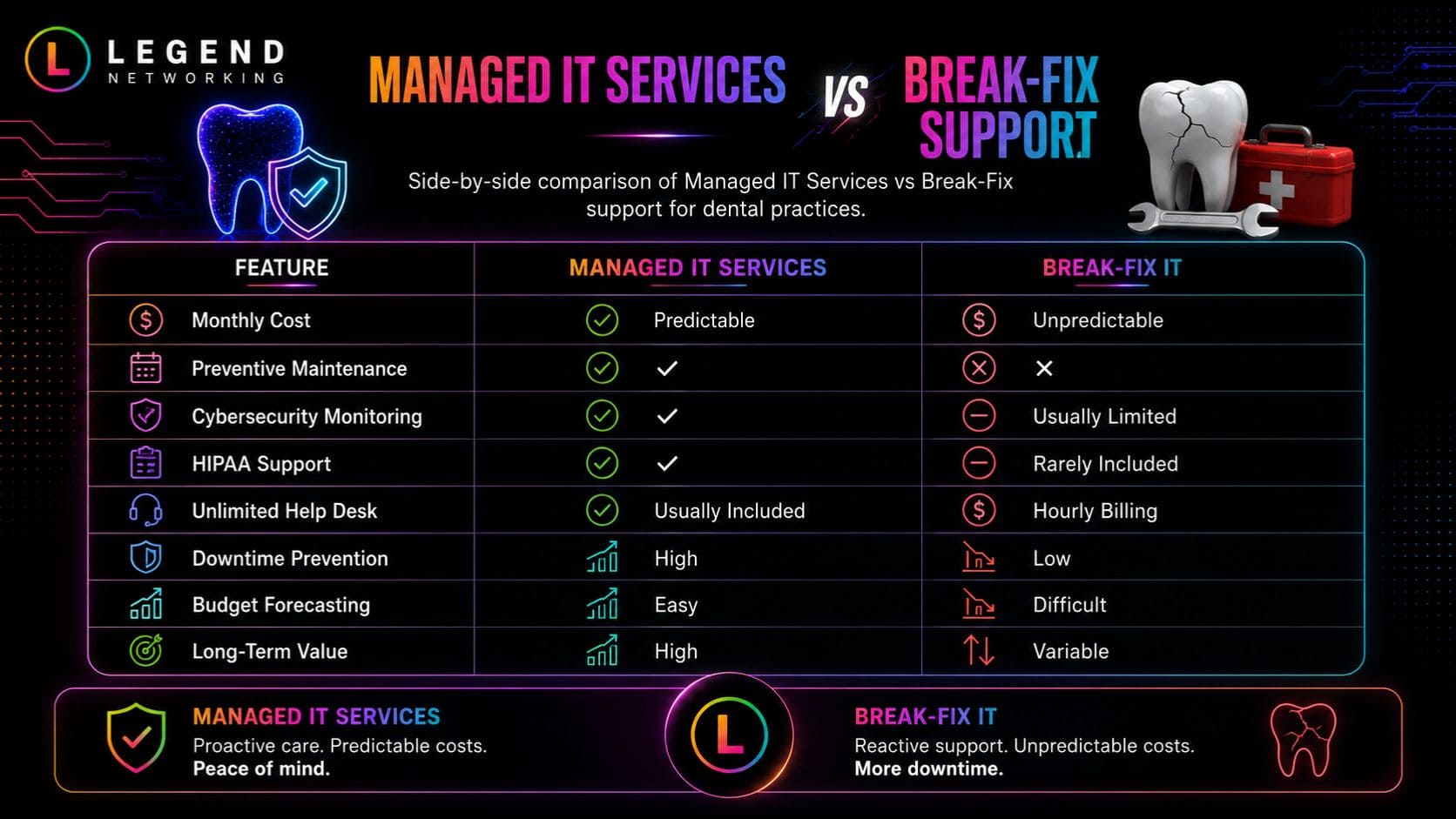
Managed IT Pricing vs Break-Fix IT Support
Many dental practices begin with break-fix support because it appears less expensive. As the practice grows, however, reactive support often becomes more costly due to emergency repairs, downtime, and lost productivity.
| Feature | Managed IT Services | Break-Fix IT |
| Monthly Cost | Predictable | Unpredictable |
| Preventive Maintenance | ✔ | ✖ |
| Cybersecurity Monitoring | ✔ | Usually Limited |
| HIPAA Support | ✔ | Rarely Included |
| Unlimited Help Desk | Usually Included | Hourly Billing |
| Downtime Prevention | High | Low |
| Budget Forecasting | Easy | Difficult |
| Long-Term Value | High | Variable |
For practices that rely on digital imaging, cloud software, and electronic patient records, proactive managed services generally provide better operational stability.
How Cybersecurity Affects Dental IT Pricing
Cybersecurity has become one of the biggest factors influencing Dental IT Support Cost in 2026.
Dental practices are attractive targets because they store:
- Protected Health Information (PHI)
- Insurance information
- Personal identifiers
- Payment data
- Employee records
The cost of recovering from a cyberattack can far exceed the annual investment in preventative security.
Modern managed IT providers often include layered protection, such as:
- Managed endpoint security
- Email threat protection
- Security awareness training
- Multi-factor authentication
- Identity monitoring
- Continuous vulnerability management
- Backup verification
- Incident response planning
Although these services increase monthly pricing, they significantly reduce operational and financial risk.
Budgeting Framework: How Much Should Your Practice Spend on IT?
A practical budgeting approach is to align technology spending with the size and complexity of your practice rather than focusing on a fixed dollar amount.
Small Practice (1–2 Dentists)
Priorities:
- Reliable help desk
- Secure backups
- Antivirus/EDR
- HIPAA basics
- Microsoft 365 management
Growing Practice
Additional investments:
- Cloud infrastructure
- Advanced cybersecurity
- VoIP support
- Vendor management
- Compliance documentation
Multi-Location Practice
Focus on:
- Centralized IT management
- Standardized security policies
- Disaster recovery
- Strategic planning
- Business continuity
- Network segmentation
Practices that proactively budget for technology often experience fewer emergency expenses and can plan hardware upgrades over several years instead of making unexpected purchases.
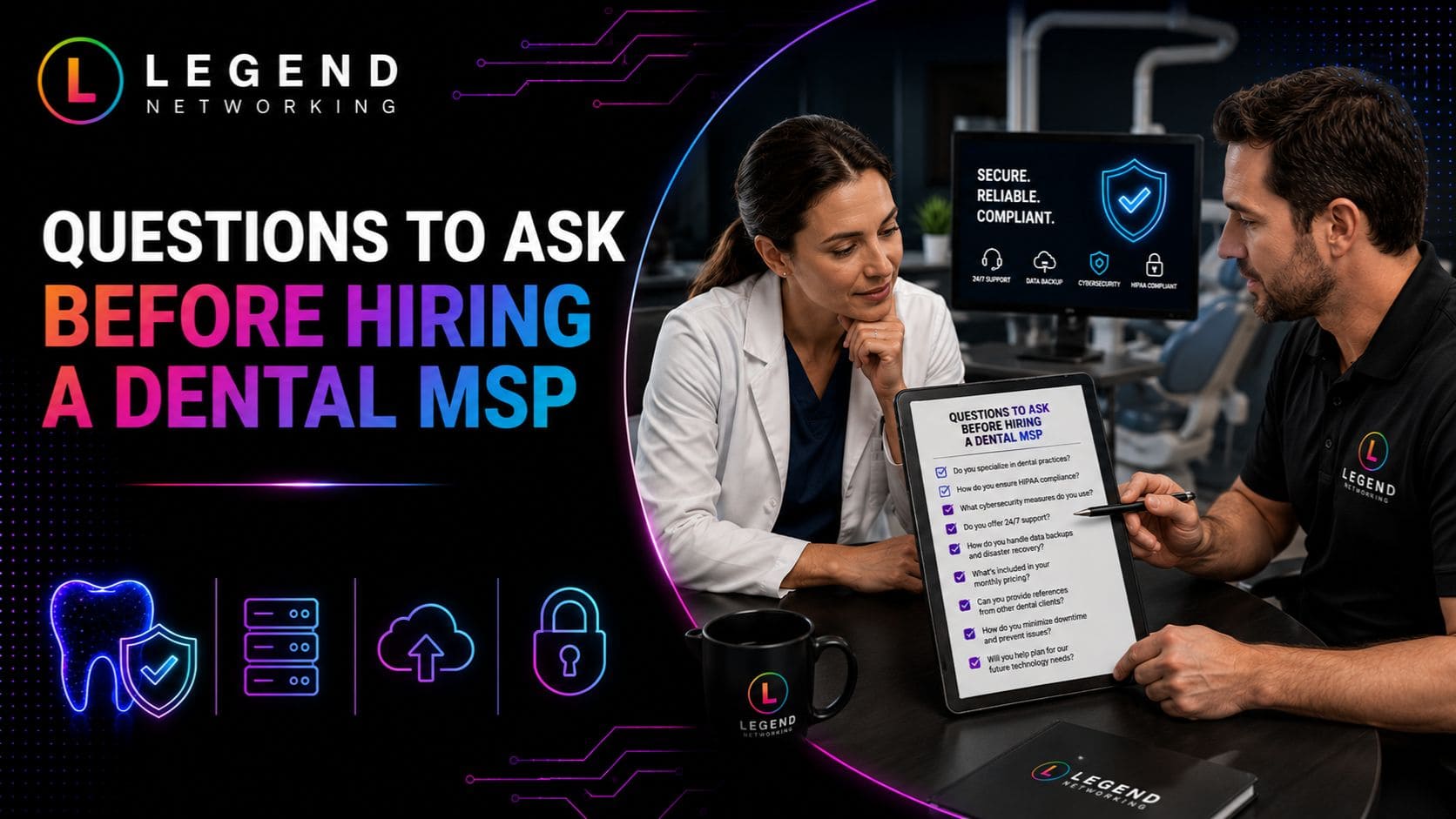
Checklist: Questions to Ask Before Hiring a Dental MSP
Use this checklist when comparing providers.
Service Checklist
✔ Is unlimited remote support included?
✔ Are onsite visits included?
✔ Is after-hours support available?
✔ Does the provider have experience with dental software?
✔ Is Microsoft 365 management included?
✔ Are backups monitored daily?
✔ Is disaster recovery tested?
✔ Are cybersecurity tools included?
✔ Will they assist with HIPAA compliance?
✔ Is there a dedicated account manager?
✔ Are quarterly technology reviews provided?
✔ Are software vendors managed on your behalf?
✔ Is there a clear Service Level Agreement (SLA)?
✔ Can they support multiple office locations?
✔ Are security awareness training programs available?
The answers to these questions can help you compare value, not just price.
Expert Insight: Look Beyond the Monthly Fee
Many dental practices choose an IT provider based on the lowest quote. Unfortunately, the least expensive option often excludes strategic planning, cybersecurity, compliance assistance, and proactive maintenance.
When evaluating proposals, consider the following:
- How quickly will support requests be answered?
- How much downtime could be prevented?
- Does the provider understand dental workflows?
- Will they coordinate with your software and imaging vendors?
- Can they scale as your practice grows?
A provider that proactively manages your environment can help reduce disruptions, improve staff productivity, and extend the lifespan of your technology investments. This also includes supporting modern communication solutions that help your team collaborate more efficiently.
Practical Example
Imagine two dental practices with 15 employees.
Practice A pays $1,200 per month for limited IT support. Backups are unmanaged, cybersecurity tools are basic, and after-hours support is billed separately.
Practice B invests $2,800 per month in a comprehensive managed IT agreement that includes unlimited support, advanced security, backup monitoring, compliance assistance, and quarterly technology planning.
Over several years, Practice B may avoid costly outages, recover more quickly from unexpected incidents, and spend less on emergency repairs and unplanned technology replacements. While monthly costs are higher, the overall value can be significantly greater.
Industry Statistics That Support Proactive IT Investment
Reliable industry research continues to show why proactive IT management matters for healthcare organizations, including dental practices.
- Healthcare remains the industry’s most expensive sector for data breaches, according to IBM’s Cost of a Data Breach Report.
- The Verizon Data Breach Investigations Report (DBIR) consistently identifies credential theft, ransomware, and human error among the leading causes of security incidents.
- The U.S. Department of Health and Human Services (HHS) and the Office for Civil Rights (OCR) continue to emphasize risk analysis, access controls, encryption, and workforce training as key safeguards for protecting electronic protected health information (ePHI).
- Microsoft recommends a Zero Trust security approach that verifies every user and device before granting access to business systems.
These findings reinforce that IT support should be viewed as a business continuity investment rather than simply an operational expense.
Conclusion
Technology is no longer just a support function for dental practices, it is a critical part of delivering efficient patient care, protecting sensitive health information, and maintaining business continuity.
While Dental IT Support Cost varies based on your practice size, infrastructure, compliance requirements, and cybersecurity needs, the right managed IT partner should provide more than technical support. They should help you reduce downtime, improve security, simplify compliance, and create a long-term technology strategy that supports your business goals.
When comparing Managed IT pricing, Dental IT pricing, and MSP pricing dental services, focus on the total value of the partnership rather than simply choosing the lowest monthly fee. A transparent provider that includes proactive maintenance, layered cybersecurity, reliable backups, strategic planning, and responsive support can help protect your practice from costly disruptions while enabling sustainable growth
Ready to Improve Your Dental Practice’s IT?
Whether you’re opening your first dental office, expanding to multiple locations, or evaluating your current IT provider, Legend Networking can help you build a secure, reliable, and scalable technology environment. Stay up to date with the latest technology tips and industry insights by visiting our Google Business Profile.
Our team understands the unique challenges dental practices face, from HIPAA compliance and cybersecurity to imaging systems, cloud infrastructure, Microsoft 365, and day-to-day technical support.
Schedule a consultation with Legend Networking to review your current IT environment, identify opportunities to improve performance and security, and receive a tailored technology strategy that fits your practice and budget.
Frequently Asked Questions
Q. How much does dental IT support cost in 2026?
Ans. The average Dental IT Support Cost ranges from $150 to $350 per user per month, depending on the size of your practice, the number of locations, cybersecurity requirements, HIPAA compliance needs, and the services included in your managed IT agreement. Small practices typically spend between $900 and $2,000 per month, while larger multi-location organizations may invest $5,000 or more each month.
Q. What is included in managed IT pricing for dental practices?
Ans. Most comprehensive managed IT plans include:
- Unlimited help desk support
- Remote monitoring and maintenance
- Microsoft 365 administration
- Patch management
- Endpoint security
- Backup and disaster recovery
- Network management
- User account administration
- Vendor coordination
- Strategic IT planning
Some providers also include HIPAA compliance guidance, cybersecurity awareness training, and quarterly technology reviews.
Q. Why is dental IT pricing higher than standard business IT support?
Ans. Dental offices use specialized technology that requires industry-specific expertise. Digital imaging systems, intraoral scanners, practice management software, secure patient records, HIPAA compliance requirements, and integrated treatment room technology all require additional support compared to a standard office environment.
Q. What factors affect MSP pricing for dental practices?
Ans. Several variables influence MSP pricing of dental services, including:
- Number of employees
- Number of computers and devices
- Number of office locations
- Cloud infrastructure
- Cybersecurity services
- Backup requirements
- Compliance support
- On-site support requirements
- Help desk availability
- Third-party software integrations
The broader the scope of services, the higher the monthly investment.
Q. Is managed IT support better than break-fix support?
Ans. For most dental practices, yes. Managed IT services focus on preventing problems before they interrupt patient care. Break-fix support only responds after something has already failed, which can lead to unexpected repair costs, extended downtime, and lost productivity.
Practices that rely on digital workflows generally benefit from predictable monthly costs and proactive maintenance.
Q. Does HIPAA compliance increase dental IT support costs?
Ans. Yes, compliance requirements often increase pricing because they involve additional security controls and ongoing management.
These may include:
- Multi-factor authentication
- Encryption
- Security monitoring
- Risk assessments
- Access controls
- Employee security awareness training
- Audit logging
- Backup verification
Although these services add to monthly costs, they also reduce regulatory and cybersecurity risks.
Q. How often should a dental practice replace IT equipment?
Ans. While every environment is different, many organizations follow these general guidelines:
- Workstations: every 4–5 years
- Servers: every 5–7 years
- Firewalls: every 4–6 years
- Network switches: every 5–7 years
- Wireless access points: every 5 years
A managed IT provider can help develop a technology lifecycle plan that aligns with your budget and minimizes disruption.
Q. How can Legend Networking help reduce dental IT costs?
Ans.
Legend Networking helps dental practices reduce long-term technology expenses by proactively managing their IT environment instead of simply responding to problems. Services such as proactive monitoring, cybersecurity, backup management, cloud solutions, Microsoft 365 administration, vendor coordination, and strategic technology planning can help reduce downtime and improve operational efficiency.
Rather than focusing solely on the lowest monthly price, Legend Networking works with practices to create scalable IT strategies that support growth and long-term stability.
Q. What questions should I ask before choosing a dental IT provider?
Ans. Before signing an agreement, ask questions such as:
- Do you specialize in dental practices?
- What cybersecurity services are included?
- Is unlimited support available?
- How quickly do you respond to critical issues?
- Are on-site visits included?
- Will you work with our dental software vendors?
- How do you assist with HIPAA compliance?
- Do you provide strategic IT planning?
Comparing providers using these questions can help you make a more informed decision.
Q. How do I request a dental IT assessment from Legend Networking?
Ans. If you’re unsure whether your current IT environment is secure, compliant, or scalable, you can contact Legend Networking to schedule an IT consultation. An assessment typically reviews your infrastructure, cybersecurity posture, backup strategy, compliance considerations, and opportunities to improve efficiency while helping you better understand your current and future IT costs.




 Based in USA

