
Is Your Dental Practice Backup Actually Restorable? A 12-Point Checklist for Texas Dentists

Most dental practices believe they have a backup.
Far fewer can answer the question that matters after a server failure, ransomware incident, power event or accidental deletion:
Can that backup actually restore the practice's systems and help the team begin treating patients again?
A successful notification is reassuring. A portable hard drive in the server room feels responsible. A cloud icon may suggest that everything is protected. None of those things, by itself, proves that the practice can recover its schedule, patient charts, billing data, dental images and connected clinical workflows.
That is the difference between backup and disaster recovery.
Backup creates copies. Disaster recovery establishes how those copies, people, systems and procedures will be used to restore operations. For a dental practice, the objective is not simply to recover a folder. It is to rebuild a working environment in which the front desk can see the schedule, the clinical team can access records and images, and the practice can resume patient care safely.
The HIPAA Security Rule's contingency-planning provisions require regulated entities to establish procedures for responding to emergencies that damage systems containing electronic protected health information. HHS describes this as including plans for backing up ePHI, restoring lost data and continuing critical processes while operating in emergency mode. Backup is therefore one component of a broader contingency strategy — not the entire strategy.
Use the following 12 questions to pressure-test your current dental backup and disaster recovery plan.
In this guide
- In this guide
- Backup vs. disaster recovery: what is the difference?
- 1. Do you know exactly what is being backed up?
- 2. Is the practice-management database being captured in a usable state?
- 3. Are dental images included — and can they be matched back to the correct patients?
- 4. Is at least one recovery copy protected from the production environment?
- 5. Who is monitoring the backup — and what happens when it fails?
- 6. Can you identify the most recent usable recovery point?
- 7. Has anyone restored data from the backup?
- 8. What is your Recovery Time Objective?
- 9. Is there a written restoration order?
- 10. Does the practice have an emergency-mode operating plan?
- 11. Is the recovery plan prepared for ransomware — not just hardware failure?
- 12. Is the plan documented, assigned and reviewed as the practice changes?
- Score your dental backup and disaster-recovery readiness
- What Legend Networking commonly evaluates during a dental backup assessment
- Dental backup planning for Texas practices
- Final question: could your practice recover tomorrow?
- Frequently asked questions
Quick answer: A dental backup is only useful when it protects all critical data, is monitored for failures, remains available when production systems are compromised and can be restored through a documented recovery process.
In this guide
Backup vs. disaster recovery: what is the difference?
| Dental backup | Dental disaster recovery |
|---|---|
| Creates copies of files and databases | Restores systems, applications and connectivity |
| Answers, "Do we have the data?" | Answers, "Can we treat patients again?" |
| Requires automation, retention and protected storage | Requires priorities, responsibilities and documented procedures |
| May report that a job completed | Uses restoration testing to evaluate whether recovery is workable |
| Protects information | Restores an operating clinical environment |
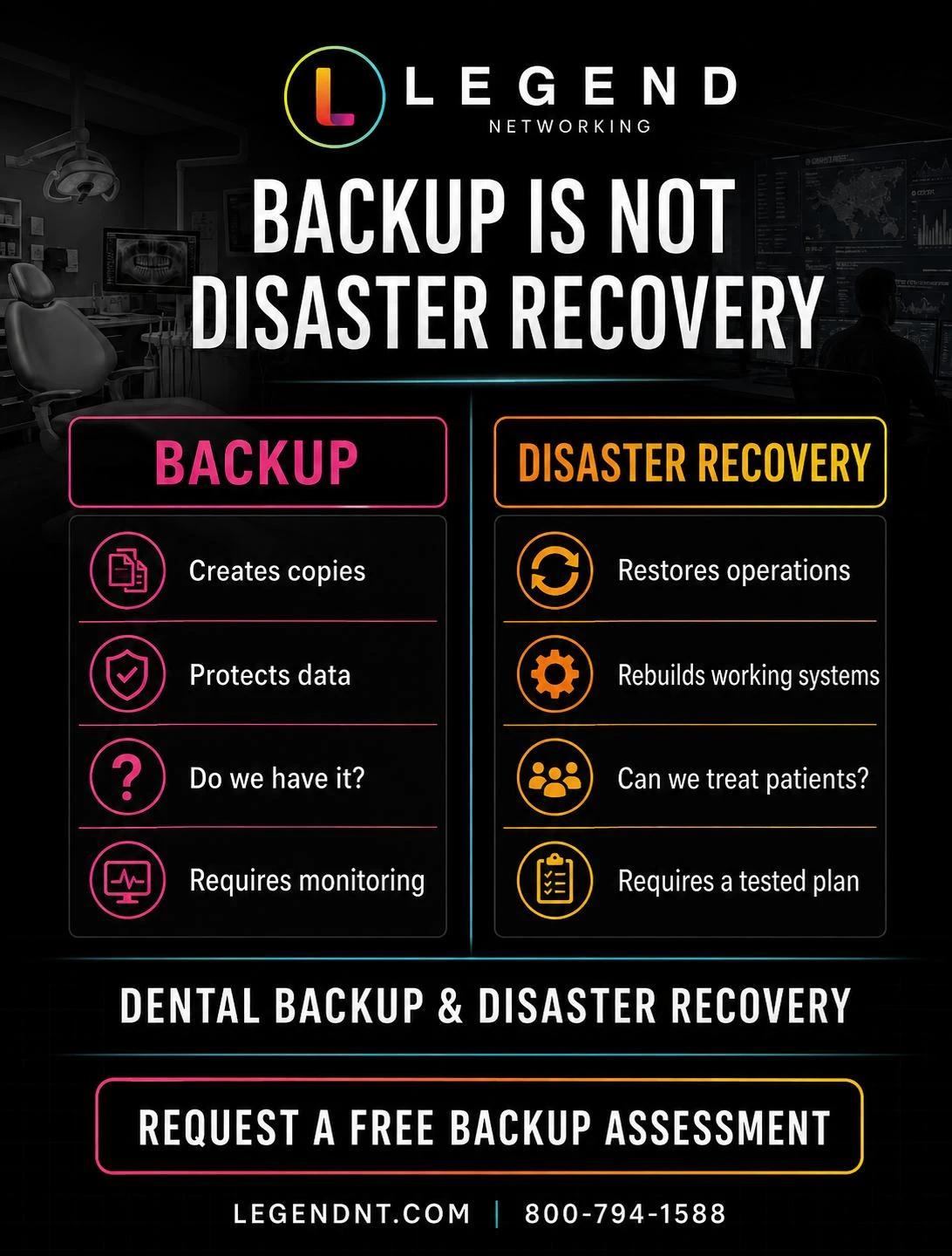
Both are essential. A recovery plan cannot succeed without usable backups, and copies alone do not tell the team what to restore first, who should coordinate the vendors or how the practice will operate during downtime.
1. Do you know exactly what is being backed up?
"The server" is not a complete answer.
A modern dental practice may store critical information across several systems and locations. The backup scope may need to include:
- The practice-management database
- Dental images and image-management folders
- Documents and attachments connected to patient records
- Shared business and clinical files
- Server configuration and system-state information
- Application settings and integrations
- Data used by locally hosted ancillary systems
The practice should maintain a written inventory identifying what information exists, where it is stored and which backup process protects it.
This matters because a partial backup can appear successful. A job may protect a database while missing years of dental images stored somewhere else. It may copy ordinary files but omit the application data required to rebuild a working system.
Ask your IT provider: Can you show us, in writing, every server, database and image repository included in our backup?
2. Is the practice-management database being captured in a usable state?
Dental software is not simply a collection of documents. Platforms such as Dentrix, Open Dental and Eaglesoft rely on databases, services, permissions, folders and version-specific dependencies.
The backup method must be appropriate for the way the application stores and uses its data. Copying a live database incorrectly can create an incomplete or inconsistent recovery point even when the copied files appear to exist.
Open Dental's official documentation, for example, distinguishes between its database and A-to-Z image folder and provides specific instructions for backup and restoration. Its documentation also cautions against restoring a backup over a live production database because irreversible data loss can occur.
That is why the practice's IT provider and software vendor must understand their respective responsibilities. The software company may support the application. The IT provider may be responsible for the server, storage, backup platform, network and recovery environment. When those responsibilities are unclear, recovery can stall while vendors decide who owns the problem.
Ask your IT provider: Is our backup method designed for the database architecture used by our practice-management platform?
3. Are dental images included — and can they be matched back to the correct patients?
Dental imaging deserves its own question because it is frequently one of the largest and most operationally important collections of data in the office.
The practice may depend on combinations of:
- Intraoral X-rays
- Panoramic images
- CBCT data
- Intraoral scans
- Photographs
- Imaging databases
- Patient-mapping or bridge information
- Vendor-specific image folders
Protecting the practice-management database without the corresponding images may leave the clinical team with schedules and charts but without the diagnostic information required for care.
Image repositories can also grow quickly. A backup that worked when the office opened may no longer finish within its scheduled window after years of growth or after the addition of CBCT and scanning systems.
Ask your IT provider: Are our imaging database, image files and patient associations included, and is there enough capacity for continued growth?
4. Is at least one recovery copy protected from the production environment?
If the only backup is connected to the same server, network and administrative credentials as the live environment, a single incident may affect both.
Consider what happens when:
- Ransomware encrypts connected storage
- An administrator account is compromised
- A power event damages local equipment
- A fire, theft or water event affects the office
- Someone accidentally deletes or overwrites information
A layered strategy commonly combines a local recovery option with encrypted offsite protection and appropriate separation from the primary environment. The exact architecture should reflect the practice's risk, data volume, software and recovery objectives.
Cloud synchronization should not automatically be treated as backup. A synchronized service may replicate a deletion, corruption or encrypted file unless it includes appropriate versioning, retention and recovery controls.
Ask your IT provider: If the production network and local backup device were both unavailable, what independent recovery copy would remain?
5. Who is monitoring the backup — and what happens when it fails?
Automated backups can fail for ordinary reasons:
- A password or service account changed
- Storage became full
- A device went offline
- A database service stopped
- An update disrupted the job
- The backup window became too short
- A network or internet connection failed
The critical question is not whether the software can generate an alert. It is whether a responsible person receives it, investigates it and verifies that protection has resumed.
A dental practice should be able to identify:
- Who monitors backup status
- How failures are escalated
- How quickly failures are investigated
- How remediation is documented
- How the practice is notified when risk remains unresolved
The question every office manager should ask: If tonight's backup fails, who will know before tomorrow's first patient?
6. Can you identify the most recent usable recovery point?
"The backup runs every night" describes a schedule. It does not identify a usable recovery point.
The practice should be able to determine the date and time of the most recent protected copy that could reasonably be used for restoration. That answer helps leadership understand the potential amount of recent information at risk.
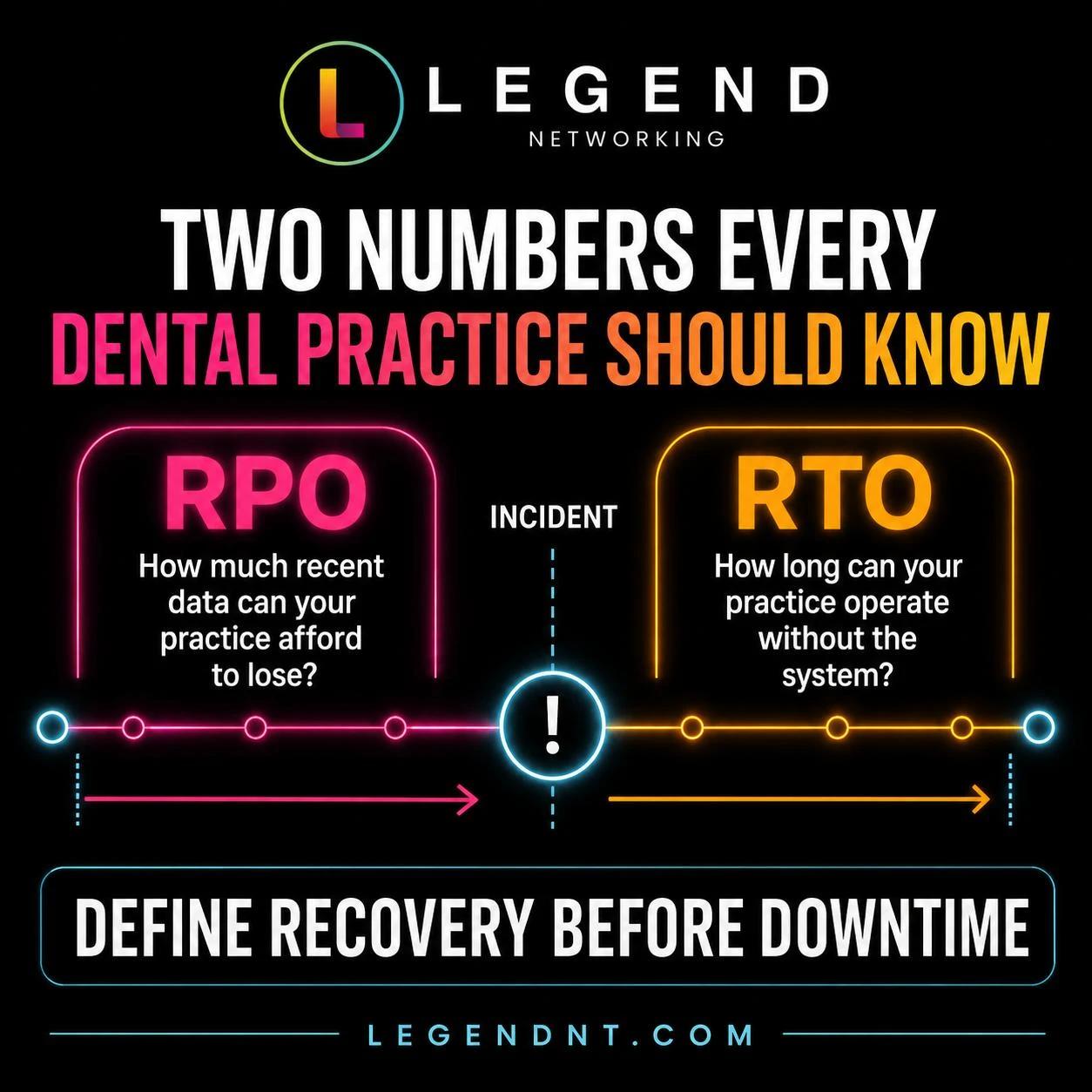
This leads to an important term: Recovery Point Objective, or RPO.
RPO answers:
How much recently entered information can the practice afford to lose?
A practice that can tolerate losing one day of noncritical documents may not be able to tolerate losing one day of scheduling, charting, billing or treatment information. Different systems may therefore require different protection frequencies.
Ask your IT provider: What is our current RPO for the practice-management database and dental images, and does our backup frequency support it?
7. Has anyone restored data from the backup?
There is a meaningful difference between seeing "completed" on a dashboard and demonstrating that protected information can be retrieved and used.
Restoration testing may range from recovering selected files to rebuilding an application or server in an isolated environment. The appropriate scope and frequency depend on the systems, risk and recovery expectations of the practice.
A useful test should answer questions such as:
- Can the protected data be accessed?
- Is the recovered database consistent and readable?
- Are dental images present?
- Are necessary permissions and dependencies documented?
- Does the recovery procedure identify the correct sequence?
- Can another qualified person follow the documentation?
Testing should never put the live production environment at unnecessary risk. Open Dental's own documentation advises restoring to an appropriate alternate location and warns against restoring over the live database.
Ask your IT provider: When was our last restoration test, what was tested and where is the result documented?
8. What is your Recovery Time Objective?
Recovery Time Objective, or RTO, is the maximum acceptable period that a system can remain unavailable after a disruption.
It answers:
How long can the practice operate without this system?
"Immediately" is understandable, but it is not a technical plan. Recovery time depends on factors including:
- Whether a clean recovery point exists
- The amount of data being restored
- Internet and network capacity
- Replacement-hardware availability
- Whether the incident involves ransomware
- Software-vendor availability
- The complexity of integrations
- Whether a standby or alternate environment already exists
A credible provider should not promise the same recovery time to every practice before evaluating the environment. A single-location office and a multi-location DSO may require very different architectures and investments.
Ask your IT provider: What are our documented RTOs for practice management, imaging and core infrastructure — and what technical design supports them?
9. Is there a written restoration order?
During an outage, everything feels urgent. Without an agreed sequence, the recovery team may spend time restoring a lower-priority resource while the systems required for patient care remain unavailable.
A dental recovery order may consider:
- Core server, identity and network services
- Practice-management database and application
- Dental imaging systems and repositories
- Shared clinical and business resources
- Communications and secondary applications
The correct order will vary. A cloud practice-management platform may move internet connectivity and identity higher in the plan. An oral surgery or imaging-heavy practice may place certain clinical systems ahead of ordinary file services.
That is why recovery planning must be based on the actual workflow of the practice — not a generic small-business checklist.
Ask your IT provider: If our primary server failed at 7:00 tomorrow morning, what would you restore first, second and third?
10. Does the practice have an emergency-mode operating plan?
Technology recovery is only part of continuity. The practice also needs to decide what the team will do while systems are unavailable.
Questions may include:
- How will the front desk access or reconstruct the day's schedule?
- What information can be recorded safely on approved downtime forms?
- Which procedures can continue without normal system access?
- How will patients be contacted if appointments must change?
- Who has authority to close, limit or resume operations?
- How will information recorded during downtime be entered after recovery?
- Which vendors, leaders and legal or compliance resources must be contacted?
HHS identifies emergency-mode operation as part of HIPAA contingency planning. The objective is to protect the security of ePHI while critical business processes continue during an emergency.
Ask your leadership team: Could our staff operate safely for several hours without the normal practice-management and imaging environment?
11. Is the recovery plan prepared for ransomware — not just hardware failure?
Replacing a failed server and responding to ransomware are not the same recovery event.
After ransomware, the team must consider whether systems and credentials remain compromised and whether the selected recovery point is clean. Restoring data into an environment that has not been properly contained and remediated can create additional risk.
Open Dental's ransomware guidance recommends using a recent noninfected backup and warns against restoring data until the ransomware has been completely removed from the system.
A ransomware-aware recovery plan should address:
- Containment and isolation
- Preservation of relevant evidence
- Credential security
- Identification of a clean recovery point
- Rebuilding or validating the recovery environment
- Coordination with cybersecurity, legal, insurance and compliance resources
- Secure restoration and post-recovery monitoring
For incident-response steps, see Legend's guide to dental ransomware recovery, and review the preventive controls covered by our dental cybersecurity services.
Ask your IT provider: How would your recovery process change if the server failure were caused by an active cyberattack?
12. Is the plan documented, assigned and reviewed as the practice changes?
A disaster-recovery plan should not exist only in one technician's memory.
At minimum, documentation should identify:
- Critical systems and data
- Backup locations and retention approach
- RTO and RPO decisions
- Recovery priorities
- Responsible people and escalation paths
- Software, imaging and equipment vendor contacts
- Emergency-mode procedures
- Restoration steps
- Testing records
- When the plan must be reviewed
The plan should be revisited when the practice adds a location, replaces a server, changes practice-management software, installs new imaging equipment, expands storage or changes vendors.
For multi-location dental groups, standardization becomes especially important. Leadership should be able to see which locations are protected, which jobs are failing and whether each practice meets the organization's recovery baseline — one reason DSO and multi-location IT support treats recovery as a group-wide standard rather than a per-office habit.
Ask your leadership team: If our primary IT contact were unavailable, could another qualified person locate and execute the recovery plan?
Score your dental backup and disaster-recovery readiness
Give the practice one point for every statement that is true today — not "we think so," but documented and verifiable.
- ☐ We have a written inventory of every critical database, image repository and file location.
- ☐ Our backup method is appropriate for our practice-management database.
- ☐ Dental images and related data are included.
- ☐ At least one recovery copy is protected from the production environment.
- ☐ Backup failures are monitored and assigned to a responsible person.
- ☐ We can identify our most recent usable recovery point.
- ☐ Restoration has been tested and documented.
- ☐ RTO and RPO are defined for critical systems.
- ☐ A written restoration order exists.
- ☐ The team has emergency-mode operating procedures.
- ☐ The plan addresses ransomware recovery.
- ☐ The plan has owners and is reviewed after material changes.
Interpreting the score
10–12 points: Strong foundation. The practice has many important controls in place. Review any unanswered items and confirm that documentation and testing remain current.
7–9 points: Meaningful exposure. The practice may have working backups but still face uncertainty around restoration, downtime procedures or accountability.
0–6 points: Recovery is largely unverified. The practice should prioritize an assessment. A backup may exist, but too many critical assumptions remain untested or undocumented.
This score is an operational discussion tool, not a legal or regulatory certification.
What Legend Networking commonly evaluates during a dental backup assessment
Legend's assessment is designed to replace assumptions with clear answers. Depending on the environment, the review may examine:
- Practice-management and imaging-data coverage
- Recent backup-job history and unresolved failures
- Local and encrypted offsite protection
- Storage capacity and image-data growth
- Recovery-point availability
- Backup monitoring and escalation ownership
- Server and application dependencies
- Restoration priorities
- RTO and RPO expectations
- Multi-location consistency
- Recovery documentation and testing needs
Legend can coordinate layered protection using technologies such as Veeam-managed backup workflows, a local NAS backup appliance and encrypted offsite Dental Vault storage when appropriate for the practice. The architecture should be designed around the actual software, imaging volume, server environment, risk and recovery objectives — not around a one-size-fits-all package.
Dental backup planning for Texas practices
Texas dental practices face the same universal risks as practices across the country: hardware failure, human error, cyberattacks and software corruption. They must also plan around regional events such as severe storms, extended power interruptions and disruptions that affect an office or a wider service area.
Legend Networking supports dental practices through its Dallas headquarters and centralized Network Operations Center, combining remote monitoring with scheduled onsite support throughout Dallas–Fort Worth. Legend also provides dental IT support in Fort Worth and dental IT support in Austin and Central Texas, backed by the same dental IT support team and escalation process.
Whether the practice operates one location or a growing group, the objective remains the same: know what is protected, know who is watching it and know how the practice will recover.
Final question: could your practice recover tomorrow?
The worst time to discover that a backup is incomplete is after the server has failed.
The worst time to assign recovery responsibilities is while the schedule is full, the phones are ringing and the clinical team cannot access patient information.
Dental practices do not need another backup checkbox. They need a recovery strategy built around the systems their teams use to care for patients.
Legend Networking has supported dental technology environments since 2004. If your practice cannot confidently answer the 12 questions above, we will help you understand what is protected, where the gaps are and what a realistic dental business-continuity plan should include.
Frequently asked questions
What should a dental practice back up?
A dental practice should identify and protect all information required to resume operations, including its practice-management database, dental images, important attachments and shared files, and relevant server or application configuration. The exact scope depends on the practice's technology environment.
Is cloud storage the same as backup?
Not automatically. Synchronization may replicate deletion, corruption or ransomware-encrypted files. A backup strategy should include appropriate retention, versioning, monitoring, access controls and a documented restoration process.
What are RTO and RPO?
Recovery Time Objective is the maximum acceptable period that a system can remain unavailable. Recovery Point Objective is the maximum amount of recent data the practice can afford to lose. Different systems may require different objectives.
How often should dental backups be tested?
There is no universal testing schedule for every practice. Testing scope and frequency should be based on risk, system criticality, recovery objectives and material technology changes. The practice should document what was tested and the result.
Does having a backup take care of a dental practice's HIPAA compliance?
No. Backup and contingency planning support a broader HIPAA security and risk-management program, but no single product or technical control makes an organization compliant by itself.
Can Legend support Dentrix, Open Dental and Eaglesoft backups?
Legend supports the IT infrastructure surrounding major dental practice-management platforms, including servers, storage, networks, backup systems, recovery planning and vendor coordination. Software-specific application support remains subject to the responsibilities of the applicable software vendor.
This article provides general technology and operational information. It is not legal advice and does not certify HIPAA compliance. Practices should consult qualified legal and compliance professionals regarding their specific obligations.