
Dental Cyber Insurance Requirements for Dental Practices: 12 Security Controls You Should Be Prepared to Prove

Your cyber-insurance application may contain a single checkbox asking whether multifactor authentication is enabled. Your dental practice may have MFA on email, but not on the backup console, firewall, remote-support tool or an administrator account inherited with a newly acquired location. Is the honest answer yes or no?
That is the problem this guide solves. Cyber insurance can help a dental practice manage the financial and operational impact of ransomware, data theft, business interruption, forensic response and patient notification. But purchasing a policy is not the same as proving the practice is secure.
Applications and renewals ask questions about identity, endpoint security, backups, email, remote access and incident response. A yes-or-no answer may not be enough after a claim. The useful preparation is to build a defensible evidence file showing that each control existed, covered the right systems and was maintained when it mattered.
In this guide
- Why documentation matters as much as the control
- Original research: what public carrier materials emphasize
- The 60-second proof test
- Calculate a Legend Evidence Readiness Score
- 1. A current security risk analysis and remediation plan
- 2. Multifactor authentication for critical access
- 3. Centrally managed endpoint protection and response
- 4. Patch and vulnerability management
- 5. Encrypted, separated and tested backups
- 6. Individual accounts and controlled administrative access
- 7. Secure remote access with RDP exposure controlled
- 8. Email security and workforce awareness
- 9. Encryption for ePHI at rest and in transit
- 10. Security logging, monitoring and alert response
- 11. A written and tested incident-response and continuity plan
- 12. Vendor, business-associate and evidence management
- A practical cyber-insurance evidence file
- Questions to ask before answering an application
- How Legend Networking helps dental practices prepare
- A front-desk-to-server-room readiness walkthrough
- Review your dental cybersecurity readiness with Legend
- Sources and technical references
- Frequently asked questions
Why documentation matters as much as the control
A control can be installed and still be difficult to prove. An antivirus icon on a workstation does not show centralized monitoring. A backup job marked successful does not show that the practice can restore its database. A written policy does not show that former employees lost access on time. Producing that kind of proof on request is part of what managed IT covers in a dental office, so ask any provider for sample reports early.
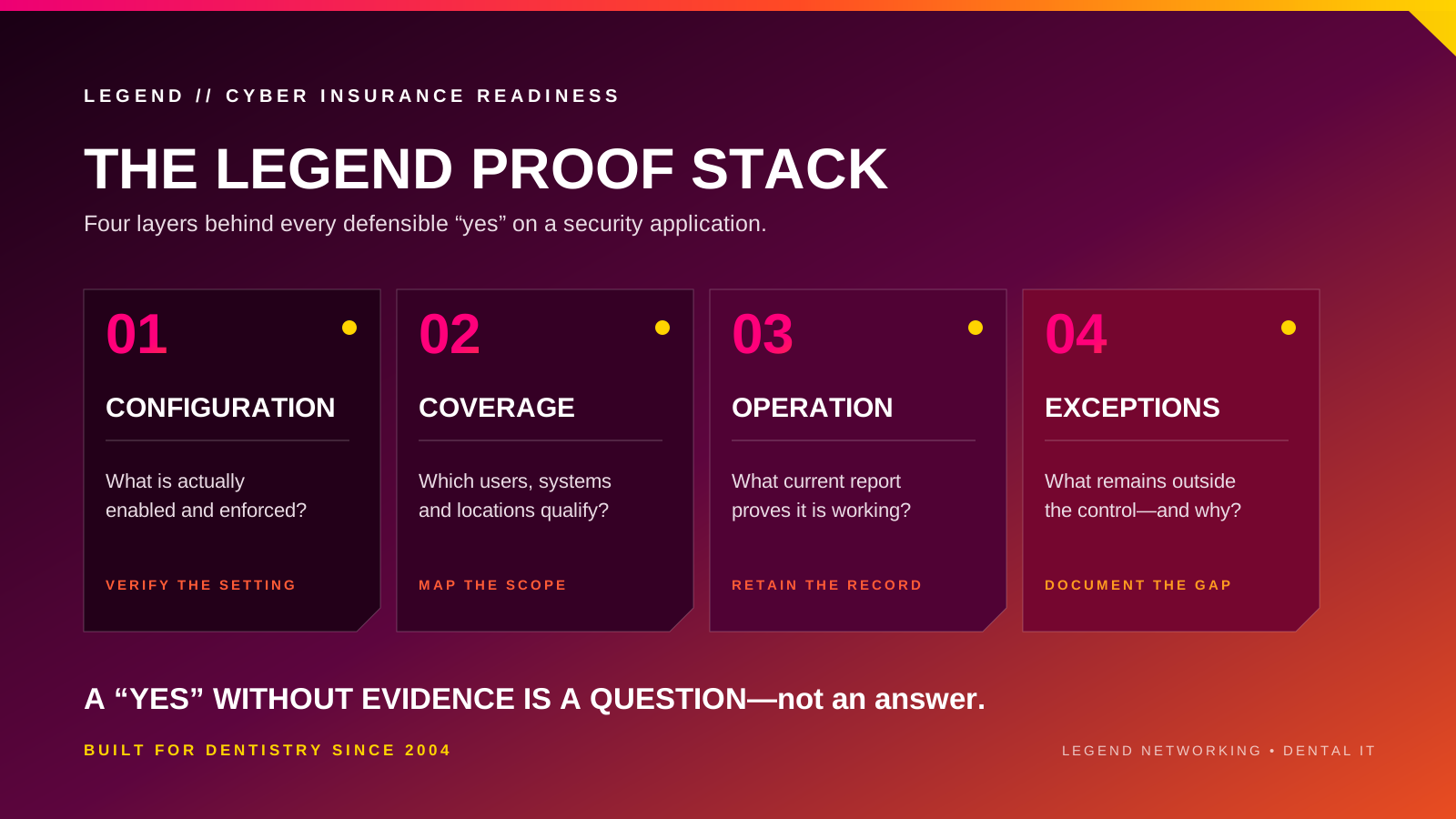
For each control, keep evidence that answers four questions:
- What technology or process is in place?
- Which users, systems and locations does it cover?
- Who reviews it, and how often?
- What record proves it was operating?
Original research: what public carrier materials emphasize
Legend reviewed publicly available cyber-insurance application materials and carrier guidance from Travelers, Corvus, Beazley and Coalition on September 9, 2026. This is a cross-form research snapshot, not a universal underwriting standard. Forms, editions, eligibility rules and supplemental questions can change, and a broker or carrier should confirm what applies to a particular practice.
| Public carrier material | What it emphasizes | What a dental practice should be ready to show |
|---|---|---|
| Travelers | MFA for web email, remote network access and four administrative surfaces; its broader application also asks about patch timing, backup testing, logging and vendor access. | MFA coverage export by system; patch report; annual restore evidence; log and vendor-access records. |
| Corvus | Public application choices include remote, privileged, email and critical-application MFA plus segmented, offline, immutable and geographically separated backup options. | System-by-system MFA inventory; backup architecture; unique backup credentials; immutable-copy and recovery records. |
| Beazley | Public application questions cover email filtering, phishing training, EPP/EDR, vulnerability scanning, patch timing, backup encryption and separation, MFA for backups and recent restoration testing. | Email-security configuration; training results; EDR coverage; scan and patch reports; six-month restore-test evidence. |
| Coalition | Public carrier guidance emphasizes MFA, workforce training, resilient backups, identity and access management and data classification. | MFA enrollment; training completion; restore results; role and privilege review; documented handling of sensitive data. |
The pattern is more important than any single checkbox: carriers separate MFA by system, attach conditions to backups, ask how quickly vulnerabilities are patched and distinguish installed security software from centralized monitoring. The most defensible answer is therefore not "our IT company handles it." It is a current report showing exactly what is covered and where exceptions remain. Ask your dental IT services provider for that report before renewal, so the application is answered from evidence rather than memory.
The 60-second proof test
Before answering yes to a technical control, ask whether the practice can produce all three of these items today:
- A current configuration or coverage report
- A named owner and documented review date
- An exception list covering every office, server, administrator and third-party access path
If one item is missing, the control may still exist, but the evidence is incomplete. Mark it yellow, verify it and correct the record before anyone signs the application.
Calculate a Legend Evidence Readiness Score
Score each of the twelve controls using the evidence available today, not what the practice believes should be installed. This is an educational readiness score, not an insurer rating, coverage decision, compliance certificate or guarantee that a claim will be paid.
- 0 points — Missing: the control is absent or nobody can confirm it.
- 1 point — Present but unverified: something is installed or documented, but coverage, operation or exceptions cannot be proven.
- 2 points — Verified: current evidence shows the control is configured, covers the intended scope, operates as expected and has documented exceptions.
Add the twelve scores for a maximum of 24 points. A score of 20 to 24 indicates a stronger evidence package for a broker discussion; 13 to 19 indicates partial documentation that should be verified; 0 to 12 indicates substantial gaps requiring attention. A high score does not establish insurance eligibility or compliance.
1. A current security risk analysis and remediation plan
HIPAA requires covered entities to analyze risks and vulnerabilities affecting ePHI. Underwriting questions may approach the same problem through device counts, data types, security history and control gaps. A structured dental HIPAA compliance support program keeps the analysis current instead of one-time.
Evidence to retain: Dated risk analysis, asset inventory, prioritized remediation plan, assigned owners and evidence that high-risk findings were addressed.
2. Multifactor authentication for critical access
MFA reduces the value of stolen passwords. Prioritize remote access, Microsoft 365 or Google Workspace, administrative accounts, backups, cloud applications and any portal containing sensitive information.
Evidence to retain: Identity-provider export, MFA coverage report, conditional-access policies, exception list and date of the latest review.
3. Centrally managed endpoint protection and response
Consumer antivirus is not the same as centrally monitored endpoint protection. The practice should be able to see coverage, alerts and isolation or response activity across supported workstations and servers. This is a core part of managed dental cybersecurity services.
Evidence to retain: Current device coverage report, policy configuration, alert history, remediation tickets and proof that inactive or missing agents are investigated.
4. Patch and vulnerability management
Unsupported operating systems and delayed security updates create predictable entry points. Dental imaging and embedded devices may require compensating controls when vendor restrictions prevent normal patching.
Evidence to retain: Patch-compliance report, vulnerability scan summary, supported-device list, exception register and remediation records.
5. Encrypted, separated and tested backups
Backups must survive the same event that disables the production environment. FTC guidance recommends offline, off-site and encrypted backups for ransomware resilience. Restore testing demonstrates that the data can actually be recovered, which is the point of a dental backup and disaster recovery program.
Evidence to retain: Backup job reports, encryption confirmation, retention policy, offline or immutable-copy evidence, recovery objectives and signed restore-test results.
6. Individual accounts and controlled administrative access
Shared accounts make it difficult to restrict access or reconstruct activity. Each team member should have an individual identity, and administrative access should be limited to approved people and separate from routine work.
Evidence to retain: User-access list, administrator roster, role assignments, onboarding and termination records, quarterly access review and password-management policy.
7. Secure remote access with RDP exposure controlled
Remote support and work-from-home access can become a direct path into the practice. Internet-exposed Remote Desktop Protocol should be eliminated or tightly protected through managed access, MFA and network controls. Confirm how your dental helpdesk remote-support tooling authenticates technicians.
Evidence to retain: Remote-access architecture, approved-user list, MFA settings, vendor-access records, firewall rules and confirmation that RDP is not exposed directly to the internet.
8. Email security and workforce awareness
Dental front desks receive attachments and links from patients, laboratories, insurers and vendors throughout the day. Filtering, domain protection and practical training should reflect that real workflow.
Evidence to retain: Secure-email settings, SPF/DKIM/DMARC status, phishing-test results, training completion, reported-message workflow and response records.
9. Encryption for ePHI at rest and in transit
The HIPAA Security Rule requires safeguards for transmitted ePHI and treats some encryption specifications as addressable. Addressable does not mean ignorable: the practice must implement the measure when reasonable and appropriate or document an equivalent approach.
Evidence to retain: Device-encryption report, backup encryption, secure email or file-transfer configuration, key-management responsibility and documented decisions for exceptions.
10. Security logging, monitoring and alert response
Audit controls help a practice record and examine activity in systems that contain or use ePHI. Logging creates value only when important alerts reach someone who can investigate and respond.
Evidence to retain: Log sources, retention settings, monitoring coverage, alert escalation rules, monthly security reports and closed incident tickets.
11. A written and tested incident-response and continuity plan
The practice needs a plan for ransomware, lost devices, compromised email, server failure and vendor outages. The plan should preserve patient care, define decision authority and identify insurance-notification requirements.
Evidence to retain: Incident-response plan, insurer and breach-counsel contacts, downtime procedures, call tree, tabletop-exercise notes and after-action improvements.
12. Vendor, business-associate and evidence management
Dental practices depend on IT providers, cloud platforms, imaging vendors, software vendors and backup services. The practice remains responsible for understanding which vendors handle ePHI and how access is controlled.
Evidence to retain: Vendor inventory, Business Associate Agreements where required, security reviews, access dates, service responsibilities, insurance contacts and an organized evidence folder.
A practical cyber-insurance evidence file
Create a folder organized by renewal year, with one subfolder for each control. Include a short control summary, the owner, the systems covered, the most recent review date and supporting exports or reports. Do not include more sensitive data than necessary, and coordinate with your broker or counsel before sending technical documents outside the practice.
- Policy and application documents
- Security-risk analysis and remediation tracker
- MFA and access-review exports
- Endpoint and patch-compliance reports
- Backup and restore-test reports
- Incident-response plan and exercise notes
- Training records and phishing-test summaries
- Vendor inventory and relevant agreements
Questions to ask before answering an application
- Does this question apply to every user, only administrators or only remote access?
- Does the carrier define MFA, EDR, offline backup or encryption in a particular way?
- Are there exceptions at any location, on any legacy server or within any vendor workflow?
- Can the practice produce current evidence for every yes answer?
- Who must be notified if a security control changes during the policy period?
- What response vendors or breach counsel must be used after an incident?
How Legend Networking helps dental practices prepare
Legend Networking supports the technology foundation behind dental practices nationwide. Our team can review network architecture, identity and access, endpoint protection, patching, backups, Microsoft 365, vendor access and incident-response readiness in the context of real dental software and imaging workflows.
The goal is not to fill out an insurance application for the practice or promise coverage. The goal is to help the practice understand what is actually in place, correct avoidable gaps and organize reliable evidence for conversations with its broker, insurer, legal counsel and compliance advisors.
Start with the Free Dental IT Assessment or call 800-794-1588 to review the technology risks that could affect security, recovery and insurability.
A front-desk-to-server-room readiness walkthrough
Walk the application through the practice instead of completing it from a conference room. At the front desk, verify individual accounts, email protection and payer access. In the operatories, identify unsupported computers and imaging dependencies. In the server room, verify firewall management, backup separation and recovery time. In Microsoft 365 or Google Workspace, export MFA enrollment and administrative roles. For a DSO, repeat the walkthrough at the newest or least-standardized location first, because the weakest location can determine whether one group-wide answer is accurate, which is why multi-location DSO technology support standardizes evidence across every office.
Review your dental cybersecurity readiness with Legend
If you cannot produce current evidence for every control on the application, start there. Legend Networking can review identity, endpoints, patching, backups, remote access and incident-response readiness across your practice. Review Your Dental Cybersecurity Readiness With Legend or Call 800-794-1588.
Sources and technical references
Legal and insurance review is recommended for statements about coverage, claim handling and application representations.
Frequently asked questions
Does every cyber insurer require the same controls?
No. Applications, definitions and underwriting standards vary. Ask the broker or carrier to explain ambiguous questions and document the basis for each answer.
Is MFA legally required for every dental practice?
The current HIPAA Security Rule requires reasonable and appropriate safeguards but does not impose one identical technology configuration on every organization. HHS has proposed stronger express requirements, including MFA with limited exceptions, but a proposed rule is not the same as a final rule. Regardless, MFA is a widely recommended safeguard and a common underwriting focus.
Does cyber insurance take care of a dental practice's HIPAA compliance?
No. Insurance transfers certain financial risks subject to policy terms. HIPAA compliance requires an ongoing program of risk analysis, risk management, policies, safeguards, training, documentation and evaluation.
What backup evidence should a dental practice keep?
Keep job reports, retention and encryption details, proof of a separated or immutable copy, recovery objectives and results from documented restore tests.
Can an insurer deny a cyber claim because of an incorrect application answer?
Coverage depends on the policy, application, facts and applicable law. Material inaccuracies can create serious coverage disputes. Practices should answer carefully with help from their broker and legal counsel.
How often should the evidence file be updated?
Review it at least before every application or renewal and whenever the practice adds a location, changes critical technology, acquires another practice, changes IT providers or experiences a security incident.