
The 2026 Florida Dental Technology & Cybersecurity Guide

Protecting Your Practice From Hurricanes, Ransomware and Costly Downtime
A dental practice can deliver excellent clinical care only when its technology is available, secure and recoverable. In Florida, that challenge is amplified by severe weather, extended power interruptions, internet outages, rapid practice growth and an increasingly aggressive cyber-threat environment.
Your server, workstations, imaging systems, phones, email, cloud applications and patient records operate as one connected clinical environment. When one critical component fails, the effects can reach the schedule, front desk, operatories, billing and patient experience within minutes.
This guide explains how Florida dental practices can reduce preventable downtime, strengthen cybersecurity and prepare for disruption without turning the practice owner into an IT specialist.
The central question: If your office lost power, internet access or its primary server today, how quickly could your team safely resume patient care?
In this guide
- Why Florida Dental Practices Need a Different Technology Plan
- A Backup Is Not the Same as Recovery
- Hurricane Readiness for a Dental Office
- Internet Failover: The Difference Between an Inconvenience and a Closure
- Ransomware Protection Requires Layers
- HIPAA and Florida Breach Responsibilities
- Protecting Dental Software and Imaging Workflows
- Technology Planning for a Florida Dental Startup
- Multi-Location Practices and DSOs
- How to Evaluate a Florida Dental IT Provider
- Dental IT Support Across Florida
- A 25-Point Florida Dental Technology Readiness Checklist
- Build a More Resilient Florida Dental Practice
- Sources and Further Reading
- About the Author
- Frequently asked questions
Why Florida Dental Practices Need a Different Technology Plan
Florida dental offices share the same core technology risks as practices nationwide, but geography changes the operational equation. Hurricanes, tropical storms, lightning, flooding and utility disruptions can affect an entire region at once. A local backup sitting beside the server may be exposed to the same event as the original data. A single internet connection may leave a cloud-dependent office unable to check patients in. A building that remains physically intact may still be unusable because power, connectivity or cooling is unavailable.
NOAA recommends preparing for every hurricane season regardless of the seasonal outlook. For a dental practice, preparation should extend beyond shutters and insurance documents to include data recovery, alternate connectivity, equipment shutdown procedures and a written plan for communicating with employees and patients.
The Five Technology Risks That Cause the Most Disruption
- Power and environmental failure: surges, extended outages, inadequate battery runtime and loss of cooling can damage or shut down servers, switches and imaging systems.
- Internet and communications failure: cloud software, phones, payment processing, email and vendor support may become unavailable when the primary circuit fails.
- Ransomware or account compromise: stolen credentials and malicious software can interrupt operations, expose sensitive information and complicate recovery.
- Backup failure: a backup job may report success even though the data is incomplete, corrupted, encrypted with the production environment or impossible to restore within the practice's tolerance for downtime.
- Aging or poorly documented infrastructure: unsupported operating systems, weak network segmentation and missing equipment records turn ordinary failures into extended emergencies.
A Backup Is Not the Same as Recovery
Many practices believe they are protected because a backup device exists. The more important question is whether the practice can recover the right systems and data within an acceptable period of time. A useful recovery strategy defines what is protected, how often copies are created, where they are stored, who receives failure alerts, how restores are tested and what happens when the primary office is inaccessible. Legend builds that strategy for practices through its dental backup and disaster recovery service, where monitoring, retention and restore testing are treated as one program rather than a device in a closet.
CISA recommends maintaining offline, encrypted backups of critical data and regularly testing them. For dental environments, the protected scope may include the practice-management database, imaging data, document repositories, server configuration, line-of-business applications and other systems required to reopen safely.
What a Resilient Dental Backup Strategy Should Include
- More than one copy of critical information, with at least one protected from the production network.
- Encryption in transit and at rest, with controlled access to backup systems and credentials.
- Automated monitoring and escalation when a backup fails or falls behind schedule.
- Documented recovery priorities for scheduling, patient records, imaging, email and business operations.
- Regular restore testing that proves data can be recovered, not merely copied.
- A defined recovery-time objective and recovery-point objective appropriate to the practice.
- A plan for replacing failed hardware or restoring services to an alternate platform or location.
Ask your IT provider: When was our last successful test restore, what exactly was restored, how long did it take and where is the evidence?
Hurricane Readiness for a Dental Office
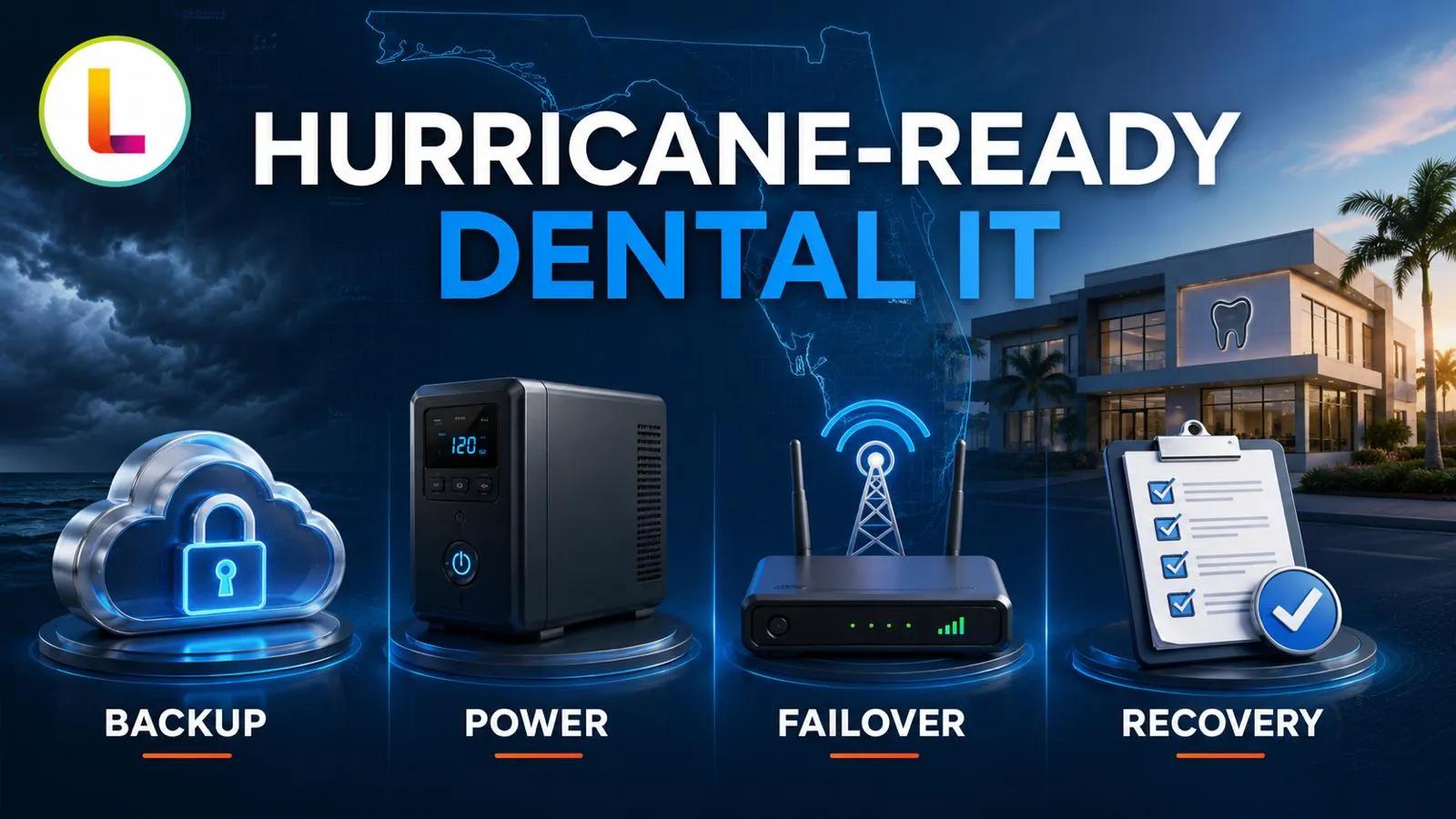
A hurricane plan should identify decisions that must be made before conditions deteriorate. Waiting until an evacuation order or utility failure leaves little time to verify backups, shut equipment down correctly or redirect communications.
Before the Storm
- Confirm that current backups completed successfully and that the latest restore test is documented.
- Verify the off-site or isolated copy is reachable by authorized personnel without depending on the office building.
- Inventory the server, firewall, switches, wireless equipment, phone system, backup appliance and imaging workstations.
- Review UPS battery status and estimated runtime for essential infrastructure.
- Test the secondary internet or cellular failover connection under real operating conditions.
- Identify equipment that should be shut down and unplugged, and assign responsibility for each step.
- Confirm emergency contacts for the IT provider, internet carrier, software vendors, landlord and insurance provider.
- Prepare a staff and patient communication plan that does not rely on access to the office network.
After the Storm
- Do not energize wet, overheated or visibly damaged equipment.
- Confirm building power and cooling are stable before restarting sensitive systems.
- Have qualified personnel inspect network and server equipment if water, surge or heat exposure is suspected.
- Validate core systems in a controlled order: network, security, server, storage, applications, imaging and workstations.
- Document failures, recovery actions and lessons learned while details are fresh.
Internet Failover: The Difference Between an Inconvenience and a Closure
A growing number of dental workflows depend on internet connectivity. Cloud practice-management platforms, hosted phones, insurance portals, credit-card processing, remote support and Microsoft 365 can all be affected by a carrier outage. A second connection or properly engineered 5G failover can preserve essential access, but only if it is configured, secured and tested before an emergency. Failover design, carrier coordination and ongoing monitoring normally sit inside a practice's managed IT services agreement rather than being handled during the outage itself.
Failover should not bypass the practice's firewall protections or create an unmanaged path into the network. The system should automatically detect failure, route approved traffic to the alternate connection and return to the primary service cleanly when it becomes stable.
Ransomware Protection Requires Layers
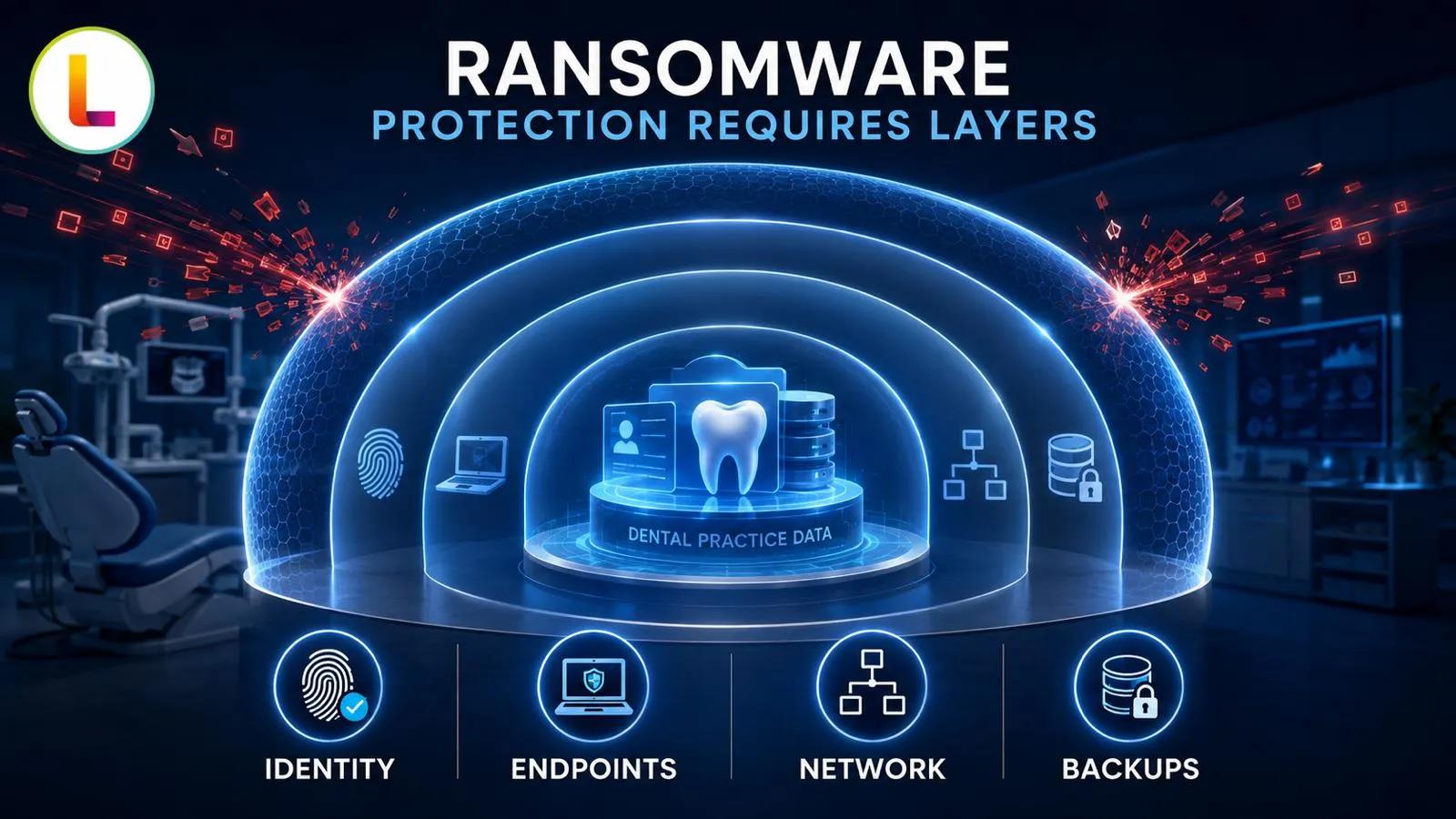
No single product can eliminate ransomware risk. Effective protection combines identity security, endpoint controls, network design, patching, monitoring, staff awareness, backups and an incident-response process. CISA specifically emphasizes phishing-resistant multifactor authentication, recovery planning and protected backups. Practices that want those layers implemented and monitored together generally start with a dental cybersecurity program rather than assembling individual products.
Priority Controls for Florida Dental Practices
- Multifactor authentication for email, remote access, administrative accounts and supported cloud applications.
- Separate user and administrator accounts so routine work is not performed with elevated privileges.
- Managed endpoint protection on servers and workstations, with alert review and escalation.
- Timely operating-system, browser, firewall and application security updates.
- Email protections and recurring phishing-awareness training for the entire team.
- Restricted and audited remote access; remove abandoned accounts and unsupported remote-control tools.
- Network segmentation appropriate to business systems, imaging, guest wireless and connected devices.
- Offline or logically isolated backups that cannot be silently altered through an ordinary compromised account.
- A written incident-response plan with legal, insurance, forensic and communication contacts identified in advance.
HIPAA and Florida Breach Responsibilities
Dental practices that create, receive, maintain or transmit electronic protected health information must address applicable HIPAA privacy and security obligations. Technology safeguards are only part of that responsibility; administrative processes, workforce training, documentation, vendor relationships and physical safeguards also matter.
Florida law adds state-specific requirements for certain breaches involving personal information. Florida Statute 501.171 generally requires covered entities to provide required notice no later than 30 days after determining that a breach occurred or having reason to believe one occurred, subject to statutory exceptions and procedures. The exact duties depend on the facts, the information involved and other applicable law.
Important: A dental IT provider can help preserve evidence, contain systems and restore operations, but legal counsel, the practice's privacy or compliance leadership, cyber insurer and qualified incident-response professionals should guide notification and legal decisions.
Protecting Dental Software and Imaging Workflows
Dental technology is not interchangeable with ordinary office IT. Practice-management databases, imaging sensors, acquisition computers, CBCT systems, intraoral cameras, printers, scanners and vendor-specific integrations have dependencies that must be understood before changes are made. That coordination is the day-to-day work of practice-management software and imaging support.
Whether a practice uses Dentrix, Eaglesoft, Open Dental, Archy or another platform, the support plan should document where the production database resides, which services must start in sequence, how vendor support is authorized, how updates are tested and how data is backed up. Imaging systems require equal attention because large data volumes, specialized drivers and workstation dependencies can complicate recovery.
Questions to Ask About Your Dental Environment
- Which server, cloud service or workstation contains the authoritative patient and imaging data?
- Are software and imaging backups included in the same verified recovery plan?
- Which vendor credentials, licenses and installation files would be needed after a hardware failure?
- Are acquisition workstations protected from unnecessary internet exposure and administrative use?
- Can the practice-management system and images be restored together without breaking links or workflow dependencies?
- Who coordinates with Dentrix, Eaglesoft, Open Dental, Dexis, Carestream, Planmeca, Vatech or other vendors during an incident?
Technology Planning for a Florida Dental Startup
The best time to engineer resilience is before construction is complete. Startup practices should coordinate technology with the architect, contractor, equipment supplier, dental software vendor, internet carrier and low-voltage team. Late decisions often create rushed cabling, inadequate power, poorly placed network equipment and avoidable change orders. Legend runs that coordination as part of its dental startup technology planning work.
Startup Technology Roadmap
- Define clinical workflows, operatories, imaging equipment and practice-management platform.
- Design the network, wireless coverage, security, voice, cameras and low-voltage pathways.
- Order internet service early and plan a diverse secondary connection where available.
- Specify server, cloud, workstation and imaging requirements based on vendor guidance and growth plans.
- Build cybersecurity, backup and recovery into the original budget.
- Document vendor ownership, licenses, warranties, configurations and escalation contacts.
- Test every operatory and business workflow before the first patient day.
Multi-Location Practices and DSOs
Multi-location organizations need standardization without losing visibility into local operations. A practical strategy defines approved hardware, security controls, network architecture, onboarding procedures, support escalation, backup verification and reporting across locations. Centralized monitoring should reveal which office is exposed rather than assuming every location follows the standard. When a group adds an office, the cabling, power and equipment decisions made during the low-voltage buildout determine how closely that location can match the standard later.
New acquisitions deserve a structured technology discovery before systems are connected. Unknown remote-access tools, unsupported servers, unmanaged devices and incomplete backups can introduce risk across the larger organization.
How to Evaluate a Florida Dental IT Provider
A provider should be able to explain its operating model in plain language and demonstrate how it supports dental workflows during both ordinary incidents and regional disruptions.
- Dental-specific experience with practice-management, imaging and equipment-vendor coordination.
- Clear response, escalation and after-hours procedures.
- Documented backup monitoring and restore-testing practices.
- Cybersecurity controls that cover identities, endpoints, network, email and remote access.
- On-site service capability or a defined dispatch model for your Florida market.
- Transparent ownership of credentials, documentation, domains, licenses and data.
- A business-continuity approach covering power, internet, communications and alternate operations.
- Evidence-based recommendations rather than fear-driven sales tactics.
Dental IT Support Across Florida
Florida is not one uniform market. Each region combines different weather, growth, travel and infrastructure considerations. Use the regional resource closest to your practice for locally focused service information and project proof.
- Tampa Bay: Tampa, St. Petersburg, Clearwater, Brandon and surrounding communities. See dental IT support in Tampa.
- Orlando and Central Florida: Orlando, Winter Park, Lake Mary, Kissimmee, Sanford and surrounding communities. See Orlando dental IT support.
- Fort Myers and Naples: Fort Myers, Cape Coral, Estero, Bonita Springs, Naples and surrounding communities. See dental IT support in Fort Myers and Naples.
- Fort Lauderdale and Broward County: Fort Lauderdale, Plantation, Davie, Sunrise, Hollywood and surrounding communities. See Fort Lauderdale dental IT services.
- Miami and South Florida: Miami, Coral Gables, Doral, Kendall, Miami Beach and surrounding communities. See dental IT support in Miami.
- Jacksonville and Northeast Florida: Jacksonville, Ponte Vedra Beach, Orange Park, St. Augustine and surrounding communities. See Jacksonville dental IT support.
A 25-Point Florida Dental Technology Readiness Checklist
- Backup success is monitored every day.
- A full restore has been tested and documented.
- At least one backup copy is isolated from production credentials.
- Recovery priorities and acceptable downtime are documented.
- UPS battery health is checked on a schedule.
- Servers and network equipment have adequate cooling.
- A protected secondary internet connection has been tested.
- The firewall configuration is backed up.
- Email and remote access use multifactor authentication.
- Administrative access is separated from normal user accounts.
- Departed employees and vendors are removed promptly.
- Operating systems and critical applications remain supported.
- Endpoint security is centrally monitored.
- Phishing training is provided and reinforced.
- Guest wireless is separated from business and clinical systems.
- Remote-access tools are inventoried and controlled.
- Dental software ownership, licensing and vendor contacts are documented.
- Imaging data and acquisition workflows are included in recovery planning.
- The practice maintains an accurate technology inventory.
- An incident-response plan identifies legal, insurance and forensic contacts.
- The cyber-insurance policy and notification requirements are reviewed.
- Staff and patient communication can continue during an office outage.
- Equipment shutdown and restart procedures are assigned.
- The plan is reviewed before hurricane season and after major changes.
- Leadership receives a simple report of unresolved technology risks.
Build a More Resilient Florida Dental Practice
Technology should help your team deliver care, not create another source of uncertainty. Legend Networking & Telecom helps dental practices plan, support and protect the systems behind daily operations—from startup design and low-voltage infrastructure to managed support, cybersecurity, backups and disaster recovery.
If you are opening, expanding or reassessing a dental practice in Florida, schedule a technology and cybersecurity assessment. We will help identify the risks most likely to interrupt your office and build a practical roadmap around your clinical workflow, budget and growth plans.
Sources and Further Reading
- Florida Statute 501.171 — Security of confidential personal information
- CISA StopRansomware Guide
- CISA Multifactor Authentication
- NOAA Hurricane Preparedness
- NOAA Continuity Planning
About the Author
Legend Networking & Telecom has specialized in dental technology since 2004, supporting dental startups, established practices and multi-location organizations with managed IT, cybersecurity, backup, infrastructure and dental software coordination.
Frequently asked questions
What is dental IT support?
Dental IT support manages and protects the technology used to run a dental practice, including networks, workstations, servers, cloud systems, backups, cybersecurity, phones and coordination with practice-management and imaging vendors.
How often should a dental practice test its backups?
Testing frequency should reflect the practice's risk, rate of change and recovery objectives. At minimum, practices should have a documented recurring process and should test after material infrastructure or application changes. A successful backup notification alone is not proof of recoverability.
Does a dental office need a second internet connection?
Practices that depend heavily on cloud applications, hosted phones or internet-based payment and insurance workflows should evaluate secondary connectivity. The business case depends on local carrier reliability, clinical dependency and the cost of downtime.
Can a dental practice remain open during a server outage?
That depends on which systems are unavailable, whether safe downtime procedures exist and how quickly information can be restored. Practices should define approved clinical and administrative procedures with their leadership, compliance and clinical advisors before an outage.
What should be backed up in a dental office?
The scope commonly includes practice-management data, imaging data, shared files, server configuration and other systems necessary for safe operations. The exact scope should be documented with the software and imaging vendors and validated through restoration tests.
Does HIPAA require a specific cybersecurity product?
HIPAA is risk-based and does not prescribe one universal product stack for every practice. Covered entities must evaluate applicable requirements and implement reasonable and appropriate safeguards based on their environment and risk analysis.
How quickly must a Florida business report a data breach?
Florida Statute 501.171 contains a general 30-day framework for required notices after determining that a breach occurred or having reason to believe one occurred, with statutory exceptions and procedures. Legal counsel should evaluate the specific facts and all applicable state and federal requirements.
When should a startup involve a dental IT company?
Ideally during early design, before low-voltage pathways, electrical plans, equipment locations and carrier orders are finalized. Early coordination reduces change orders and allows security, backup and connectivity to be engineered into the project.