
IT Support for Orthodontic Practices
IT support for orthodontic practices that covers the network, workstations, servers, scanner Wi-Fi and backups around Dolphin and the other systems your practice runs, from the open bay to the front desk.
- 3,500+Practices served since 2004
- 22+Years in dental IT
- 24/7Monitoring
- 4.8Rating from 173 Google reviews
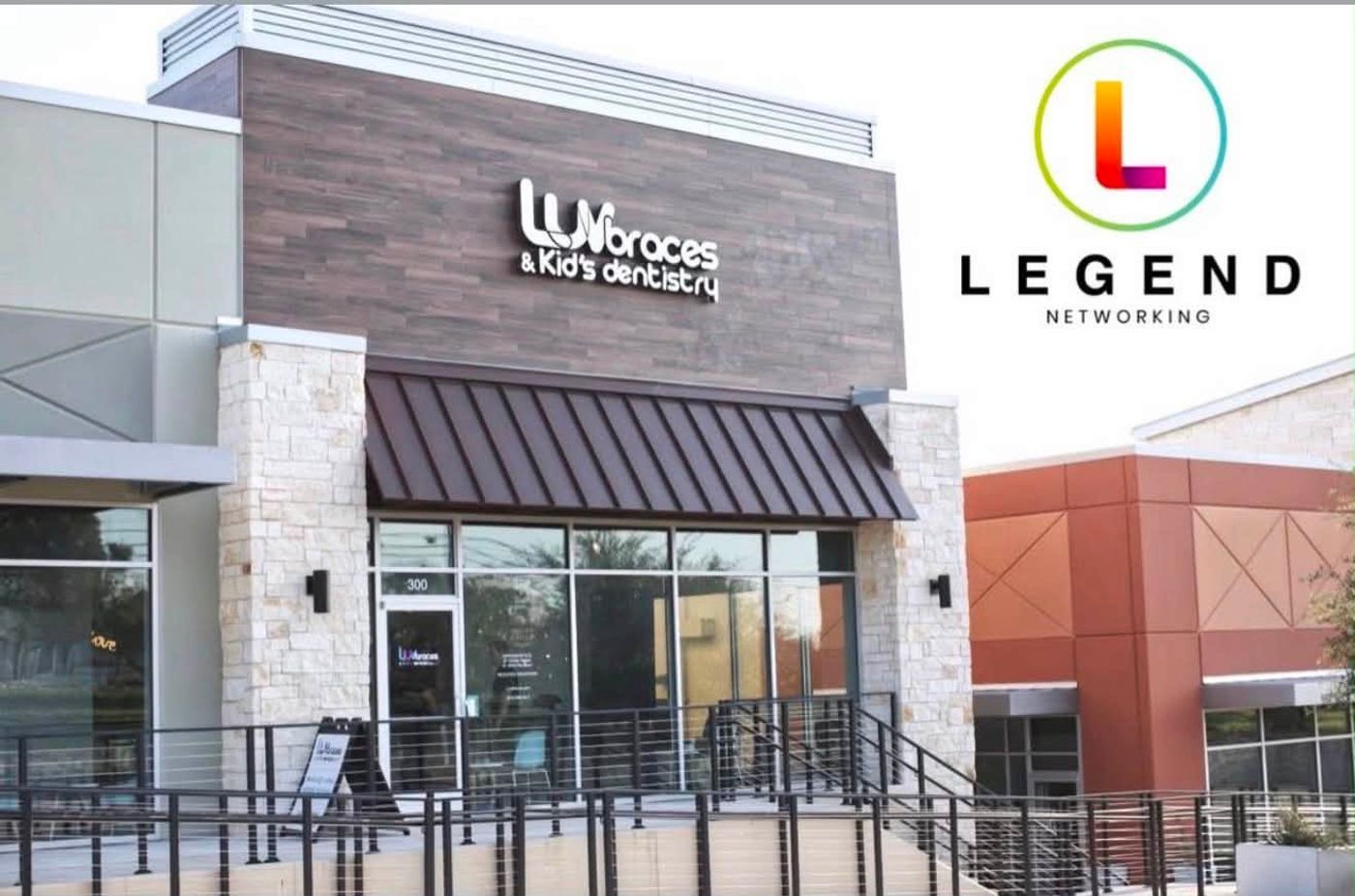
Luv Braces · Hutto, TexasThe storefront at the April 2026 grand opening
The network behind an orthodontic open bay.
For the third Luv Braces location in Hutto, Legend built the network and installed workstations, imaging and practice management software, audio/video and surveillance.
What does your orthodontic practice need right now?
Opening a new orthodontic office
The cabling, network closet and Wi-Fi are set while the walls are still open. If IT arrives after the drywall, data drops end up in the wrong places and the open bay gets whatever coverage is left. At East Texas Orthodontics in Canton, Legend was on site installing low-voltage cabling and network infrastructure ahead of the technology the practice will use. See dental startup IT and the orthodontic office technology checklist.
Replacing your current IT company
Most practices change IT companies after the same problem returns for months, or after nobody can say whether a fault sits with the software vendor or with IT. The risk in a switch is the handoff: passwords, backups and the image archive. The six steps are further down this page, and the longer version is in switching dental IT providers.
Adding a satellite office or buying a practice
A second office raises questions the first one never did: does it need its own server, how does it reach the practice software, and what does the practice you are buying already run? The answer depends on your practice-management system. See the satellite office and multi-location IT plan. Before you buy, read the IT due diligence checklist for a practice acquisition; larger groups can start with IT for multi-location groups and DSOs.
Moving your practice software
Moving from a server-based system to a cloud one, or from one orthodontic system to another, changes what your office needs from its internet, network and server. Plan the IT side before the conversion date is set. Dolphin moves start with Dolphin Imaging IT support; the orthodontic trade-offs are in orthodontic practice management software: cloud vs server.

East Texas Orthodontics · Canton, TexasLegend on site installing low-voltage cabling and network infrastructure
What does an orthodontic IT company do?
An orthodontic IT company keeps the technology around your clinical software working: the workstations in the open bay, the server or internet connection your practice-management system needs, scanner PCs and Wi-Fi, backups, user accounts and the links between offices. The software vendor (Dolphin, Cloud 9, OrthoTrac, Greyfinch) supports its own application. The full picture, office by office, is in the orthodontic practice technology guide.
Which IT companies specialize in orthodontic practices?
An IT company that specializes in orthodontic practices should be able to name the systems you run and say what each one needs from IT: the practice-management and imaging servers, scanner uploads, Wi-Fi across an open bay, connections between offices and backups that have been test-restored. Legend Networking has 22+ years in dental IT and has served over 3,500 practices since 2004. Dolphin Imaging is among the imaging systems whose IT environment Legend supports.
What makes IT in an orthodontic office different from a general dental office?
A general dental office and an orthodontic office can run on the same kind of network and the same brand of computer. The difference is how the office works: an open bay instead of closed rooms, a records appointment with its own imaging, scanners that send files to a vendor’s cloud, and patients who stay in treatment for years.
General dental office vs orthodontic office
| General dental office | Orthodontic office | |
|---|---|---|
| Floor plan | Closed operatories, one computer per room | An open bay with rows of chairs and shared workstations |
| Imaging | Intraoral sensors and a panoramic unit | A records photo series, cephalometric and panoramic images, CBCT used selectively, and intraoral scans |
| Devices | Sensors and chairside PCs | Intraoral scanners that upload to Align, 3Shape or Medit clouds; sometimes an in-house 3D printer |
| Patients | Adults and families | Many patients are minors, with a parent or guardian on the account |
| How long records stay active | Visit to visit | Multi-year treatment, finance contracts and retainer follow-up |
| Locations | Usually one office | Sometimes a satellite office open part of the week |
| Vendors | Practice software and imaging | Practice software, imaging, scanner clouds, aligner portals, texting, financing and remote-monitoring apps |
Each of those differences lands on IT. Wi-Fi in the bay carries clinical work, not just guest phones. The imaging archive grows with every records appointment. More vendors mean more logins to protect and more places patient data sits.
Which orthodontic systems does Legend support?
Legend supports the IT environment for Dolphin Imaging and the other imaging systems in the table. For every other system, the vendor supports the application and Legend keeps the computers, network, server, backups and accounts around it working. The last column is the first call when something stops.
Systems in an orthodontic office, and who looks after what
| Layer | Systems your practice may run | Where it lives | What Legend looks after | Who you call first |
|---|---|---|---|---|
| Practice management | Cloud 9, OrthoTrac (Carestream Dental’s practice software), Dolphin Management, Ortho2 Edge Cloud, topsOrtho; also Greyfinch | The vendor’s cloud or a server in your office, depending on the system | A system your practice runs: we keep the computers, internet, network, server or cloud access, backups and accounts around it working | The vendor for the application; Legend for computers, network and access |
| Imaging | Dolphin Imaging (supported); also Carestream imaging (CS Imaging), Planmeca/Romexis, DEXIS, Vatech | An imaging server and the workstations in the office | Legend supports the IT environment for these: the server, SQL database, workstations, network and backups they run on. See Dolphin Imaging IT support | Legend |
| Intraoral scanners | iTero, 3Shape TRIOS, Medit | The scanner or cart in the bay, uploading to the vendor’s cloud | A system your practice runs: we look after the Wi-Fi, internet and office network the scanner depends on. Intraoral scanner network requirements | The vendor for scanner software; Legend for Wi-Fi and internet |
| Aligner and lab portals | Invisalign Doctor Site and ClinCheck, lab portals | In the browser | The computers and user accounts your team signs in from | The portal’s vendor; Legend for the computer and account |
| Network, Wi-Fi, firewall | The office’s switches, Wi-Fi and internet connection | Your network closet | The wired network and Wi-Fi we set up or take over. See network design | Legend |
| Server, SQL and backups | Windows Server, SQL Server, backup storage | In the office, plus offsite copies | Server and SQL health, version dates and backups. See backup and recovery | Legend |
| Workstations and chairside PCs | Front desk, bay and imaging PCs | Throughout the office | Setup, updates and replacement planning. See workstations and servers | Legend |
| Phones | Your phone system and provider | Desk phones and the provider’s network | The office network the phones run over. Read when the copper phone lines go away | Your phone provider for the service; Legend for the network |
| Email and accounts | Microsoft 365 or Google Workspace mailboxes, user accounts | The provider’s cloud | User accounts and sign-ins across your systems. Read about email security for dental offices | Legend |
Systems we see in orthodontic offices
How should an open-bay orthodontic office network be set up?
In an orthodontic office the Wi-Fi is clinical equipment. Scanners, tablets and chairside computers share the air in one open room, so the network needs separate lanes.
Clinical (wired)
Practice-management and imaging workstations and the imaging server stay on cable wherever the floor plan allows. Dolphin’s own requirements say: “Dolphin requires a minimum of Fast Ethernet (100 Mbps). Note: Dolphin recommends 1 Gigabit (1000 Mbps).”
Scanner Wi-Fi
Scanners get their own secured network (WPA2 with a password); Align asks for an upload speed of at least 1 Mbps per iTero scanner and a signal that is “Excellent or at least Good”.
Guest and parent Wi-Fi
Phones and tablets in the waiting area and the bay go on a guest network that cannot reach clinical computers, with a different password.
Voice
Desk phones get their own network segment with traffic priority, so a busy upload does not break up a call.
At the third Luv Braces location in Hutto, Legend built the network. For the full design, see network design for dental offices.
Cloud or server: what does your orthodontic software need from IT?
Server-based
Server-based systems, such as Dolphin on a practice server or OrthoTrac, need Windows Server, SQL Server and a fast wired network; Dolphin, for example, lists SQL Server 2016 (SP3) Express as its database minimum and does not support Windows Server Essentials editions.
Browser-based cloud
Browser-based cloud systems, such as Cloud 9, Greyfinch and Edge Cloud, move the weight to the internet line: Cloud 9 asks for 1 Mb/s download and 0.5 Mb/s upload per computer, its own dedicated connection and a static IP at each office, and does not recommend a VPN.
Hosted remote desktop
Hosted remote-desktop setups, such as Dolphin Cloud, still keep image-capture hardware in the office, so the local network still matters.

Excelsior Orthodontics · Purcellville, VirginiaFrom phase one to completion in October 2023
Which orthodontic practices has Legend worked with?
Orthodontic offices from Legend’s public project pages. Each card says only what the project page records.
Luv Braces
Legend built the network and installed workstations, imaging and practice management software, audio/video and surveillance for the third Luv Braces location.
JP Orthodontics
From the final stages of the startup build-out to opening: network infrastructure, workstations, servers, audio/video, security cameras, email systems and Wi-Fi.
Razz Orthodontics
Legend followed the practice’s launch with network infrastructure, technology and daily tech maintenance.
East Texas Orthodontics
Legend on site installing low-voltage cabling and network infrastructure ahead of the technology the practice will use.
Tyler Orthodontics
A construction update: Legend’s team on site installing the technology infrastructure.
Excelsior Orthodontics
From phase one to completion in October 2023, with a video feature with Dr. Minh Nguyen and a look back at the full IT install.
Gupta Smile Studio
The final build-out stages of Dr. Gupta’s orthodontic practice, with Legend’s team on site installing technology.
Adventure Smiles Dental & Orthodontics
Legend’s team on site setting up the network for the new office.
Grapevine Kids Dental and Orthodontics
A new dental office technology build-out (2020).
House of Smiles Pediatric Dentistry & Orthodontics
Opened in November 2025.
- More orthodontic project pagesRH Ortho, The Colony TX
- Sparkle Orthodontics, Alexandria VA
- Kanopi Kids Dental & Orthodontics, Antioch CA
- Buchwald Orthodontics, Prosper TX
- Next Level Orthodontics, New Braunfels TX
- Schwed Pediatric Dentistry & Orthodontics, Garland TX
Past orthodontic projects in Texas, Virginia, Maryland and California. Local detail: specialty practice IT in Dallas, San Antonio, Tampa Bay and the DC area.
Who answers when something breaks?
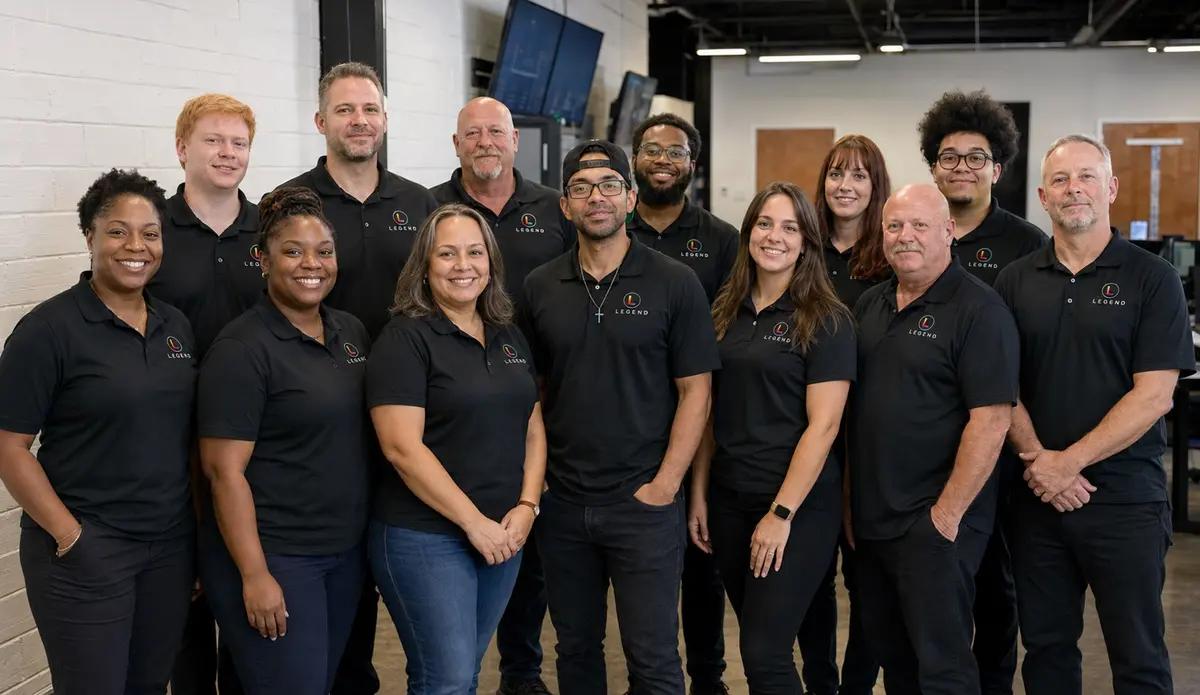
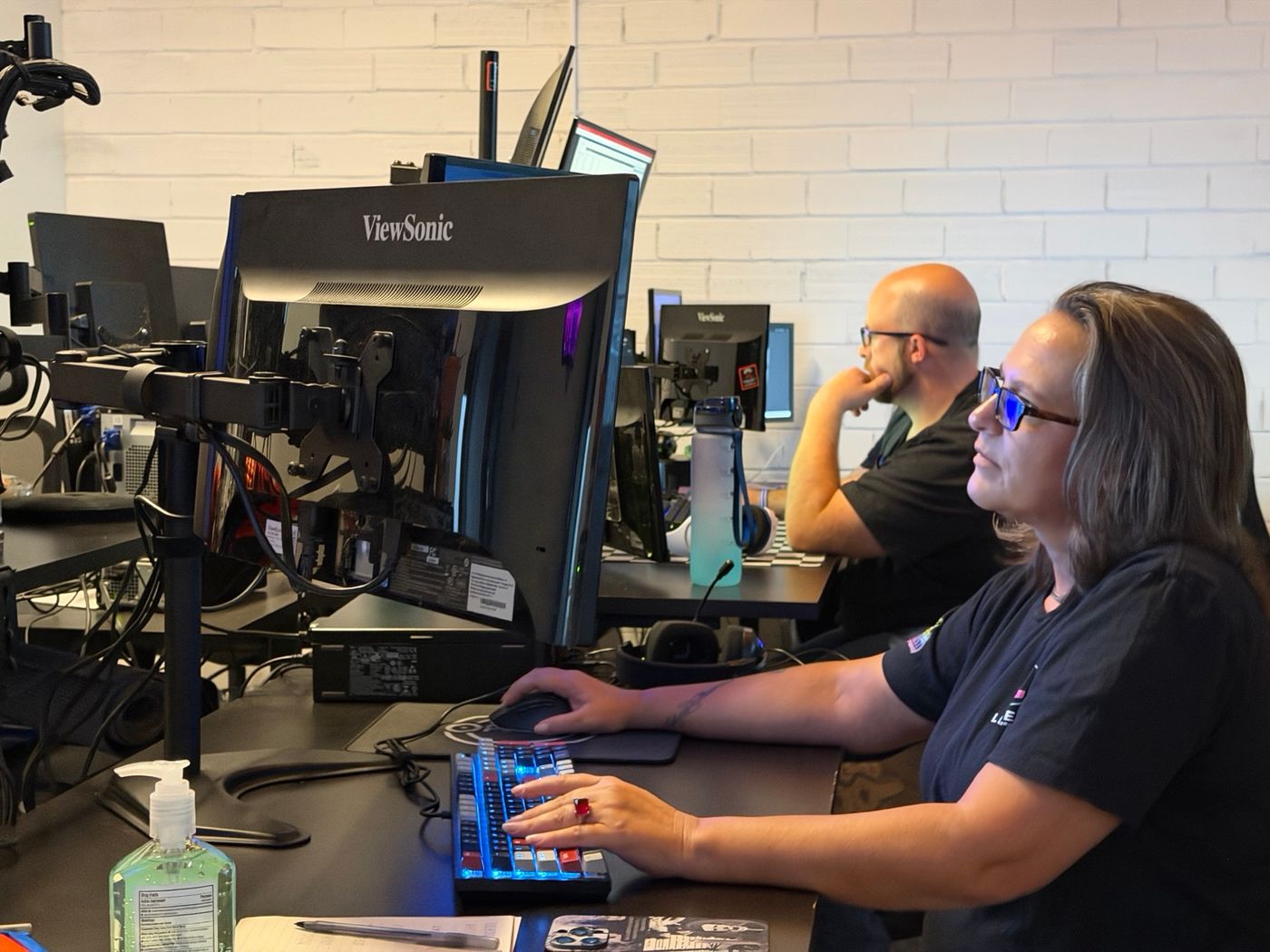

Remote and onsiteThe Dallas command center, the helpdesk, and a Legend field technician at Rolla Periodontics
In-house engineers, one number.
In-house engineers
Legend’s engineers are in-house, with no outsourced first-level triage.
One number
The helpdesk is staffed 24/7 at 1-800-794-1588, and Legend runs 24/7 monitoring.
Onsite dispatch by appointment
Onsite work is dispatched by appointment across served dental markets; the rest of the time support is remote-first, nationwide.
How much does IT support cost for an orthodontic practice?
Starting at $360 per month
Hardware procurement, major cabling projects and software licensing are quoted separately.
Backup protection from $39.99 per month (storage-dependent).
New offices are custom quoted.
Your monthly price depends on what your office runs. Bring answers to these to your assessment:
- How many workstations and chairside PCs are in the bay, at the front desk and in imaging?
- How many intraoral scanners do you have, and are they on carts or connected to their own PCs?
- Where does your imaging live: on a server in the office, and how fast is its storage filling with photo series, scans and any CBCT?
- Which SQL Server and Windows Server versions are you on?
- Is your practice-management system server-based or in the browser?
- How many offices do you run, and how do they connect today?
- Which phone lines and fax lines does the office still use?
For the general picture, read the dental IT support cost guide.
What should an orthodontist ask an IT provider before signing?
Five questions sort out most IT providers in one meeting. Ask them of anyone you are considering, including us.
Five questions, and what a good answer sounds like
| Ask | A good answer sounds like |
|---|---|
| Which orthodontic systems have you worked with, and what exactly do you do for each? | It names the systems, and separates what the IT company does from what the software vendor does. |
| How would you set up our open-bay Wi-Fi? | Separate networks for clinical computers, scanners, guests and phones, with a reason for each. |
| What SQL Server and Windows Server versions are we on, and when do they go out of support? | A clear answer after a look at your server, with dates, not a guess. |
| When did you last test a restore of our practice-management database and images? | A date and the method used. “The backups run every night” is not a restore test. |
| What is in the monthly price, and what is quoted separately? | A plain list of each, in writing, before you sign. |
The full 15-question scorecard is in the orthodontic practice technology guide; for now, the general version is 20 questions to ask before signing with a dental IT company.
How does switching IT companies work for an orthodontic office?
Most of the risk in a switch sits in the handoff. Six steps keep it under control:
Six steps
- 01List every admin account.
Domain, Microsoft 365 or Google Workspace, firewall, Wi-Fi, server and vendor portals: write down who owns each one. The practice should own them, not the IT company.
- 02Check the server and take a verified backup.
Before anything changes, check the practice-management and SQL server, and confirm that a backup restores.
- 03Open the image archive from the backup.
Dolphin or another imaging archive should open from the copy, not only from the live server.
- 04Record scanner and portal logins.
Scanner accounts, aligner portals and lab portals, so devices can be reconnected after the change.
- 05Document internet, firewall and phone details.
Circuit IDs, static IPs, firewall rules and phone-porting details, in one place.
- 06Cut over on a light clinic day.
Get the old provider’s handoff in writing, and keep their contact open until the first full clinic day has run.
The longer version is in switching dental IT providers.
Orthodontic IT support: frequently asked questions
What does an orthodontic IT company do?
An orthodontic IT company keeps the technology around your clinical software working: open-bay workstations, the server or internet connection your practice-management system needs, scanner PCs and Wi-Fi, backups, user accounts and the links between offices. The software vendor, such as Dolphin, Cloud 9, OrthoTrac or Greyfinch, supports its own application.
Does Legend support Dolphin Imaging and Dolphin Management?
Dolphin Imaging, yes: it is one of the imaging systems whose IT environment Legend supports, including the server, SQL database, workstations, network and backups. Dolphin Management is a system your practice runs: we keep the computers, network, server, backups and accounts around it working, and Dolphin supports the application. See Dolphin Imaging IT support.
Can you support us if we run Cloud 9, OrthoTrac, Ortho2 Edge or Greyfinch?
Those are systems your practice runs. The vendor supports the application; Legend keeps the computers, internet, network, server or cloud access, backups and accounts around it working. Each system asks different things of IT: Cloud 9, for example, asks for its own dedicated internet connection and a static IP at each office.
Do you check our network before we add scanners?
Yes. The Free Dental IT Assessment gives written findings and prioritized recommendations on your computers, software, network security, backups and performance. For scanners, Align asks for an upload speed of at least 1 Mbps per iTero scanner and a Wi-Fi signal that is “Excellent or at least Good”. See network design.
How much does IT support cost for an orthodontic practice?
Legend’s managed IT is priced starting at $360 per month. Hardware procurement, major cabling projects and software licensing are quoted separately. For an orthodontic office, the price moves with the number of workstations in the bay, the imaging server and its storage, and how many offices connect. New offices are custom quoted.
Can Legend support orthodontic practices outside Texas?
Yes. Legend is remote-first nationwide, with onsite dispatch by appointment across served dental markets. Orthodontic projects outside Texas on Legend’s project pages include Excelsior Orthodontics and Sparkle Orthodontics in Virginia, Smile Craft Orthodontics in Maryland, and Kanopi Kids Dental & Orthodontics in California.
How do you help protect orthodontic patient records, many of them for minors?
Start with practical controls: multi-factor sign-in on email and every vendor portal, clinical computers on a network separate from guest Wi-Fi, backups you have test-restored, and a list of every vendor that holds patient data. These support your HIPAA technical safeguards; your compliance adviser owns the legal reading. See HIPAA compliance support.
The proposed HIPAA Security Rule update is explained in HIPAA Security Rule updates for dental practices.
We already have an IT company. Can we switch without disrupting patients?
Plan the handoff and the risk stays small. Collect every admin account and domain owner, take a verified backup of the practice-management database and image archive, record scanner and portal logins, and document internet, firewall and phone details. Then cut over on a light clinic day, with the old provider’s handoff in writing.
Do you work with combined pediatric and orthodontic offices?
Yes. Combined offices on Legend’s project pages include Grapevine Kids Dental and Orthodontics in Grapevine, Texas (a 2020 technology build-out), House of Smiles Pediatric Dentistry & Orthodontics in Cypress, Texas (opened November 2025), and Kanopi Kids Dental & Orthodontics in Antioch, California. See pediatric dental IT support.
Start with a Free Dental IT Assessment
Book a Free Dental IT Assessment: written findings and prioritized recommendations on your computers, software, network security, backups and performance, including your open-bay Wi-Fi, imaging server and scanner PCs.
Prefer to talk first? Call 1-800-794-1588 or contact the Legend team.
What the Free Dental IT Assessment covers
- Computers and chairside PCs
- Practice software and imaging
- Network security
- Backups
- Performance, including open-bay Wi-Fi
- Imaging server and scanner PCs