
Oral Surgery IT Support
IT support for oral surgeons: the server or hosted connection, sedation-monitor stations, CBCT and referral imaging, backups and security around the software your practice runs.
- 22+Years in dental IT
- 3,500+Practices served since 2004
- 24/7Monitoring
- 4.8Rating from 173 Google reviews
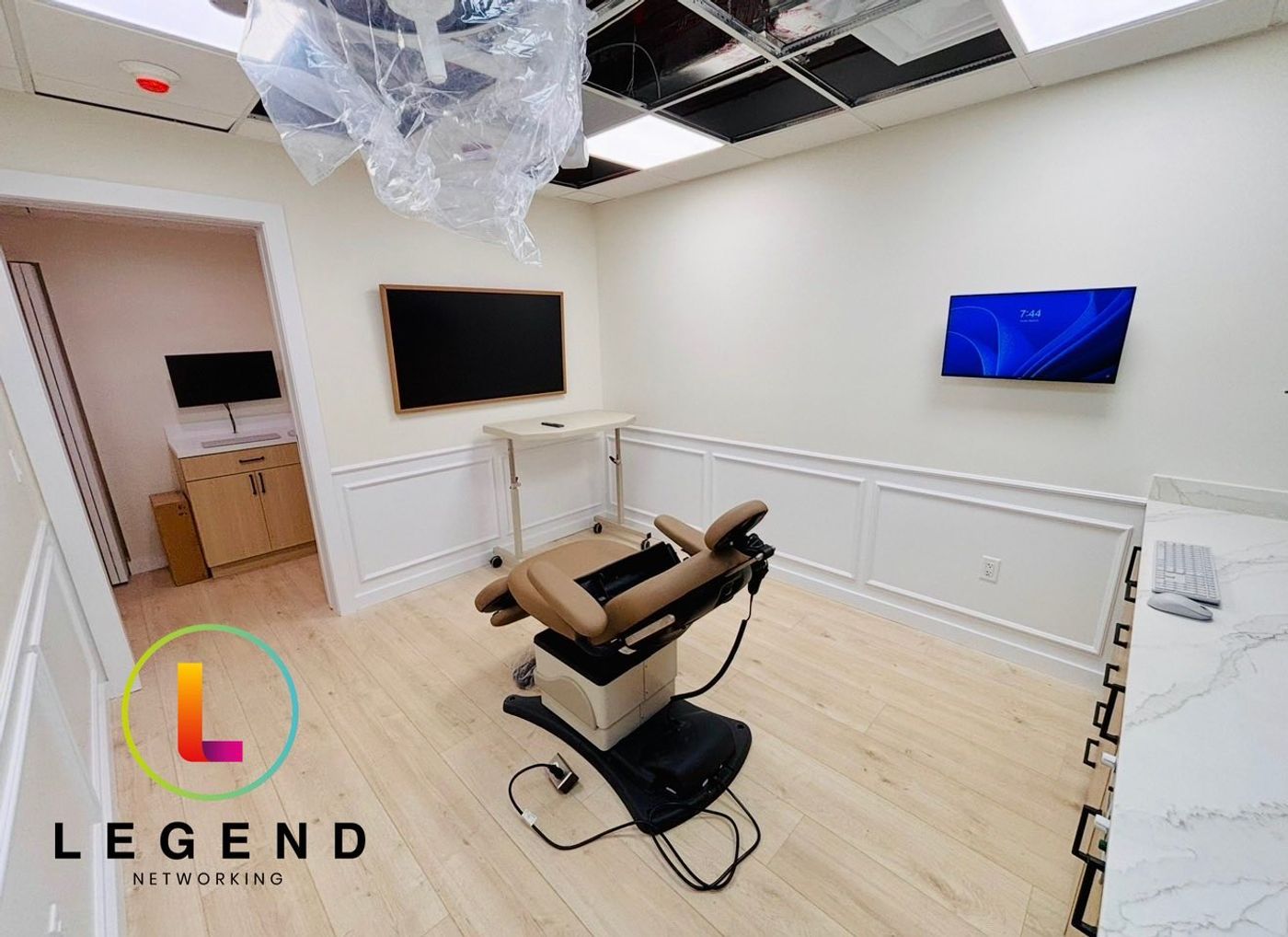
Ecker Oral Surgery · Miami, FLA surgical suite from Legend’s technology buildout, March 2026
What is oral surgery IT support?
Oral surgery IT support is the setup and day-to-day care of the technology an oral and maxillofacial surgery practice runs: the practice-software server or hosted connection, sedation-monitor workstations, CBCT and imaging, consult and front-desk computers, referral intake, phones, backup and security. Surgery days, sedation records and referral volume set it apart from a general dental office. The full picture is in the oral surgery practice IT guide.
What does your oral surgery practice need right now?
Opening an oral surgery office
An oral surgery office needs its cabling, network closet and monitor-station locations settled before the low-voltage plans are final. At Ecker Oral Surgery in Miami, the technology buildout covered the network rack, computers, AV systems and security surveillance. Start with dental startup IT. New practices are always custom quoted.
Replacing your current IT company
Practices usually change IT companies when the same problem keeps coming back, or when nobody can say whether a fault belongs to the software vendor or to IT. In an oral surgery office the risk sits in the handoff: server and software credentials; the backup chain; the monitor-station wiring; the imaging archive.
Schedule the cutover away from surgery blocks. The steps are in switching dental IT providers.
Adding a satellite or moving the server
A second office, a surgeon who works from home, or a server near the end of its support all raise one question: where should the practice software run? It can run on a server in the office, be hosted by the vendor, or run in the cloud. Each choice changes what your network and internet line must carry. Groups with 10 or more offices can start with IT for multi-location groups and DSOs.
How is IT in an oral surgery office different from a general dental office?
The computers and network can look the same. The day does not.
General dental office vs oral surgery office
| General dental office | Oral surgery office | |
|---|---|---|
| Patient flow | Recall visits and new patients, many self-referred | Referral-driven: patients and their images arrive from general dentists |
| Clinical day | Hygiene and restorative appointments | Surgery blocks, some under IV sedation, with the anesthesia record written during the case from a monitor workstation |
| Imaging | Intraoral sensors and a panoramic unit | CBCT and panoramic images opened in every surgical suite and consult room |
| Devices | Sensors and chairside PCs | Vitals monitors linked to a workstation by cable or adapter, signature pads, ID and insurance scanners |
| Data | Dental history and dental billing | Medical history, anesthesia records, and medical as well as dental billing details |
Each row adds work for IT. The oral surgery practice IT guide goes room by room.
What your software vendor leaves to your IT company
Oral surgery software vendors publish what their application needs, and they say which parts belong to the practice’s IT. Three lines from the WinOMS documents, checked October 2026:
The anesthesia module should run over your wired office network or a VPN, not Wi-Fi.
Carestream does not recommend live backup of WinOMS: the database has to be stopped to make a proper copy.
“The local technician is fully responsible for the configuration, installation, and maintenance of the client’s computer network.”
Who do you call?
Who to call first, by problem
| Problem | Call first |
|---|---|
| Practice-software error, licence, report or update | The software vendor |
| Software slow on every PC, server disk full, Windows updates, a failed backup | IT |
| Vitals not reaching the anesthesia record | IT first (cable, adapter, PC), then the software vendor. The monitor itself is the manufacturer’s |
| CBCT unit hardware or calibration | The imaging vendor or dealer |
| CBCT or pano will not open in a suite | IT first (network path, storage, viewer), then the imaging vendor |
| Hosted session lagging | IT (internet line, wired vs Wi-Fi, competing traffic) |
Legend keeps the computers, network, servers, backups and accounts around these systems working.
The surgical-suite network, in brief
The full set-up, room by room, is in networking an oral surgery office and connecting sedation monitors.
Wire the monitor stations.
Run a cable to each sedation-monitor workstation, as the WinOMS requirements recommend, instead of relying on Wi-Fi.
Keep clinical devices off the guest network.
Monitor stations, the practice-software server and imaging PCs should not share a network with guest Wi-Fi, waiting-room TVs or cameras.
Power the server and the network closet.
The WinOMS requirements recommend a UPS with shutdown software on the server. The switches that carry the suites need power protection too. See server shutdown mistakes to avoid.
Server, hosted or cloud: what does your oral surgery software need from IT?
On a server in the office
You own the hardware, the vendor’s backup routine and the Windows Server calendar. Windows Server 2016 extended support ends 12 January 2027 (Microsoft Lifecycle, checked October 2026).
Hosted
Your internet line becomes part of the clinical system, and the vendor publishes the bandwidth it needs by user count.
In the cloud
Imaging acquisition, monitor stations and signature pads still run on local PCs that need care.
The trade-offs for the software you run are in WinOMS server vs Hosted vs Sensei Cloud. The general version is dental server replacement vs cloud migration.
Systems in an oral surgery office, and who looks after what
Systems and who looks after what
| What it is | Examples | How Legend describes it |
|---|---|---|
| Imaging systems | DEXIS, Vatech, Carestream, Planmeca/Romexis, Dolphin Imaging | Legend supports the IT environment for these imaging systems |
| Oral surgery practice software | WinOMS, WinOMS Hosted, Sensei Cloud, OMSVision, DSN, CareStack, iDentalSoft, MaxilloSoft | A system you may run. The vendor supports the application; Legend keeps the computers, network, server, backups and accounts around it working |
| Other imaging software | CS OMS Imaging, Invivo, Sidexis | A system you may run (as above) |
| General dental practice software, for offices that also run general dentistry | Dentrix, Eaglesoft, Open Dental, Archy | Legend supports the IT environment for these practice-management systems |
| Vitals monitors | Criticare, Mindray, Zoe/CASMED, Mortara | Medical devices your practice runs. The manufacturer owns the device; IT looks after the workstation, cable or adapter, and network |
Imaging and referral intake
Imaging is where oral surgery IT gets heavy. Legend supports the IT environment around Carestream imaging, DEXIS, Vatech, Planmeca/Romexis and Dolphin Imaging. For any other unit, IT looks after the acquisition PC, the network path, storage and backup, and the imaging vendor owns the unit.
- Know where CBCT volumes live and how they are backed up. They belong in the same backup plan as the practice software.
- Put a working viewer on every surgical-suite and consult PC, so a scan opens where the surgeon needs it.
- Take referral discs and links in on one intake PC, not on whichever computer is free.
- Agree how op notes and images go back to the referring dentist.
- Referral disc or link
- One intake PC
- Imaging archive and backup
- Viewer in each suite
- Op notes and images back
One intake PC, a set routine and a named owner keep referral media off whichever computer happens to be free.
Backup you can restore on a surgery morning
- Stage 01
Backup completed.
Every night, including the practice-software database. The vendor advises against live backups, so the database is stopped for a proper copy.
- Stage 02
Backup protected.
A copy lives off site, encrypted and out of reach of the office network.
- Stage 03
Backup recoverable.
It is restored to a test machine on a schedule, and the date is written down.
- Stage 04
Practice recoverable.
The team knows what to do if a system fails mid-day, and everyone knows which restore point comes back first.
What happens if a system fails mid-case is in the surgery-day downtime plan.
Security for imaging, anesthesia records and referral email
Oral surgery records combine imaging, medical history, anesthesia records and insurance details. Four controls every oral surgery office should have in place:
Lock down identities.
Require MFA on email, the practice software and every remote connection. Insurers ask for it too: see dental cyber insurance requirements.
Defend every endpoint.
Run endpoint protection on every PC, including monitor stations and imaging PCs, with updates scheduled away from surgery blocks.
Separate clinical traffic.
Keep the server, monitor stations and imaging on their own network, away from guests and TVs.
Know which vendors hold patient data.
List the software host, the referral portal, the answering service and the email provider, and keep the agreement you hold with each on file.
Oral surgery practices Legend has worked with
From buildouts to grand openings, here is oral surgery work on Legend’s project pages.
Ecker Oral Surgery
Legend’s March 2026 first look at the technology buildout: the network rack, computers, AV systems and security surveillance.
East Austin Oral Surgery
From August 2023 to June 2024, Legend worked with Dr. Matthew Largent ahead of the launch and celebrated the grand opening.
AB Dental and Oral Surgery
Joined Legend in November 2025. Thank you to Dr. Osei and the team.
Mystic Smiles
From the start of the buildout to opening day in 2024, for a practice with a general dentist, a pediatric dentist and an oral surgeon.
Remote first. Onsite when the fix needs hands.
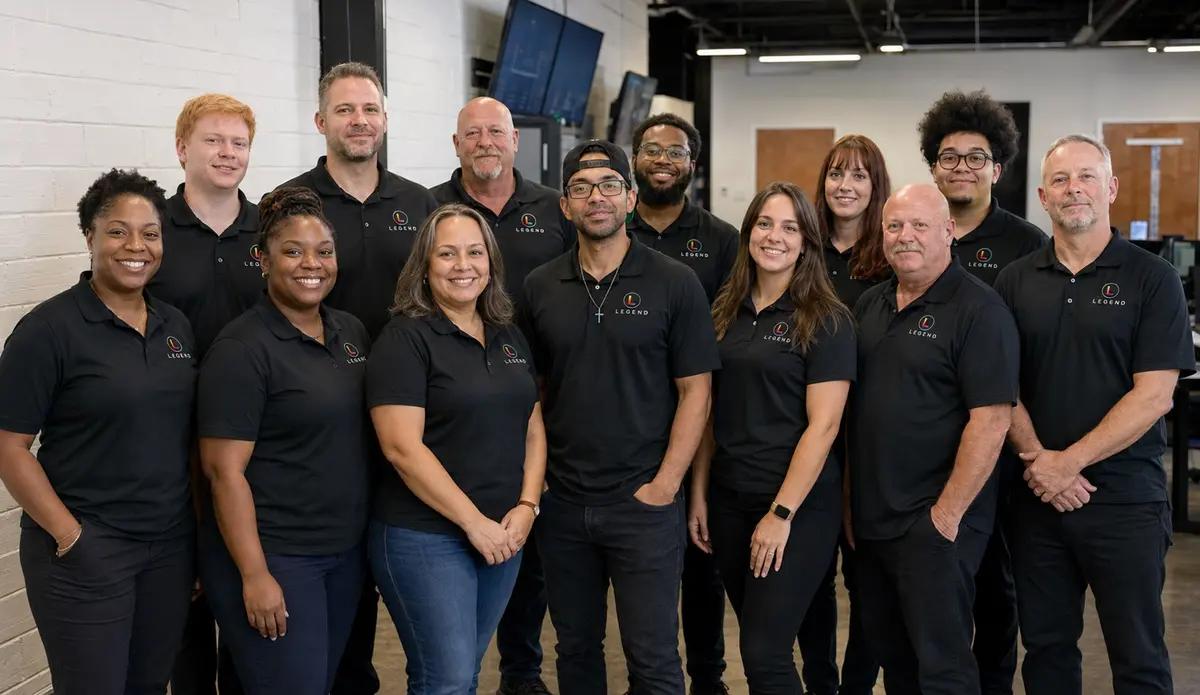
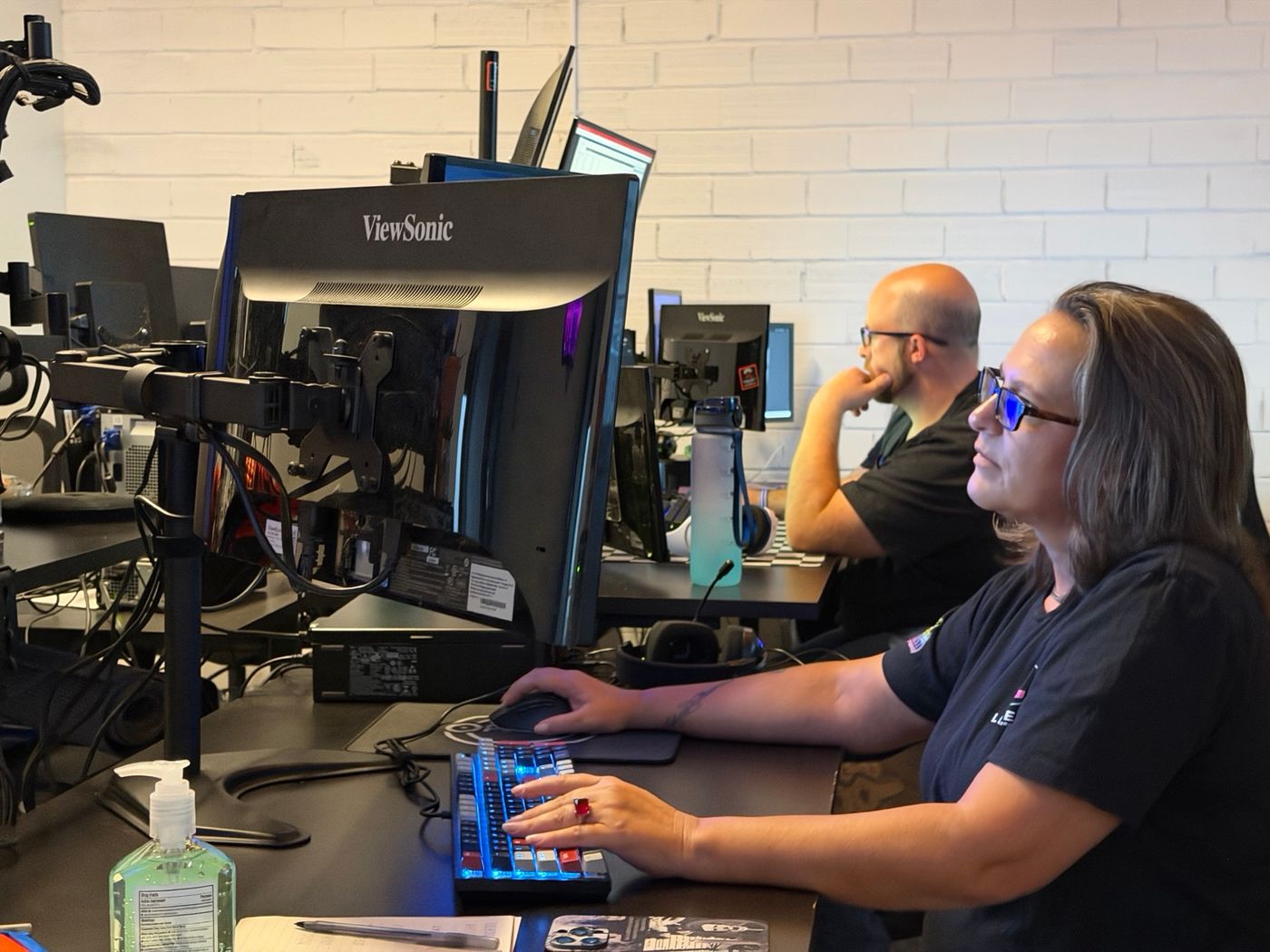
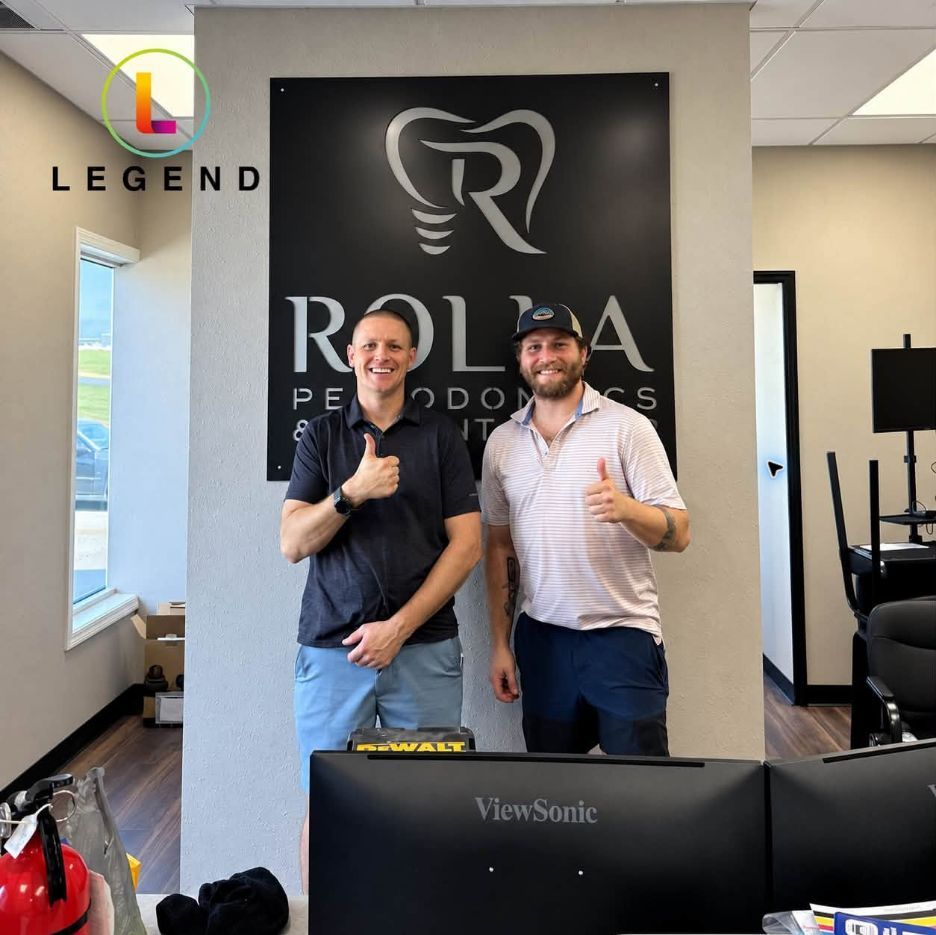
Remote and onsiteThe Dallas command center, the helpdesk, and a Legend field technician at Rolla Periodontics
In-house engineers
No outsourced first-level triage.
Onsite by appointment
Onsite dispatch by appointment across served dental markets; remote-first nationwide.
The helpdesk
Helpdesk staffed 24/7 at 1-800-794-1588.
Monitoring
24/7 monitoring.
Referral and fax lines still on old copper service? See phone solutions.
Five questions to ask any IT company before it touches an oral surgery office
Five questions, and what a good answer sounds like
| Ask | A good answer sounds like |
|---|---|
| How do you wire and test the sedation-monitor stations? | Wired connections, each station documented, a spare cable or adapter on site, and a test before surgery days. |
| When did you last restore our practice-software database? | A date, and a restore to a test machine, not just “the backup ran”. |
| How do surgeons reach the practice software from home or a satellite? | The method your software vendor supports, set up with MFA. |
| How do referral discs and links get into our imaging safely? | One intake PC, a set routine for scanning media, and a named person who owns it. |
| What is in the monthly price, and what is quoted separately? | A written answer. At Legend, hardware procurement, major cabling projects and software licensing are quoted separately. |
The full 15-question scorecard is in the oral surgery practice IT guide. For any dental practice, see 20 questions before signing with a dental IT company.
Bring this to your assessment.
It helps to have these ready:
- your practice software and where it runs (server, hosted or cloud)
- server age and Windows Server version
- monitor models and how each connects
- CBCT and pano make, and where volumes are stored
- how referrals and images arrive today
- where backups live, and the date of the last restore test
- locations, surgeons and users
What does IT cost for an oral surgery practice?
Starting at $360 per month.
Backup protection from $39.99 per month (storage-dependent). Hardware procurement, major cabling projects and software licensing are quoted separately. New practices are always custom quoted.
What moves the price in an oral surgery office
- where the practice software runs: an on-premises server, hosted, or cloud
- the number of surgical suites and monitor-station PCs
- CBCT and imaging storage
- the number of locations and surgeons
- a new office or an existing one (startups are custom quoted)
The full breakdown is in the dental IT support cost guide. Bring these to your Free Dental IT Assessment.
Oral surgery IT, answered
Do you provide IT support for oral surgeons?
Yes. Legend Networking provides IT support for oral and maxillofacial surgery practices, keeping the computers, network, servers, backups and accounts around the software and imaging they run working. Oral surgery offices on our project pages include Ecker Oral Surgery in Miami, East Austin Oral Surgery and AB Dental and Oral Surgery in San Antonio. Legend has served over 3,500 practices since 2004.
How is IT for an oral surgery practice different from a general dental office?
An oral surgery office runs surgery blocks, some under IV sedation, and writes the anesthesia record from a monitor workstation during the case. CBCT opens in every suite, referrals arrive from general dentists and reports go back, and the office holds medical as well as dental billing data. Each adds network, imaging and backup work.
Does Legend support WinOMS, OMSVision or Sensei Cloud?
These are software your practice runs. The software vendor supports the application, and Legend keeps the server, workstations, network, backups and user accounts around it working, whether it runs on your own server, hosted by the vendor or in the cloud.
Can you support our CBCT and imaging?
Yes. Legend supports the IT environment for DEXIS, Vatech, Carestream, Planmeca/Romexis and Dolphin Imaging. For other CBCT and panoramic units, IT looks after the acquisition PC, the network path, storage and backup, and the imaging vendor looks after the unit itself. If a scan will not open in a suite, start with our imaging troubleshooting guide.
Can you help us open a new oral surgery office?
Yes. Bring IT in before the electrical and low-voltage plans are final, so the cabling, the network closet and the monitor-station and CBCT locations are settled while the walls are open. Legend’s oral surgery openings include Ecker Oral Surgery in Miami and East Austin Oral Surgery. New practices are always custom quoted; see dental startup IT.
We already have an IT company: can we switch without disrupting surgery days?
Yes, with planning. The handoff starts with an inventory of systems and credentials. Then the backups are checked and restored to a test machine before anything changes. The cutover is scheduled away from surgery blocks. Our guide to switching dental IT providers walks through each step.
Do you support oral surgery practices outside Texas?
Yes. Legend works remote-first nationwide, with onsite dispatch by appointment across served dental markets. The helpdesk is staffed 24/7 at 1-800-794-1588, and Legend provides 24/7 monitoring. Legend’s oral surgery work includes Ecker Oral Surgery in Miami, Florida.
How much does IT support cost for an oral surgery practice?
Legend’s plans: starting at $360 per month. Hardware procurement, major cabling projects and software licensing are quoted separately, and new practices are always custom quoted. For an oral surgery office, the main drivers are where the practice software runs (server, hosted or cloud), the number of surgical suites and monitor-station PCs, imaging storage and the number of locations.
What does the Free Dental IT Assessment cover for an oral surgery office?
The Free Dental IT Assessment gives you written findings and prioritized recommendations on your computers, software, network security, backups and performance. Book it with the form on this page or call 1-800-794-1588.
Guides for oral surgery practices
Oral surgery practice IT guide
Oral surgery practice technology for owners: what the office runs, who to call when it breaks, rooms, satellites, upgrade dates and 15 IT provider questions.
WinOMS: server, Hosted or Sensei Cloud
WinOMS 10.1 server specs, Hosted bandwidth, the v10 SQL conversion checklist and the backup the vendor leaves to your IT team, with a decision table.
Surgical-suite network and sedation monitors
How to wire an oral surgery office: the sedation-monitor-to-anesthesia-record link, wired surgical suites, network segments and a pre-surgery-day test.
Referral intake: forms, CBCT discs and letters
Set up oral surgery referral intake: one queue, a safe PC for CBCT discs and USBs, the referral form fields, letters that merge and the doctor line.
Surgery-day downtime plan
What keeps working when the server, internet, power or monitor link fails on a sedation day: the paper fallback, who to call and a 30-minute pre-flight.
When the office internet goes down
Tell a network fault from a carrier or cloud outage, know who to call, and compare backup internet options before the next outage.
Dental ransomware recovery
A step-by-step recovery playbook: containment, downtime procedures, evidence preservation and a clean restore from tested backups.
Dental office network setup
Drops per room, cable standards, the network closet, switching, Wi-Fi and testing, plus what you should receive at handover.
Start with a Free Dental IT Assessment
Written findings and prioritized recommendations on your computers, software, network security, backups and performance.
Prefer to talk first? Contact the Legend team or call 1-800-794-1588.
What the Free Dental IT Assessment covers
- Computers and workstations
- Practice software
- Network security
- Backups
- Performance
You receive written findings and prioritized recommendations. Any other work is quoted separately.