

You are opening a practice, or you are tired of the server in the closet, and the shortlist has come down to Dentrix, Dentrix Ascend or Open Dental. The demos all look capable. What the demos do not show is what each choice asks of your office: the hardware, the internet, the imaging and the people who keep it running.
Here is the direct answer. Classic Dentrix runs on a server you own. Dentrix Ascend runs in the vendor's cloud through a browser. Open Dental runs on a server you control or, in limited release, on Open Dental Cloud. Choose the hosting model your practice can support first, then check imaging, multi-location plans and data export before you sign.
In this guide
- The short answer
- Dentrix is a product family
- Open Dental has two main hosting paths
- The five deployment choices at a glance
- Dentrix Ascend vs Open Dental: what is the real difference for your IT?
- The IT-impact comparison: four deployment choices at a glance
- What stays with your practice under each option?
- Where the data lives changes the risk
- What do the servers and workstations need?
- What the software actually costs
- Data access and integrations
- Backup and recovery responsibility
- Imaging can decide whether the migration succeeds
- How does each option handle multiple locations?
- How hard is switching from Dentrix to Open Dental?
- Plan the migration as a clinical project
- Recommendations by practice type
- A 30-day test plan before you sign
- What to ask your IT provider
- Questions to ask before signing
- Make the infrastructure decision before the software decision
- Official sources
- Frequently asked questions
The short answer
None of the three is right for every practice. Classic Dentrix suits an office that wants local control and accepts the server. Dentrix Ascend suits a practice that wants no practice-management server at all. Open Dental suits a practice that wants published pricing, direct database access and a choice between hosting it locally and letting Open Dental host it.
The right answer depends less on which screen your team prefers and more on which operating model your practice can support. A locally installed system gives the practice direct control and also makes the practice responsible for the server, backups, security and recovery. A vendor-hosted cloud system removes most of that server burden and makes your internet connection, the vendor's terms and your data-export rights the things that matter most. Either way, someone has to own those duties, and managed IT for dental clinics is one common way practices assign them.
For a single practice that already runs the Dentrix ecosystem and wants local control, classic Dentrix may remain a practical fit. Dentrix Ascend is the Dentrix option for practices and groups that want a cloud-native platform. Dentrix Enterprise is a separate product aimed at multilocation and integrated health organizations. Open Dental is strongest for practices and groups that value transparent published pricing, direct database access and the freedom to choose how the system is hosted. Open Dental Cloud is a vendor-hosted path, but the vendor describes it as limited release with some interoperability limits, so every integration has to be checked before purchase.
The rest of this guide separates the options so each comparison is like for like. For a wider shortlist that includes other systems, see our dental practice management software selection guide.
Dentrix is a product family
"Dentrix" names a product family, not one product. Classic Dentrix is installed on office computers with a practice-managed server. Dentrix Ascend is a cloud-based application reached through a web browser. Dentrix Enterprise is a separate platform for multilocation and public-health organizations. Each puts the database, and the work of protecting it, in a different place.
Henry Schein One is the company behind both Dentrix and Dentrix Ascend, and its own comparison page sets the two side by side. As of 21 October 2026 it describes them this way:
| Row on the vendor's comparison page | Dentrix (classic) | Dentrix Ascend |
|---|---|---|
| Deployment | "Installed locally on office computers" | "Accessed via web browser from anywhere" |
| Ideal for | "Solo and small group practices" | "All practice types, including multi-location and DSOs" |
| Data storage | "Local servers (practice-managed)" | "Cloud-based (secure, backed-up)" |
| Scalability | "Limited multi-location support" | "Designed for multi-location growth" |
Source: Henry Schein One, "Dentrix or Ascend", accessed 21 October 2026.
Classic Dentrix
Classic Dentrix is the locally installed product. It normally depends on a server inside the practice. On remote access, the vendor's FAQ answers: "Not natively. Dentrix requires local installation and remote access setups." It also says "Dentrix needs regular updates and IT support for backups and security." The vendor's security row for classic Dentrix reads "Practice-managed IT and backups." In plain terms, the practice owns the server, the backup job, the patching and any remote-access design. Henry Schein One's current classic Dentrix hardware requirements sit in its resource center; ask for the current sheet for the exact version you will run before you price a server.
Dentrix Ascend
Dentrix Ascend is cloud-based and accessed through a browser. The vendor's FAQ says "Ascend requires no local servers or IT maintenance," and its help center describes Ascend as "a cloud-based application… it stores your practice data remotely." That removes the practice-management database server from the office. It does not remove local technology: workstations, Wi-Fi, firewalls, user accounts, internet capacity and the imaging acquisition software still sit in the practice, and they still need care. A team moving from classic Dentrix to Ascend goes from installed software to a browser application, so it should plan training as well as data migration.
Dentrix Enterprise
Dentrix Enterprise is a separate platform for multilocation practices, integrated health centers and public health organizations. Its product materials emphasize centralized provider and patient data across locations. A buyer should confirm hosting, integration, migration, support and pricing terms for the proposed environment instead of assuming they match classic Dentrix or Ascend, and should ask the vendor for its current product page or datasheet in writing.
Open Dental has two main hosting paths
Open Dental can be hosted two ways. Self-hosted, the default, runs the database on a server the practice owns or a remote host the practice manages. Open Dental Cloud is a hosted service managed by Open Dental Software, available only to U.S. customers and in limited release. The vendor says a practice can switch between the two.
Self-hosted Open Dental
Open Dental's fee page describes the standard arrangement as the "Customer hosts the program locally or manages hosting it remotely (Self-Hosted)." Its computer requirements say the server runs "the MySQL or MariaDB server program and stores the files and the database," and "We recommend having a dedicated server to protect data." Open Dental also documents several multi-location designs, which are covered below. The vendor is direct about one boundary: "Open Dental Support cannot assist with network setup. It is recommended to have a capable IT set up and maintain any network settings." Capable dental IT support is part of a self-hosted deployment, not an extra.
Open Dental Cloud
Open Dental Cloud is "a hosted solution managed by Open Dental Software." The vendor lists automatic nightly backups among its benefits. As of 21 October 2026 it states: "Open Dental Cloud is only available for US customers. The service is currently in limited release," and "There are some limitations on interoperability with third-party solutions." It also says "The local computers that access the Open Dental Cloud are still fully managed by the practice or their IT." The fit list on the same page names who it suits: a practice that "uses Windows" rather than macOS, "wants to use the latest tools available in the software" rather than one that "wants to choose when to update the software," and "uses separate Imaging software that doesn't need to be hosted."
The vendor describes the move as reversible: its Cloud page lists the ability to "easily switch from Cloud to Local host or vice-versa," and its fee page says "Customers may switch to Self-Hosted at any time instead without penalty." For a startup unsure about its internet circuit, that reversibility is worth weighing.
The five deployment choices at a glance
| Product | Deployment | Primary responsibility | Strongest fit |
|---|---|---|---|
| Classic Dentrix | Local installation and server | Practice and its IT provider manage the server, backups and local environment | Single practices and smaller groups that want local control |
| Dentrix Ascend | Cloud-native browser platform | Vendor runs the application platform; practice manages endpoints, network, access and integrations | Practices and groups that want less server management |
| Dentrix Enterprise | Centralized enterprise platform | Responsibilities depend on the quoted implementation | Large groups, public health and integrated health organizations |
| Open Dental self-hosted | Local or customer-managed remote hosting | Practice and its IT provider own architecture, security, backup and recovery | Practices and groups that want control and direct data access |
| Open Dental Cloud | Hosted by Open Dental | Vendor manages hosting and PMS backups; practice manages local technology and connectivity | U.S. practices that want Open Dental without maintaining a database server |
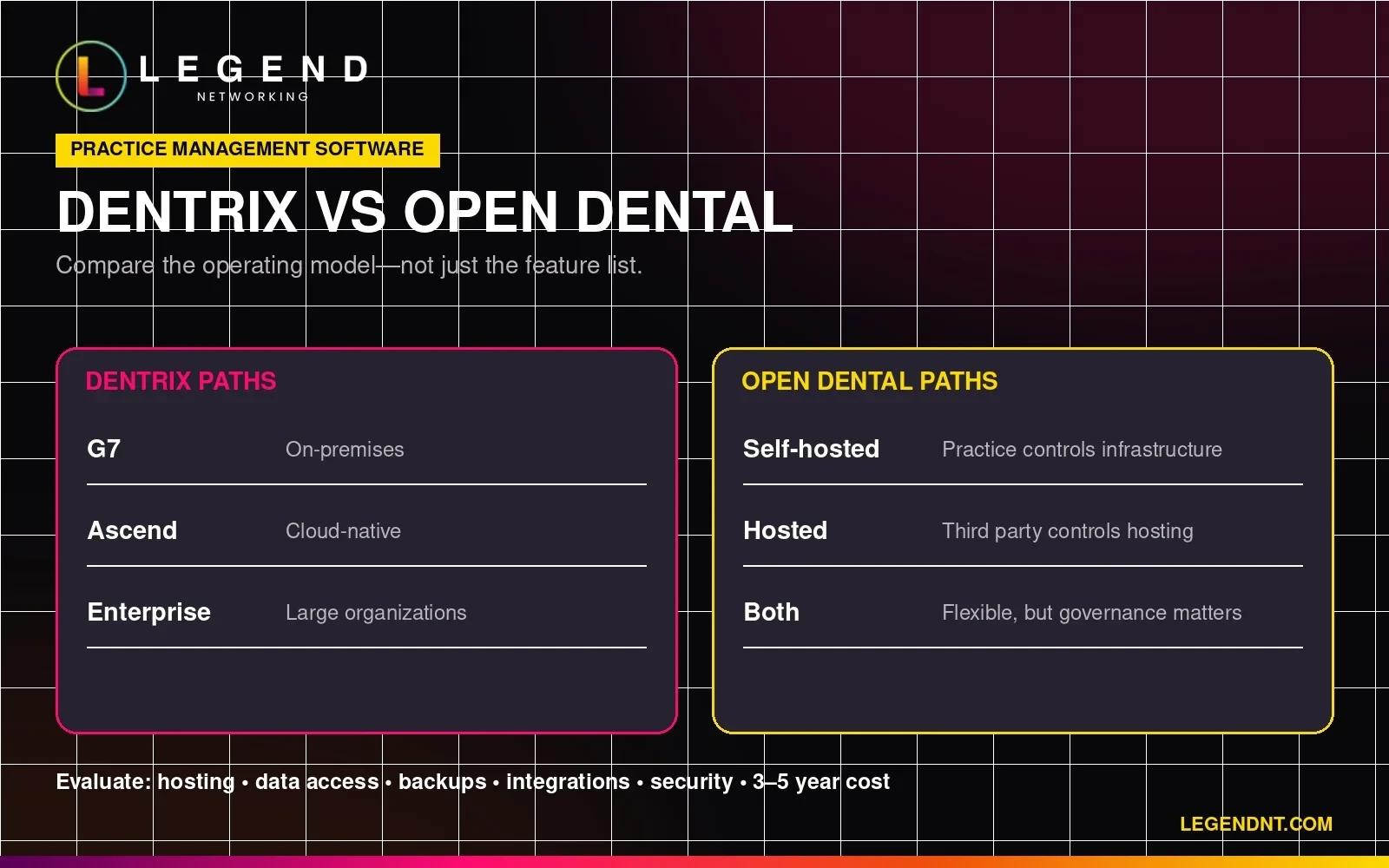
Dentrix Ascend vs Open Dental: what is the real difference for your IT?
Dentrix Ascend vs Open Dental is mostly a hosting question. Ascend is browser-based and hosted by Henry Schein One, with no published license price. Open Dental is a Windows application you host yourself or run on Open Dental Cloud, with published fees. Ascend leans on your internet; self-hosted Open Dental leans on your server.
Most people who compare Dentrix Ascend with Open Dental are really comparing cloud with self-hosted. That framing makes the trade-offs clearer:
- Where the database lives. Ascend stores practice data remotely in the vendor's platform. Self-hosted Open Dental keeps the database on your server. Open Dental Cloud puts it in Open Dental's hosted environment.
- What the internet carries. With Ascend and Open Dental Cloud, every schedule lookup and chart note crosses the internet. With self-hosted Open Dental, the office network carries that traffic and the internet matters mainly for remote access, cloud services and offsite backups.
- Which devices work. Ascend's requirements list Windows, macOS and an iPad-optimized experience in Chrome or Safari. Open Dental is a Windows program, and its Cloud page lists macOS under "not a good fit."
- Who controls updates. Ascend is updated by the vendor. Open Dental Cloud is a poor fit, in the vendor's words, for a practice that "wants to choose when to update the software." Self-hosted Open Dental lets the practice and its IT provider schedule updates.
- What is published. Open Dental publishes support fees and Cloud hosting packages. Henry Schein One does not publish Dentrix Ascend license pricing on the pages reviewed for this guide.
- How data is reached. Open Dental provides database documentation and read access. Ascend integrations run through Henry Schein One's API Exchange, which it describes as open to "authorized integration vendors."
Scheduling, billing and charting features change with every release, so compare them in a live demo on your own workflows. The infrastructure differences above change far less often, and they decide what your IT costs and what happens on a bad day.
The IT-impact comparison: four deployment choices at a glance
The table below compares the four common choices on the points that decide your IT workload: where the database lives, the hardware you own, the internet you need, imaging, multi-location support, data access, published price and conversion. Every cell comes from the vendor's own documentation as of 21 October 2026, or says where the vendor publishes nothing.
| Classic Dentrix | Dentrix Ascend | Open Dental (self-hosted) | Open Dental Cloud | |
|---|---|---|---|---|
| Hosting | "Installed locally on office computers" | "Accessed via web browser from anywhere" | Practice hosts locally or manages remote hosting | "A hosted solution managed by Open Dental Software" |
| Database location | "Local servers (practice-managed)" | Stored remotely by the vendor | Your server (MySQL or MariaDB) | Open Dental's hosted environment |
| Server you own | Yes | No practice-management server | Yes; "a dedicated server" recommended | No database server |
| Workstations | Ask for the current sheet for your version | Windows 10 (64-bit) or 11, macOS 12+, iPad; 8 GB RAM minimum, 16 GB recommended | Windows; 4–8 GB RAM recommended | Windows ("uses macOS" listed as not a good fit) |
| Minimum internet | Not stated on the pages reviewed | 50 Mbps down / 10 Mbps up, assuming 10 logons at one location | Needed for remote access and offsite backup, not for the local database | 20 Mbps down / 10 Mbps up; latency under 30 ms is a good fit, over 50 ms is not |
| Imaging pieces that stay local | Imaging software and acquisition PCs | Acquisition agent on capture PCs; sensors and drivers | Bridged imaging software; built-in 2D imaging available | ODCloudClient on each Windows workstation that bridges; imaging software stays local |
| Multi-location | "Limited multi-location support" | "Designed for multi-location growth" | Twelve documented designs, from separate databases to a central database | Hosted by the vendor; ask how multiple locations are packaged |
| Data access | Henry Schein One API Exchange ("Dentrix and Ascend customers") | API Exchange for "authorized integration vendors" | Database documentation and read access | Hosted; confirm reporting access in writing |
| Published price | No | No | Yes (support fees) | Yes (hosting packages, on top of support fees) |
| Conversion into Open Dental | Listed source ("Dentrix or EZ Dental") | Listed source ("Dentrix Ascend") | — | Migration fee published |
Dentrix Enterprise is left out of the table because its hosting and integration terms are set per implementation. Ask the vendor to complete the same rows for your quote. The comparison is about the operating model, not the feature list.
What stays with your practice under each option?
Cloud hosting moves the practice-management database to the vendor, but much of the technology stays in your office under every option. Workstations, network, internet, user accounts, imaging capture and the continuity plan remain the practice's job. The difference between the options is mainly who owns the database server, its backups and its updates.
| Responsibility | Classic Dentrix | Dentrix Ascend | Open Dental (self-hosted) | Open Dental Cloud |
|---|---|---|---|---|
| Database server and its operating system | Practice | Vendor | Practice | Vendor |
| Database backups | Practice ("Practice-managed IT and backups") | Vendor platform | Practice | Vendor (nightly backups listed) |
| Restore tests and a data-export copy | Practice | Practice asks the vendor for scope and export terms | Practice | Practice asks the vendor for scope and export terms |
| Software updates | Practice schedules | Vendor | Practice schedules | Vendor schedules |
| Workstations, Wi-Fi, firewall | Practice | Practice | Practice | Practice ("still fully managed by the practice or their IT") |
| Internet circuit and failover | Practice (lower dependence) | Practice (high dependence) | Practice (lower dependence) | Practice (high dependence) |
| Imaging acquisition PCs, sensors, drivers | Practice | Practice | Practice | Practice |
| Bridge software on each workstation | Practice | Practice (acquisition agent) | Practice | Practice (ODCloudClient) |
| Network between locations | Practice | Mostly removed by the browser model | Practice ("Support cannot assist with network setup") | Mostly removed by hosting |
| User accounts, passwords, multi-factor sign-in | Practice | Practice | Practice | Practice |
Read the "Practice" cells as the work your IT provider does on your behalf. A startup choosing Ascend or Open Dental Cloud still needs a network design, secure workstations, an internet plan and imaging setup. A practice choosing classic Dentrix or self-hosted Open Dental needs all of that plus a server, a backup system and a restore routine. That difference is the real price of control, and it should appear in any five-year cost comparison.
Where the data lives changes the risk
With classic Dentrix or self-hosted Open Dental, the database lives on a server in your office, so an internet outage does not by itself stop scheduling, but a server failure does. With Dentrix Ascend or Open Dental Cloud, there is no office database server, so the internet connection becomes the thing that keeps the schedule open.
A local database can keep the practice working when the internet fails, but only while the server and local network stay healthy. Without redundancy, a failed server can interrupt scheduling, charting and access to clinical information until it is repaired or restored. The effect depends on whether the practice has a current backup, a tested recovery process and replacement hardware ready.
A cloud-hosted database removes the local server from the office, and it makes the internet connection operationally critical. A practice considering Dentrix Ascend or Open Dental Cloud should evaluate its primary circuit against the vendor's own figures (Ascend lists 50 Mbps down and 10 Mbps up for 10 simultaneous logons at one location; Open Dental Cloud lists at least 20 down and 10 up, plus latency under 30 ms), the circuit's expected repair times and an automatic failover connection. Failover should be tested with the actual software, imaging workflow, phones and sign-in process. Buying a second connection does not prove that clinical work will continue when the first one fails. Our guide to what to do when the dental office internet goes down covers the first hour.
Imaging behaves differently from the chart in an outage. Dentrix Ascend documents an offline mode for acquiring images and recommends "updating the latest version of the acquisition agent for the offline mode feature to work properly." Ask each vendor what your team can and cannot do with the chart, the schedule and the imaging software while the internet is down, and write the answer into the practice's downtime procedure.
Multi-location groups face one more choice. Separate databases can isolate an outage, but they complicate central reporting and cross-location access. A shared database improves central reporting, but the network path to it becomes a shared dependency. Open Dental documents both approaches and several in between, which is useful flexibility and also means the architecture must be designed rather than assumed.
What do the servers and workstations need?
Self-hosted Open Dental needs a server running MySQL or MariaDB, ideally dedicated, on Windows 11 or Windows Server 2016 to 2025. Dentrix Ascend needs no practice-management server but asks for workstations with 8 GB of RAM at minimum and 16 GB recommended. Classic Dentrix needs a server sized to the vendor's current sheet for your version.
Open Dental's computer requirements, as of 21 October 2026, include these points that change a hardware quote:
- A dedicated server. "We recommend having a dedicated server to protect data." Keep the server name under 15 characters.
- Supported server systems. Windows 11 and Windows Server 2025, 2022, 2019 and 2016 are listed; the vendor notes "the server can run Linux or MacOS-X." Open Dental suspended Windows 10 support on October 14, 2025.
- The file-share limit. A Windows 10 or 11 file share is limited to 20 simultaneous connections, which matters when a growing office uses a desktop edition of Windows as its server.
- Storage. SSD or NVMe drives are recommended, not required.
- Workstations. 4–8 GB of memory is recommended.
Dentrix Ascend's help center lists Windows 10 (64-bit) or 11, with 11 recommended, macOS 12 or later and iOS 16 or later; the latest Google Chrome (Chrome or Safari on the iPad); 8 GB of RAM minimum and 16 GB recommended; and scanners with TWAIN drivers built on version 1.9 or later, with automatic document feeders not supported. The same page notes that Microsoft no longer supports Windows 10 after October 14, 2025, so a startup buying new workstations should plan on Windows 11. See our note on Windows 10 end of life for dental practices.
For classic Dentrix, ask Henry Schein One for the current server and workstation requirements for the exact version you will install, and have your IT provider size the server against it. Size the storage for both the database and the imaging files, and plan for growth in each. Our dental software system requirements guide explains how to read these sheets, and the server replacement vs cloud migration guide helps when the decision is triggered by an aging server.
What the software actually costs
Open Dental publishes its prices: self-hosted support starts at $199 per month per location for the first year, and Cloud hosting runs $250 to $2,370 a month by package, on top of support. Henry Schein One publishes no Dentrix, Ascend or Enterprise license prices on the pages reviewed, so get a written quote.
The license or subscription is only one part of the cost. A useful comparison includes the software, hosting, backups, cybersecurity, server replacement, implementation, data conversion, imaging integration, training and lost production during the migration.
Dentrix, Dentrix Ascend and Dentrix Enterprise. Henry Schein One does not display license pricing on the product pages reviewed for this guide. Ask for a written quote that names the exact product, edition or tier, locations, providers, integrations, conversion services, training, support and renewal terms.
Open Dental, self-hosted. Open Dental's fee page says "Open Dental Software's only upfront cost is the first month of support fees." As of 21 October 2026 it publishes:
| Open Dental fee (U.S., self-hosted) | Published amount | Detail to read carefully |
|---|---|---|
| Initial rate | $199/month per location or office | 12-month term; covers all computers at the location for up to 3 providers |
| Current reduced rate | $149/month per location | Month to month after 12 consecutive months; defined as "the fee published on the day the office reaches the 13th month" |
| Additional providers | $20/month per provider | Beyond 3 per location; hygienists are not counted |
| 4 to 9 offices | $169/month per office | Drops to $149/month after an office is on support for 12 consecutive months |
| 10 or more offices | Not published | The vendor says "Call us and ask for Management" |
| Data conversion | Not included | "Data conversion from other software is not included" |
Budget the second year and beyond as an estimate: the reduced rate is the one Open Dental publishes on the day your office reaches month 13, not necessarily today's figure. Offices that started at $179 before 2 February 2026 keep that rate for their initial 12 months, according to the same page.
Open Dental Cloud. Open Dental's fee page states that "Open Dental Cloud fees are in addition to the Open Dental Software License and Support fees," and its Cloud page that "Each location must remain on Open Dental support for the duration of their cloud usage." As of 21 October 2026 its packages are:
| Open Dental Cloud package | Monthly hosting | Concurrent sessions | Database storage | OpenDentImages storage |
|---|---|---|---|---|
| Small | $250 | 7 | 5 GB | 20 GB |
| Medium | $520 | 15 | 10 GB | 40 GB |
| Large | $1,300 | 35 | 15 GB | 60 GB |
| X-Large | $1,850 | 55 | 30 GB | 120 GB |
| Enterprise | $2,370 | 75 | 45 GB | 130 GB |
| Custom | Custom quote | 75+ | Quoted | Quoted |
Storage beyond the allotment is $0.40 per GB, and migration is a one-time $400 per signup. All figures are Open Dental's own, from its Cloud page, accessed 21 October 2026; check the page on the day you budget, because Open Dental's Cloud pricing has changed before. Packages are sized by concurrent sessions, so confirm with Open Dental how sessions are counted and size the package to your busiest hour.
Whatever you choose, get these costs in writing:
| Cost category | What to obtain in writing | Why it matters |
|---|---|---|
| Software and hosting | Product, tier, providers, locations, storage, sessions and renewal terms | Headline prices rarely describe the full environment |
| Conversion | Each database, images, attachments, test conversion and final conversion | Images and documents often sit outside the primary database and are priced separately |
| Infrastructure | Servers, cloud resources, firewalls, circuits, failover and workstation upgrades | Hosting choices shift cost rather than remove it |
| Support | Vendor support, dental IT support, after-hours coverage and who owns an escalation | The software vendor and the IT provider solve different problems |
| Exit | Export formats, fees, timing and help after cancellation | Switching cost is leverage only before the contract is signed |
Data access and integrations
Open Dental gives customers database documentation and read access, and says its 2024 license change to proprietary did not change that access. Dentrix and Dentrix Ascend integrations run through Henry Schein One's supported routes, including its API Exchange for authorized vendors. Under every option, settle export formats, fees and timing in writing before you sign.
Open Dental changed from an open-source GPL license to a proprietary license in version 24.4. The vendor states: "There was no change in price, support, database access, or how the software was used," and "Database access remains unchanged with the new license." Some comparisons still describe the current product as open source, which is out of date. Direct database access is valuable for reporting, data warehousing and custom integrations, and it must be secured and governed like any other route to patient data.
Henry Schein One describes its API Exchange as "a community of software vendors helping Dentrix and Ascend customers expand their capabilities," open to "authorized integration vendors." A practice should list each integration it needs and confirm that the exact Dentrix product supports it. Classic Dentrix, Ascend and Enterprise should not be treated as interchangeable because they share a name.
Integration review covers more than the practice-management system. Confirm imaging bridges, sensors, CBCT systems, patient forms, patient communications, payment processing, insurance tools, analytics, revenue-cycle services, accounting exports and sign-in management. Ask the vendor to demonstrate the proposed workflow in the product and tier you will buy.
Data ownership is mostly decided in the contract. Ask in writing: in what format can we export patient records, clinical notes, documents and images; what does an export cost; how long after cancellation can we still get our data; and who helps. With a self-hosted system, the database sits on your server, so the practical question becomes whether your backups are complete and readable. With a hosted system, the export terms are the safeguard.
Backup and recovery responsibility
With classic Dentrix and self-hosted Open Dental, the practice and its IT provider own backups, monitoring and restore tests. With Dentrix Ascend and Open Dental Cloud, the vendor backs up the hosted platform, but the practice still needs an outage plan, an export route and backups of whatever stays local, such as imaging and documents.
For classic Dentrix and self-hosted Open Dental, the practice carries most of the infrastructure responsibility. Open Dental's manual names what to protect: the database at \\SERVER\mysql\data\ and the images at \\SERVER\OpenDentImages\ (the A-to-Z folders). It says "Backups should be frequent, stored securely, and tested regularly," and recommends verifying a backup by restoring it to "a secure, off-site computer not connected to the office network." A backup is not proven until it has been restored. Before choosing either platform, document how often the database and images are backed up, where copies are stored, how failures are reported and when a full restore was last tested. Our dental backup and disaster recovery checklist includes a restore-test scorecard.
For Dentrix Ascend and Open Dental Cloud, the vendor handles the hosted application and its platform backups. That does not remove the need for a continuity plan. The practice still needs a documented response for internet failure, unavailable workstations, compromised accounts, imaging-system outages and a vendor-side disruption. Ask for the vendor's backup scope, retention, recovery objectives and data-export process in writing.
Dentrix Enterprise buyers should settle the same responsibilities during solution design. The product name alone does not say who hosts each component, who tests recovery or how quickly service can be restored.
Imaging can decide whether the migration succeeds
Imaging is the part most likely to break during a software decision. Every option keeps imaging capture in your office: Dentrix Ascend needs its acquisition agent, Open Dental Cloud needs ODCloudClient on each bridging workstation, and self-hosted systems need working bridges. Confirm each sensor, camera and CBCT unit against the vendor's current lists before you sign.
Practice-management data and dental images are often stored and handled separately. A migration plan should identify the imaging database, the image files, the bridges, the acquisition software and the device drivers before the conversion begins. Confirm whether historical images will stay reachable from the new patient record and whether new images can still be captured in every operatory.
A cloud practice-management system does not place your imaging in the cloud by default. Use this check for each option:
| Imaging check | Classic Dentrix | Dentrix Ascend | Open Dental (self-hosted) | Open Dental Cloud |
|---|---|---|---|---|
| What runs on the capture PC | Imaging software, drivers and bridge | Acquisition agent, sensor drivers | Imaging software and the program bridge | Imaging software plus ODCloudClient ("must be installed on a Windows machine to bridge") |
| Vendor's caution to note | Confirm the imaging package in your quote | "Some of the new features and enhancements may require an updated acquisition agent" (Imaging 125 notes) | Bridges change between versions (26.2 removed the Ez3D-i bridge "due to compatibility issues") | Integrations are "expected to work… Not all integrations have been tested" |
| 3D / CBCT | Confirm the bridge for your CBCT software | Known issue listed: "If the acquisition agent is not running, you cannot download a 3D volume" | Confirm the bridge for your CBCT software in the current version | Imaging software stays local; "wants separate Imaging software to be cloud hosted by Open Dental" is listed as not a good fit |
| Built-in option | Ask the vendor | Ascend's own imaging module (see its Imaging release notes) | "2D Imaging is built into Open Dental and available for practices on support" | As self-hosted, through the hosted program |
| Test before signing | One capture per sensor model, viewed from the chart | Same, with the agent at the current version | Same, on the version you will run | Same, through ODCloudClient on a real workstation |
Open Dental's Cloud integrations page lists imaging products including Dexis, Carestream, EzDenti, Romexis Bridge, Sidexis, Apteryx/XVWeb, MiPACS, Trophy (Enhanced) and VixWin, and its 26.2 release notes say "TigerView is compatible with Open Dental Cloud." Open Dental states, "We do not recommend any particular brand of sensor or software." Henry Schein One's acquisition-agent notes show that a cloud system still has a local imaging layer that has to be kept current.
The safest approach is a compatibility matrix built from the equipment and software the practice already owns, or will buy for a startup: every sensor, intraoral camera, panoramic and CBCT unit, its software version, the bridge it uses and who confirmed it works. Our guide to testing imaging integration after a software change gives an end-to-end acceptance test, and the DEXIS IT support page covers that platform's environment.
How does each option handle multiple locations?
Henry Schein One describes Dentrix Ascend as "designed for multi-location growth" and classic Dentrix as having "limited multi-location support." Open Dental documents twelve multi-location designs, from separate databases per office to one central database, plus a Clinics feature that keeps locations separate for reporting. For Open Dental Cloud, ask how the vendor packages several locations.
For a growing practice, the Open Dental options form a ladder. Open Dental's manual opens with the question that decides it: "Will there be separate databases for each location or a single central database…?" The documented options run from separate databases per location, through a single database reached over a VPN (which the manual describes as best with fewer than 5 locations), to Middle Tier, Terminal Server and load-balanced designs for larger groups. Its Clinics feature "allows multiple locations to be run from one database while keeping locations separate for reporting."
| Stage | What the design asks of IT | Option to consider |
|---|---|---|
| One office, one server | A server, backups and a local network | Classic Dentrix or self-hosted Open Dental |
| Second office opens | A decision: separate databases, or a shared one with a site-to-site VPN | Open Dental Clinics on one database; or Ascend; or Open Dental Cloud |
| Three to five offices | A reliable network path to the shared database, or a hosted model | Open Dental single database over VPN, Middle Tier or Open Dental Cloud; Dentrix Ascend |
| Larger groups | Central reporting, sign-in standards, integration governance, a design that survives one office's outage | Open Dental Terminal Server or load balancing with capable IT; Dentrix Ascend; Dentrix Enterprise |
The second office is where most of the cost of an early choice shows up. A practice that expects to grow should ask each vendor, and its IT provider, how the second and fifth location would be added and what that changes. For group-level design, see our DSO and multi-location IT support page.
How hard is switching from Dentrix to Open Dental?
Switching from Dentrix to Open Dental is a documented path: Open Dental lists Dentrix, EZ Dental and Dentrix Ascend as conversion sources, offers a test data conversion at no charge and provides a written quote. Data conversion is not included in support fees, and images are priced separately, so ask for both quotes before you choose.
Open Dental's published conversion facts, as of 21 October 2026:
- Sources. Its conversions page lists "Dentrix or EZ Dental" and "Dentrix Ascend" among the systems it converts from.
- Test first. "Test Data Conversion: No charge." "The Conversion Department will provide you with a written quote."
- Images and documents. "Most scanned document image conversions cost $850" and "Most X-Ray conversions cost $900," as most offices have less than 500 GB of images. Dentrix Document Center scanned documents are listed at $850 and run "at a rate of about 1 GB per 5 minutes"; Dentrix Patient Pictures at $150; Dentrix Ascend at $850 for scanned documents and $900 for X-rays ("In some cases, it may be possible to convert the files in the 'Images' folder").
- Dexis. Dexis images are copied into OpenDentImages as DICOM images, with "close to 100% match rate as long as Dexis was being used in Bridged Mode." Dexis Patient ID Renumbering is $600, "currently only for Dexis version 10 and greater."
Henry Schein One does not publish Dentrix-side export or conversion costs on the pages reviewed, so ask your current vendor in writing what an export costs and how long it takes. Moving the other way, from classic Dentrix to Ascend, the vendor says it "offers guided migration services to help you move your patient data, images, and history." Ask exactly what that includes for your edition.
The effort that is not on any price list is the practice's own time: validating balances, insurance data, clinical notes and images after the test conversion, retraining the team on new workflows and running a reduced schedule around go-live. Our dental software migration cost and timeline guide and Dentrix server migration checklist cover those pieces in detail.
Plan the migration as a clinical project
Switching practice-management systems affects scheduling, charting, billing, insurance workflows, patient communication and imaging. Treat it as a clinical operations project with an IT workstream, not as a software installation scheduled for a convenient weekend.
- Inventory every database, imaging repository, document store, integration, workstation and device that depends on the current system.
- Obtain a written conversion scope that identifies what will transfer, what will not and how exceptions are handled, including images and scanned documents.
- Run a test conversion early enough for clinical and billing teams to validate patient records, balances, insurance data, clinical notes and images.
- Define the final data-freeze period, the rollback decision, support contacts and who has authority to delay go-live if validation fails.
- Test every operatory workflow, including imaging acquisition, prescriptions, payments, claims, printing and patient communications.
- Keep the legacy system reachable for the agreed retention period and confirm licensing before the old server is retired.
For the step-by-step version, use the dental software migration checklist, and for the go/no-go decision on the day itself, the dental PMS migration cutover plan.
Recommendations by practice type
For a startup, start with Dentrix Ascend or Open Dental Cloud if the internet circuit is solid, or a well-designed self-hosted Open Dental if it is not. A single office on a healthy server can stay with classic Dentrix or self-hosted Open Dental. Groups should design the multi-location model first. Imaging-heavy specialties should let the imaging check decide.
Startup practice. You have no server to replace and no data to convert, which makes this the simplest moment to choose any model. A cloud system (Dentrix Ascend or Open Dental Cloud) avoids buying a server, but your opening date then depends on the internet circuit being installed, fast enough and backed up by a second connection, and on every sensor and camera passing the imaging check. Self-hosted Open Dental keeps the schedule independent of the internet at the cost of a server and backup system on day one. Order the circuit early, because the hosting choice and the construction schedule meet at the network closet. Our dental startup IT page covers the build sequence.
Single location on a server. If the server is healthy and the team knows the software, staying put is a legitimate choice. Classic Dentrix and self-hosted Open Dental keep control local; the work is a tested backup and a planned server refresh. If the server is due for replacement, price the replacement against a cloud move over five years before deciding.
Multi-location group or DSO. Decide the database model first: separate, central or hosted. Dentrix Ascend and Dentrix Enterprise centralize by design; Open Dental offers a central database through Clinics, Middle Tier, Terminal Server or Open Dental Cloud, with capable IT underneath. Central reporting, sign-in standards and how an acquired office joins matter more than any single feature.
Imaging-heavy specialty (oral surgery, periodontics, orthodontics, endodontics). CBCT, multiple sensor brands and specialty imaging software make the imaging check the deciding factor. Confirm every bridge on the exact version you will run, including 3D volume access, before comparing anything else.
| Practice profile | Starting shortlist | Condition to verify |
|---|---|---|
| Startup practice | Dentrix Ascend, Open Dental Cloud or a well-designed self-hosted Open Dental environment | Construction schedule, circuit install date, imaging compatibility, cabling, failover and opening-day support |
| Single established practice | Classic Dentrix, Dentrix Ascend, self-hosted Open Dental or Open Dental Cloud | Local IT capability, internet reliability, workflow preference and total five-year cost |
| Growing two-to-five-location group | Dentrix Ascend or Open Dental with one deliberately designed multi-location architecture | Central reporting, database design, data access, shared sign-in and how new offices are added |
| Large DSO | Open Dental with capable enterprise IT, Dentrix Ascend or Dentrix Enterprise | Data warehouse needs, integration governance, security baseline, implementation capacity and exit rights |
| Imaging-heavy specialty | Whichever option passes the imaging check for every device | CBCT and 3D access, sensor bridges, imaging storage growth and the vendor's agent or client software |
| Public health or integrated health center | Dentrix Enterprise plus any alternatives that meet the organization's clinical and interoperability requirements | Public-health workflows, centralized data, hosting, integration and procurement requirements |
A 30-day test plan before you sign
Before you sign, test the shortlist instead of trusting the demo. In about 30 days you can run a vendor test conversion, capture one image per sensor model, measure your internet against the vendor's thresholds and restore a backup. Each test has a clear pass or fail, and the results turn a preference into evidence.
| Week | Test | Pass criterion |
|---|---|---|
| 1 | Measure internet speed and latency at the busiest hour, from an operatory, against the vendor's published figures | Meets the vendor minimum with headroom; latency under the vendor's "good fit" figure for Open Dental Cloud |
| 1 | List every integration and device and ask each vendor to confirm it in writing for the exact product and tier | Every item confirmed, or a written workaround |
| 2 | Request a test data conversion (Open Dental lists it at no charge; ask the other vendor for its equivalent) | Clinical and billing leads sign off a sample of patients, balances, insurance and notes |
| 2 | Capture one image per sensor, camera and CBCT unit through the proposed bridge, agent or client | Image opens from the patient chart on another workstation |
| 3 | Restore the current backup to a separate machine (self-hosted), or obtain the vendor's backup scope and a sample export (hosted) | Database and images restore and open; export format and fee are written down |
| 3 | Unplug the primary internet circuit during a test session | Failover takes over and the team can keep working, or the downtime procedure covers it |
| 4 | Price the full five-year picture: software, hosting, conversion, hardware, circuits and IT support | One comparable total per option, with exclusions listed |
Write the results on one page per option. When a vendor cannot support a test, that is information too.
What to ask your IT provider
Your IT provider should be able to answer these before you sign anything, and each answer should be specific to your office:
- Which of the four options can you support in our environment, and what would change in our monthly IT work under each?
- For a self-hosted option, what server would you specify, how would you back up the database and images, and when would you run the first restore test?
- For a cloud option, does our internet circuit meet the vendor's published minimums at our busiest hour, and what failover would you put in?
- Which of our sensors, cameras and CBCT units have you seen working with the bridge, agent or client this option needs, and on which version?
- How would you add a second location under each option?
- Who calls the software vendor when something breaks, and how do you split a problem between the software, the network and the imaging?
- What would you need from us, and when, to keep the go-live date?
- How will you document admin accounts, network settings and the backup design so the practice keeps them whoever supports it later?
If the software support line and the IT provider each point at the other when something breaks, the practice loses the day. Our guide to dental software support vs IT support explains where the line usually falls.
Questions to ask before signing
- Which exact product, edition and tier are included in the proposal?
- Where will the production database and images live?
- Who is responsible for the server, operating system, database, backups, restore tests and network?
- What happens to the clinical schedule if the server, internet circuit or vendor platform fails?
- Can the practice export patient records, clinical notes, documents and images in usable formats?
- What export fees, notice periods or post-cancellation restrictions apply?
- Which integrations are supported in the exact product and tier being quoted?
- How will reporting work across locations and legal entities?
- What is included in conversion, validation, training and go-live support, and who is the onboarding contact?
- What will the complete five-year cost be after hosting, security, infrastructure and implementation are included?
When you read reviews, separate comments on the software from comments on support and onboarding. Then ask each vendor for the onboarding plan in writing, including training hours, the go-live support window and the escalation path, and ask your IT provider how they would work alongside it.
Make the infrastructure decision before the software decision
A practice-management platform becomes part of the clinical operating environment. Before choosing Dentrix, Dentrix Ascend, Dentrix Enterprise or Open Dental, decide where the data will live, who will protect it, how the practice will work during an outage and how the information can be recovered or exported. The software decision is easier once those four answers are written down.
The aim is not to push every practice onto the same platform; it is to make sure the platform you choose can be supported safely after go-live. Legend Networking supports the IT environment for practices running Dentrix, Eaglesoft, Open Dental and Archy, and for imaging systems including DEXIS, Vatech, Carestream, Planmeca/Romexis and Dolphin Imaging. At a glance: served over 3,500 practices since 2004 · in-house engineers; no outsourced first-level triage · 4.8 rating · 173 Google reviews.
Legend's operations are led by Ian Lynch: 22 years in dental IT; oversees the NOC, onsite dispatch and client technology roadmaps.
Official sources
All vendor facts on this page come from the vendors' own pages, accessed 21 October 2026 unless noted.
- Dentrix Enterprise: Which Dentrix (as cited September 2026)
Frequently asked questions
Which is better for a dental practice, Dentrix or Open Dental?
Neither is better for every practice. Classic Dentrix suits offices that want a locally installed system. Dentrix Ascend suits practices and groups that want a cloud-native Dentrix. Dentrix Enterprise targets multilocation and integrated health organizations. Open Dental suits practices that value published pricing, direct database access and hosting choice, provided they have the IT capability their chosen design needs.
Dentrix Ascend vs Open Dental: which is better for a cloud-based practice?
It depends on your devices, internet and imaging. Dentrix Ascend runs in a browser on Windows, macOS or an iPad and needs no practice-management server. Open Dental Cloud runs the Windows program on Open Dental's hosting, with published packages, and lists macOS as not a good fit. Both keep imaging capture local, so test every sensor before choosing.
Is Open Dental still open source?
No. Open Dental changed from an open-source GPL license to a proprietary license in version 24.4. The vendor states there was no change in price, support, database access or how the software was used, and that database access remains unchanged under the new license. Comparisons that still call it open source are out of date.
Can Open Dental run in the cloud?
Yes, two ways. A practice can run the self-hosted product on a remote server it manages, or use Open Dental Cloud, the vendor-managed hosted service. Open Dental Cloud is available only to U.S. customers, is in limited release and has some interoperability limits with third-party products. The vendor says practices can switch between cloud and local hosting.
Which option is better for multiple locations?
Dentrix Ascend, Dentrix Enterprise and several Open Dental designs all support multiple locations; classic Dentrix is described by its vendor as having limited multi-location support. The right choice depends on whether the group wants vendor hosting, direct database access, central reporting, independence from one office's outage and responsibility for the network underneath.
How much does Open Dental cost?
As of 21 October 2026, Open Dental publishes a U.S. self-hosted rate of $199 per month per location for the first 12 months, covering up to three providers, then a reduced rate currently $149. Additional providers are $20 a month. Open Dental Cloud hosting is extra, from $250 to $2,370 a month by package, plus a $400 migration fee.
How much does Dentrix Ascend cost?
Henry Schein One does not publish Dentrix Ascend pricing on the product pages reviewed for this guide, so a practice needs a written quote. Ask it to name the tier, locations, providers, integrations, data migration, training, support and renewal terms, then add the costs that stay with you: workstations, internet circuits, failover and imaging setup.
Does cloud software eliminate the need for dental IT support?
No. Cloud hosting removes the practice-management server, but the practice still depends on secure workstations, user accounts, firewalls, Wi-Fi, internet and failover, imaging equipment, third-party integrations and a plan for outages and compromised accounts, supported by appropriate cybersecurity services. Open Dental says local computers stay fully managed by the practice or its IT.
Can I switch from Dentrix to Open Dental without losing my images?
Open Dental documents the path. It lists Dentrix, EZ Dental and Dentrix Ascend as conversion sources and publishes image conversion prices, such as $850 for Dentrix Document Center files and $900 for most X-ray conversions. Dexis images match best when Dexis was used in bridged mode. Run the no-charge test conversion and check images before go-live.
What should be tested before a PMS go-live?
Validate scheduling, patient records, balances, insurance information, clinical notes, documents and images, then test imaging capture in every operatory, claims, payments, prescriptions, printing, patient communications and reporting. Confirm who makes the rollback decision, and on what criteria, before the final conversion starts, and keep the old system reachable until validation is complete.