

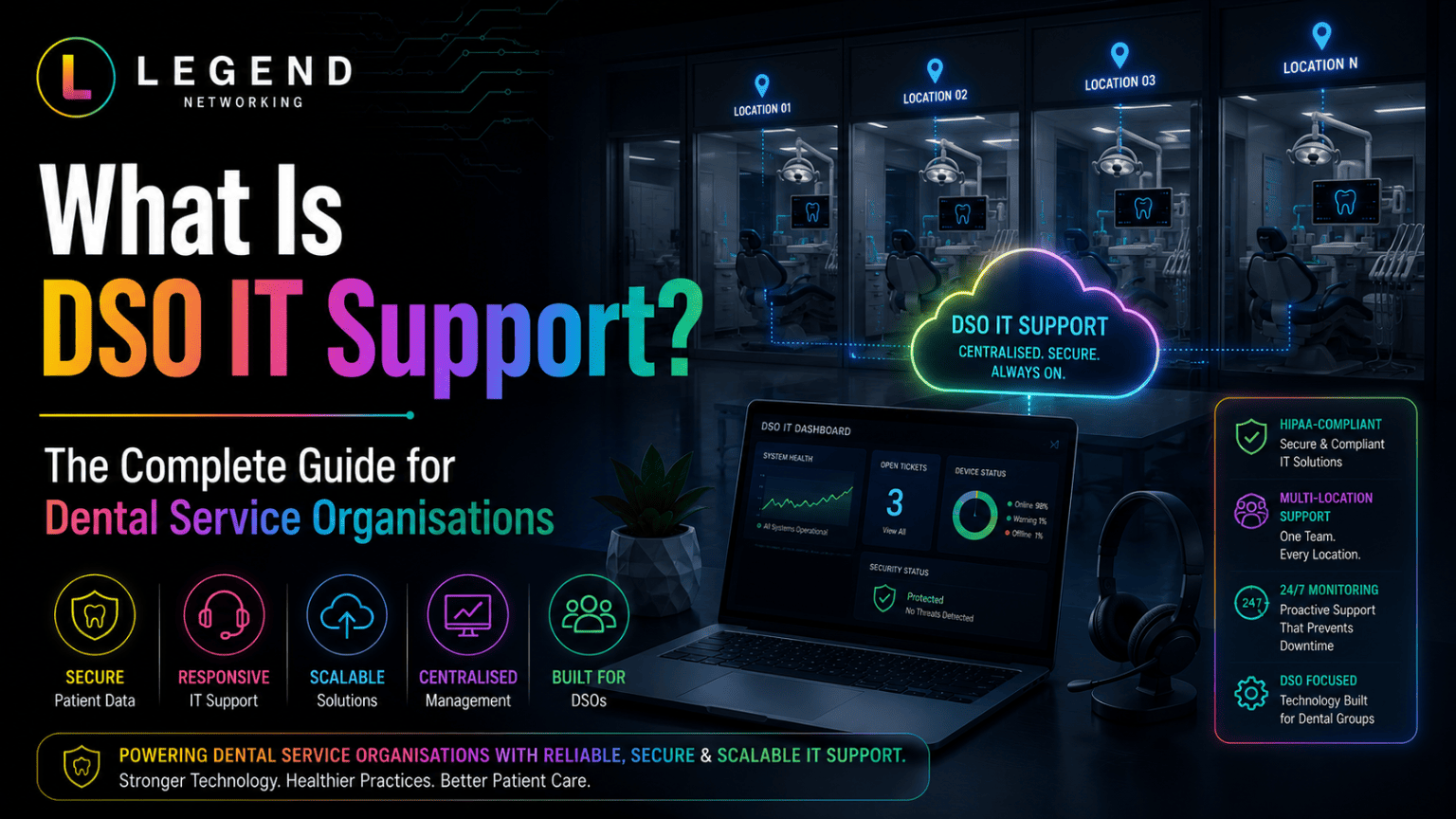
DSO IT support services are specialized technology solutions designed for Dental Service Organizations (DSOs) that operate multiple dental practices. These services centralize technology management, cybersecurity, compliance, cloud systems, network infrastructure, and technical support across all locations. The goal is to create standardized, secure, and scalable technology environments that support growth, improve operational efficiency, and protect patient data.
Key Takeaways
- DSO IT support helps manage technology across multiple dental locations.
- Centralized IT reduces downtime and simplifies operations.
- Strong cybersecurity protects patient information and supports compliance efforts.
- Standardized technology improves consistency across practices.
- Cloud solutions enable secure access and easier management.
- Proactive monitoring helps prevent disruptions before they impact patient care.
- Multi-practice dental IT solutions support expansion without increasing complexity.
- Dental-specific IT expertise brings familiarity with practice management, imaging and clinical workflows that general IT providers may not have.
Understanding DSO IT Support Services
As dental organizations grow, technology becomes more complicated. What works for a single office often becomes difficult to manage across five, ten, or fifty locations.
Each practice may have different hardware, software versions, network configurations, security policies, and support processes. Without a centralized strategy, these differences create inefficiencies, increase risk, and make growth harder to sustain.
DSO IT support services are designed to solve these challenges.
Rather than treating each office as a separate technology environment, DSO technology management creates a unified system where infrastructure, security, support, and policies are managed consistently across the organization.
This allows leadership teams to focus on patient care, growth, and operational excellence rather than on technology issues.
What Is a Dental Service Organization (DSO)?
A Dental Service Organization (DSO) provides administrative and operational support to multiple dental practices.
While dentists focus on clinical care, the DSO typically oversees functions such as:
- Human resources
- Finance and accounting
- Marketing
- Compliance management
- Vendor management
- Technology operations
- Business growth initiatives
In short: a dental service organization is an organization that provides or centralizes non-clinical business and administrative services for one or more dental practices. Technology is one of those support functions. The exact organizational and clinical structure varies from group to group.
As the number of supported practices increases, technology becomes a critical component of organizational success.
This is where dental service organization IT support becomes essential.
Which technology responsibilities are usually centralized, and which stay local
Most groups split responsibility rather than moving everything to one place. The split below is common, though every organization draws the line differently.
| Responsibility | Usually centralized at the DSO | Usually retained at the practice |
|---|---|---|
| Hardware and software standards | Approved workstation, firewall and imaging specifications | Requests for exceptions when a clinical workflow requires them |
| Identity and access | Account creation, role definitions, offboarding | Confirming who currently works in the office and what they need |
| Security policy and monitoring | Policy, endpoint protection, alerting, patch cadence | Following the policy day to day and reporting suspicious activity |
| Backups and recovery testing | Backup configuration, verification, restore testing | Confirming which local data and devices are in scope |
| Vendor relationships | Contracts, renewals, escalation ownership | Reporting faults and giving vendors on-site access |
| Practice management and imaging | Platform selection, version control, integrations | Clinical configuration, templates and scheduling preferences |
| Reporting | Group-wide dashboards for uptime, tickets, patching, backups | Local context that explains an outlier |
Why DSOs Need Specialized IT Support
Dental organizations have unique technology requirements that differ significantly from those of other industries.
They rely on:
- Practice management software
- Digital imaging systems
- Electronic patient records
- Intraoral scanners
- CBCT systems
- Insurance processing platforms
- Secure communication systems
These systems must remain available, secure, and integrated across multiple locations.
According to the U.S. Department of Health and Human Services, HIPAA-regulated covered entities and their business associates must implement safeguards to protect electronic protected health information (ePHI). This requires ongoing security measures, risk management, and monitoring.
Generic IT providers often understand networks and computers but may lack experience with dental workflows and specialized applications. Dental-focused IT providers understand how technology impacts clinical operations, imaging performance, scheduling efficiency, and patient experience.
Core Components of DSO IT Support Services
Centralized IT Management
One of the biggest advantages of DSO technology management is centralized oversight.
Instead of each location managing technology independently, all systems can be monitored and maintained from a single framework.
Benefits include:
- Consistent policies
- Easier troubleshooting
- Better visibility
- Simplified reporting
- Reduced administrative burden
Organizations gain greater control over technology investments while maintaining operational consistency across locations.
Multi-Practice Dental IT Solutions
Multi-location organizations require technology systems that work together seamlessly.
Multi-practice dental IT solutions typically include:
- Standardized hardware deployment
- Unified software configurations
- Centralized user management
- Shared communication systems
- Integrated cloud platforms
- Consistent backup policies
This approach reduces complexity while supporting future expansion. Centralized and standardized IT environments help DSOs maintain reliability and scalability as they grow.
Dental Network Security
Every connected dental office increases the organization’s security exposure.
A security issue at one location can potentially impact multiple offices.
Dental network security focuses on:
- Firewall protection
- Secure remote access
- Network segmentation
- Threat detection
- Access controls
- Data encryption
Strong network security reduces the likelihood of unauthorized access and helps protect patient information.
What should my dental office do about ransomware?
Ransomware remains one of the most serious cybersecurity threats facing dental and healthcare organizations today. It can lock access to critical patient data, disrupt daily operations, and lead to significant financial and reputational damage if not handled properly. Because dental practices rely heavily on digital systems for scheduling, imaging, and patient records, even a short disruption can impact patient care and overall workflow.
The most effective way to deal with ransomware is prevention and preparation. Dental offices should maintain secure and regularly tested backups so that data can be restored quickly if an attack occurs. Employee training is also essential, as many ransomware attacks begin with phishing emails that trick staff into clicking malicious links or downloading harmful files. Strengthening cybersecurity at the user level significantly reduces risk.
In addition, implementing endpoint protection across all devices helps detect and block suspicious activity before it spreads through the network. Keeping all systems, software, and applications updated with the latest security patches is equally important, as outdated systems are often targeted by attackers.
Continuous network monitoring plays a key role in identifying unusual behavior early, allowing IT teams to respond before damage occurs. Alongside this, having a well-documented disaster recovery plan ensures that the organization can restore operations quickly and minimize downtime.
Ultimately, dental organizations that take a proactive approach to ransomware protection are far better positioned to recover quickly and maintain continuity of care, even in the event of an attack.
DSO Cybersecurity Services
Cybersecurity is no longer optional for growing dental organizations.
DSO cybersecurity services provide layered protection across every location.
These services often include:
- Security assessments
- Risk management
- Vulnerability monitoring
- Email security
- Endpoint protection
- Security awareness training
- Incident response planning
Cybersecurity programs should evolve continuously as threats become more sophisticated.
Dental Infrastructure Support
Dental infrastructure support focuses on the foundation that keeps systems running efficiently.
This includes:
- Servers
- Cloud environments
- Network equipment
- Wireless connectivity
- Workstations
- Storage systems
- Backup systems
A properly designed infrastructure supports fast imaging access, stable software performance, and consistent operations.
Evidence a DSO Leader Should Request
Whether the work sits with an internal team or an external provider, the useful question is not "is this handled?" but "what evidence shows it is handled?" This checklist gives leadership something specific to ask for.
| Area | Evidence to request |
|---|---|
| Standardization | The written hardware and software standard, plus a list of every location and where it deviates from that standard |
| Acquisition onboarding | A documented onboarding sequence, and the last completed onboarding record for a real location |
| Identity and access | A current user list by role, the joiner/leaver process, and proof that departed staff accounts were disabled |
| Backups and restore tests | Backup coverage per location, the date of the last successful restore test, and what was restored |
| Vendor ownership | A vendor inventory naming the owner, renewal date and escalation contact for each contract |
| Reporting | A recent group-wide report covering tickets, patch status, backup status and monitoring alerts |
| Business continuity | The written continuity and disaster recovery plan, the date it was last reviewed, and the staff communication steps |
Ask for the artifacts themselves, not descriptions of them. Where evidence does not exist yet, that gap is the first item on the roadmap.
DSO Technology Management Best Practices
Successful DSOs typically follow several technology management principles.
Standardize Everything Possible
Standardization reduces complexity.
When every office uses the same approved hardware and software, support becomes faster and more predictable.
Examples include:
- Standard workstation models
- Standard firewall platforms
- Standard imaging workstations
- Standard security policies
This approach simplifies onboarding, maintenance, and troubleshooting.
Implement Proactive Monitoring
Reactive IT support can become expensive and disruptive.
Modern managed IT services for DSOs focus on proactive monitoring.
This includes:
- Device monitoring
- Network monitoring
- Backup verification
- Security alerts
- Performance tracking
Issues are often identified before they affect patient care.
Build Scalability Into Every Decision
Technology should support growth rather than create obstacles.
Before selecting new systems, organizations should consider:
- Future acquisitions
- New office openings
- Additional providers
- Increased patient volume
Scalable systems help avoid costly redesigns later.
Cloud vs. On-Premises Infrastructure for DSOs
| Feature | Cloud-Based Infrastructure | On-Premises Infrastructure |
| Accessibility | Secure access from anywhere | Primarily local access |
| Scalability | Easier to scale | Requires hardware upgrades |
| Maintenance | Provider-managed | Internal management required |
| Disaster Recovery | Often built-in | Requires separate planning |
| Initial Cost | Lower upfront investment | Higher hardware investment |
| Expansion Support | Faster deployment | More complex deployment |
Some growing DSOs choose cloud-based systems because they can simplify management across multiple locations and support centralized operations; the right mix depends on the group's software, connectivity and budget.
Managed IT Services for DSOs vs. In-House IT Teams
| Factor | Managed IT Services for DSOs | In-House IT Team |
|---|---|---|
| Dental Expertise | Specialized | Varies |
| 24/7 Monitoring | Typically included | May require additional staffing |
| Scalability | Highly scalable | Hiring required |
| Cybersecurity Resources | Specialized tools and personnel | Limited by budget |
| Multi-Location Support | Designed for DSOs | Can become challenging |
| Cost Predictability | Fixed service model | Staffing costs vary |
A hybrid approach, where internal staff work alongside external dental IT specialists, is another option groups consider.
The Role of Compliance in DSO IT Support
Compliance remains a major concern for dental organizations.
Technology systems must support:
- Patient privacy
- Secure access controls
- Data retention requirements
- Audit readiness
- Security documentation
Regular assessments and documented procedures help organizations reduce compliance risks.
Organizations supporting healthcare environments often implement security frameworks, encrypted backups, monitoring systems, and access controls to strengthen compliance efforts.
Common Technology Challenges DSOs Face
Inconsistent Systems Across Locations
One of the most common challenges DSOs face is inconsistency in technology across different locations. When dental practices are acquired or merged, they often bring their own systems, software, and hardware setups. This creates a fragmented environment where support becomes more difficult, security gaps may appear, staff require different training approaches, and reporting becomes less reliable. Over time, this lack of standardization can slow down operations and increase operational complexity. Standardizing systems across all locations helps eliminate these issues and creates a more unified and manageable IT environment.
Limited Visibility
Another major challenge is the lack of visibility into what is happening across the entire organization. Without centralized IT management, leadership teams often struggle to understand the real-time status of security, system health, hardware performance, and network stability across all clinics. This makes it difficult to make informed decisions or identify problems early. Centralized dashboards and monitoring tools solve this issue by providing a clear, real-time overview of the entire IT environment, improving control, transparency, and decision-making.
Cybersecurity Risks
Cybersecurity is a growing concern for all healthcare organizations, and DSOs are no exception. Because they operate multiple connected locations, the risk of cyberattacks increases significantly with each additional office. A single weak point in one location can potentially impact the entire network. Without a strong and unified security strategy, organizations become more vulnerable to threats such as ransomware, phishing attacks, and data breaches. Implementing a comprehensive cybersecurity framework helps reduce these risks and ensures patient data remains protected across all locations.
Growth-Related Complexity
As DSOs continue to expand, their technology environment naturally becomes more complex. Without a clear IT strategy in place, this growth can lead to operational challenges such as increased downtime, higher support costs, inconsistent security practices, and reduced efficiency across locations. What works for a small group of practices often does not scale effectively as new offices are added. Scalable infrastructure planning is essential to ensure that growth strengthens the organization rather than creating additional operational strain.
The Blueprint for Dental IT Standardization
Successfully scaling a dental organization requires a repeatable technology framework. Standardization helps ensure every location operates efficiently, securely, and consistently while making future growth easier to manage.
Step 1: Audit Existing Infrastructure
Document every workstation, server, firewall, switch, software application, and network connection across all locations. This assessment helps identify outdated hardware, unsupported software, and potential security vulnerabilities that need attention.
Step 2: Standardize Hardware
Create approved hardware specifications for all offices, including workstations, servers, firewalls, switches, wireless access points, and imaging workstations. Using the same equipment across locations simplifies maintenance and improves reliability.
Step 3: Standardize Software
Ensure every office uses the same versions of practice management software, imaging applications, security tools, and operating systems. Consistent software environments reduce compatibility issues and make updates easier to manage.
Step 4: Centralize Data Access
Implement a secure system that allows authorized staff to access patient records and business data from any location. Without centralized records, a patient seen at a different office can face delays while staff try to locate treatment plans, X-rays, medical histories, insurance information, or appointment records. Secure cross-location access removes those barriers and improves the patient experience.
Step 5: Implement Unified Security Policies
Apply the same cybersecurity standards across the entire organization. Consistent policies help protect patient information, reduce security risks, and support compliance requirements.
Step 6: Deploy Automated Backups
Protect critical business and patient data with automated backup solutions. Regular backups ensure information can be recovered quickly in the event of cyberattacks, hardware failures, or accidental data loss.
Step 7: Enable Remote Monitoring
Many technology problems begin long before staff notice them. Hard drives start failing, network devices degrade, security updates fail to install, and internet connectivity becomes unstable. Proactive monitoring tools track the health and performance of systems across all locations so IT teams can resolve these issues before they disrupt daily operations.
Step 8: Create an Expansion Playbook
Develop a standardized process for deploying technology at future locations, covering standard hardware configurations, pre-approved software, security policies, user access controls, and backup procedures. A documented framework gives each new clinic a known starting point, rather than building a network from scratch every time.
A Staged Sequence for Onboarding an Acquired Office
Acquisitions rarely arrive tidy. A staged sequence keeps the office running while it moves onto the group standard. Timelines depend on the condition of the acquired environment, so the order matters more than the calendar.
- Discover. Inventory hardware, software versions, network equipment, internet circuits, vendor contracts, licences and user accounts before anything changes.
- Assess risk. Identify unsupported systems, missing or untested backups, shared logins and remote access that no one owns.
- Stabilize. Address the items that could interrupt patient care first, such as backup coverage and access control, before cosmetic standardization.
- Transfer identity and access. Create accounts under group roles, remove accounts belonging to people who have left, and document who can reach what.
- Standardize. Bring hardware, software versions, security policy and monitoring in line with the group standard, scheduled around the appointment book.
- Connect and report. Add the location to centralized monitoring, backup verification and group reporting.
- Review. Confirm the location now matches the standard, record any accepted exceptions, and fold what was learned into the onboarding playbook.
Disaster Recovery Planning for Growing Dental Organizations
Every dental organization should have a documented disaster recovery plan. The question is not whether a disruption will occur, but whether the organization will be prepared when it does. Potential threats include ransomware attacks, hardware failures, power outages, severe weather events, internet outages, and human error.
An effective disaster recovery strategy includes:
Data Backup Redundancy: Critical information should be backed up in multiple secure locations.
Recovery Testing: Backups should be tested regularly to verify that data can be restored successfully.
Business Continuity Planning: Procedures should be in place for maintaining operations during technology disruptions.
Communication Plans: Staff should understand exactly what steps to follow when systems become unavailable.
Planning ahead gives an organization a documented path to follow when something goes wrong, instead of improvising during the disruption.
Vendor Management Across Multiple Locations
As a dental group expands, so does the number of technology vendors it depends on. Coordinating internet providers, software vendors, hardware manufacturers, and cloud providers separately at each office quickly becomes overwhelming. Centralized IT support consolidates those relationships, so escalations follow one process instead of a different one at every location.
Expert Insight From Legend Networking
According to the dental IT specialists at Legend Networking, successful DSO technology management starts with standardization, proactive monitoring, and security-first infrastructure design.
With more than 22 years of dental IT experience and support for multi-location dental organizations, the team emphasizes that technology should simplify growth rather than create operational bottlenecks. Centralized management, consistent deployment standards, and ongoing monitoring help organizations maintain reliability as they expand.
How Legend Networking Supports Growing DSOs
Legend Networking specializes in dental-focused technology services, including centralized support for multi-location organizations. Their approach includes infrastructure assessment, technology standardization, cybersecurity planning, cloud solutions, and ongoing support tailored specifically to dental environments. They support organizations ranging from startup practices to large multi-location DSOs nationwide.
For organizations looking to strengthen their technology foundation, explore Legend Networking’s Multi-Location & DSO IT Support services and Managed IT Services for Dental Practices for additional guidance and resources.
Managing technology across multiple dental offices does not need to be complicated.
A comprehensive technology assessment can identify opportunities to improve security, standardization, performance, and scalability.
Schedule a Free IT Assessment to evaluate your current environment and build a roadmap for future growth.
Talk to a Dental IT Specialist
Whether you operate five locations or fifty, specialized dental IT expertise can help simplify operations and support long-term growth.
Talk to a Dental IT Specialist to discuss your DSO’s technology goals and challenges.
Frequently Asked Questions
Q. What is a dental service organization?
Ans. A dental service organization is an organization that provides or centralizes non-clinical business and administrative services for one or more dental practices, such as finance, human resources, marketing, vendor management and technology. Technology is one of those support functions, and the exact organizational and clinical structure varies from group to group.
Q. Which IT responsibilities usually stay with the local practice?
Ans. Groups commonly centralize standards, identity and access, security policy, monitoring, backups, vendor contracts and reporting, while each office keeps day-to-day policy adherence, clinical configuration in practice management and imaging software, fault reporting, and confirming who currently works there.
Q. What are DSO IT support services?
Ans. DSO IT support services are the technology services a dental group relies on across every location: centralized management and monitoring, cybersecurity, practice management and imaging support, cloud and network infrastructure, backups, vendor coordination, and a single help desk route for staff.
Q. Why is dental service organization IT support different from regular IT support?
Ans. Dental organizations use specialized software, imaging systems, and patient data workflows that require industry-specific knowledge not typically provided by general IT companies.
Q. What does DSO technology management include?
Ans. DSO technology management includes infrastructure planning, centralized monitoring, cybersecurity, cloud management, support services, vendor coordination, and technology standardization.
Q. How do multi-practice dental IT solutions improve efficiency?
Ans. They create consistent systems across all locations, reducing support complexity, improving reliability, and simplifying expansion efforts.
Q. What are the biggest cybersecurity risks for DSOs?
Ans. Common risks include phishing attacks, ransomware, weak passwords, outdated software, unsecured remote access, and inconsistent security policies across locations.
Q. How important is dental network security for multi-location organizations?
Ans. Dental network security is critical because it protects patient information, supports operational continuity, and helps reduce the risk of data breaches.
Q. What are managed IT services for DSOs?
Ans. Managed IT services for DSOs provide ongoing monitoring, maintenance, cybersecurity, help desk support, infrastructure management, and strategic technology planning.
Q. How can Legend Networking help growing DSOs?
Ans. Legend Networking provides centralized dental IT support, cybersecurity services, cloud solutions, infrastructure planning, and multi-location technology management designed specifically for dental organizations.
Q. What should a DSO look for in an IT partner?
Ans. A DSO should look for dental industry experience, cybersecurity expertise, multi-location support capabilities, proactive monitoring, and scalable infrastructure planning.
Q. When should a DSO upgrade its IT infrastructure?
Ans. Organizations should evaluate upgrades when experiencing frequent downtime, security concerns, performance issues, compliance challenges, or significant growth through acquisitions or new office openings.
Q. How does centralized IT improve patient care across locations?
Ans. Staff can access records more quickly, communicate more efficiently, and avoid delays caused by disconnected systems or technology failures at other offices.
Q. Why does remote monitoring matter for multi-office dental groups?
Ans. Remote monitoring lets IT teams detect failing drives, unstable connections, and missed security updates before they cause downtime, turning emergency repairs into preventative maintenance.
Q. What belongs in a DSO disaster recovery plan?
Ans. Redundant backups in multiple secure locations, regular recovery testing, documented business continuity procedures, and a communication plan staff can follow when systems are unavailable.